Merge, split, and compress PDFs on your phone
ViaPDF runs the job on the Android phone you already have. Combine files, pull pages out, shrink a PDF to a size you can see, rotate a scan, or copy the text. No account. No upload. The first export is free.
- Files stay on your phone
- No account
- First export free
- Android now, iPhone soon
Free to download. The full toolkit is $14.99 once in the US. Google Play shows your local price. No subscription.
Download ViaPDF free
On Google Play for Android 7.0 and later. Open a PDF from Files or share one in. No sign-up, no email, no upload. iPhone is coming soon.
Full toolkit · $14.99 once · no subscriptionA PDF toolkit that shows the result before you send it
Five tools, the page order, the real file size, the words on the page, and a one-time unlock. These are the screenshots from the Google Play listing.
From a file on your phone to a file you can send
No account to create and nothing to upload. You pick the tool, check the result, and export when it looks right.
Pick the tool
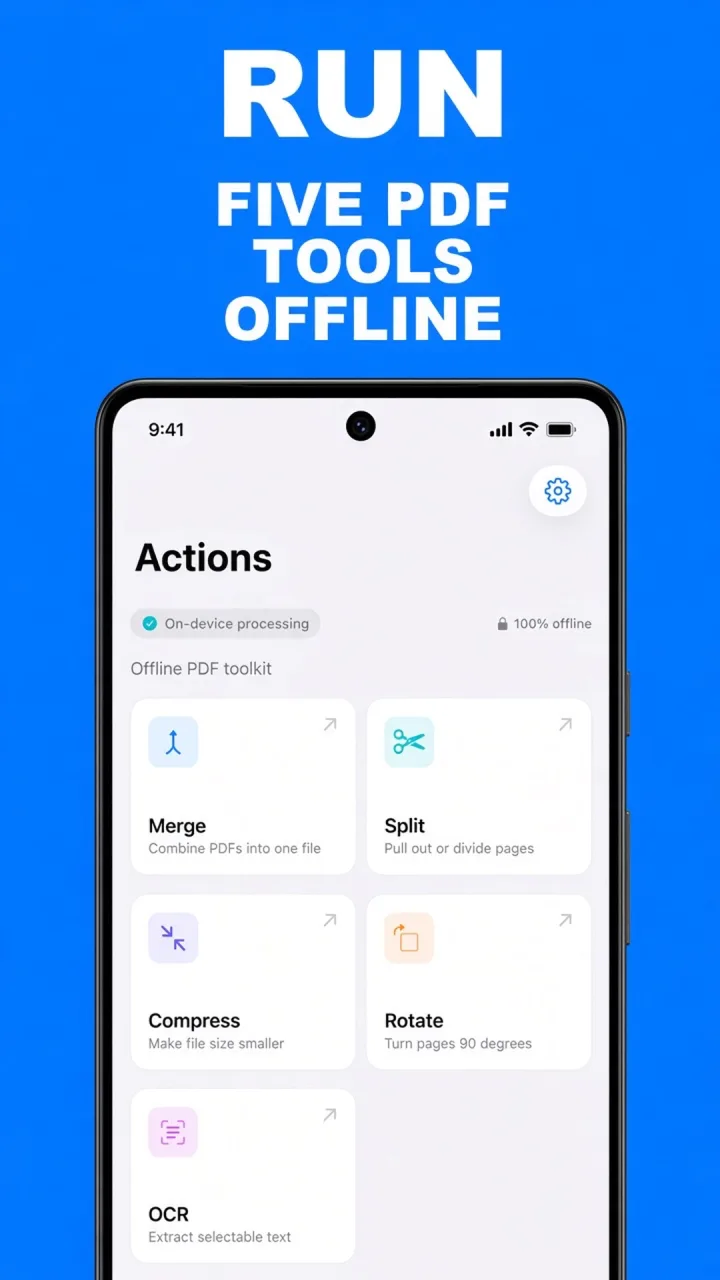
Actions opens on Merge, Split, Compress, Rotate, and OCR. Choose the job you actually have. A short introduction explains the same idea the first time you open the app, and you can skip it.
Add the PDF
Choose it from Files, or share a PDF into ViaPDF from another app. The file is ready on the device. You do not sign in.
Check the result
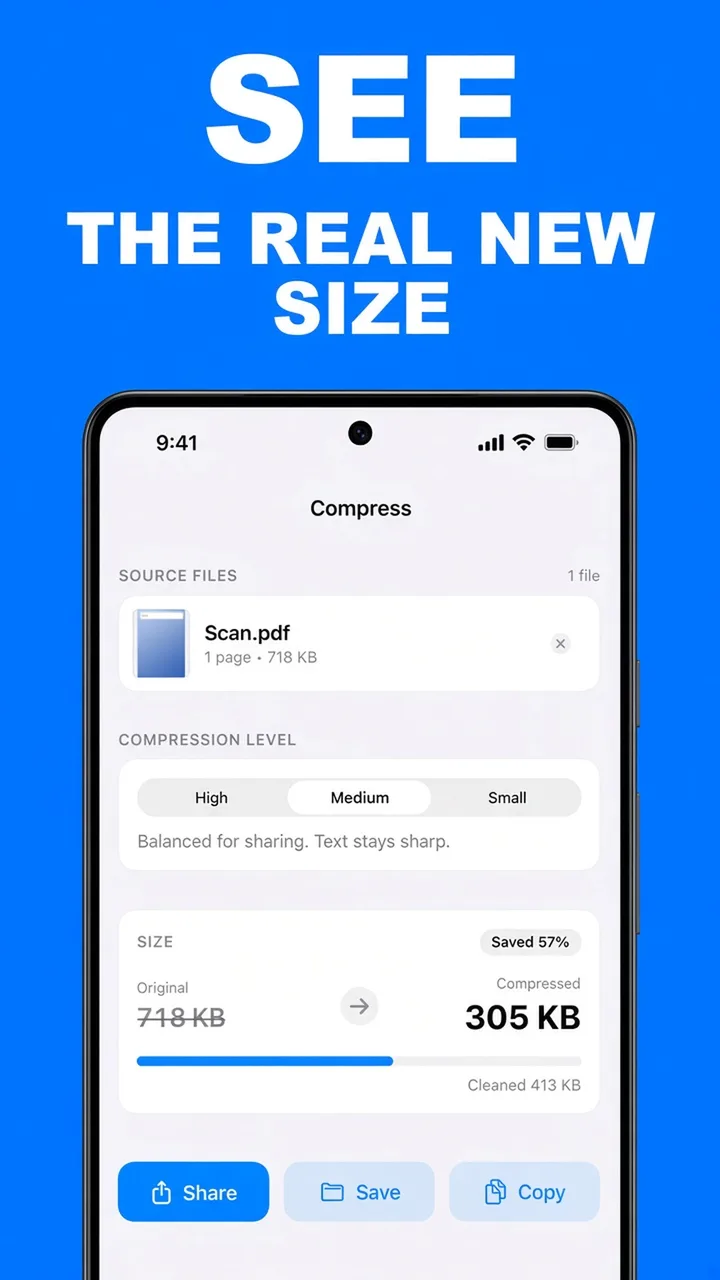
Set the page order, select a range, compare the compressed size, turn a page, or read the recognized text. Compress shows the new size before you commit.
Share or Save
The first export is free. After that, unlock unlimited exports once. The new PDF stays on your phone until you send it somewhere yourself.
The PDF jobs a phone should finish
Built for people who need a file done on the device they are holding, then want to get on with the rest of the day.
On the phone
There is no account and no upload. Merge, split, compress, rotate, and OCR run locally. A PDF leaves the phone when you tap Share or Save.
Honest sizes
Compress shows the original size, the compressed size, and how much was removed for High, Medium, or Small. You export after the number makes sense.
Five tools
Combine files, pull pages out, shrink a file, turn a scan upright, and copy text from a page or a scan. The Actions screen is those five tools.
Page control
Move pages while you merge, type a range like 1-3, 5 when you split, and rotate one page or every page.
Text from scans
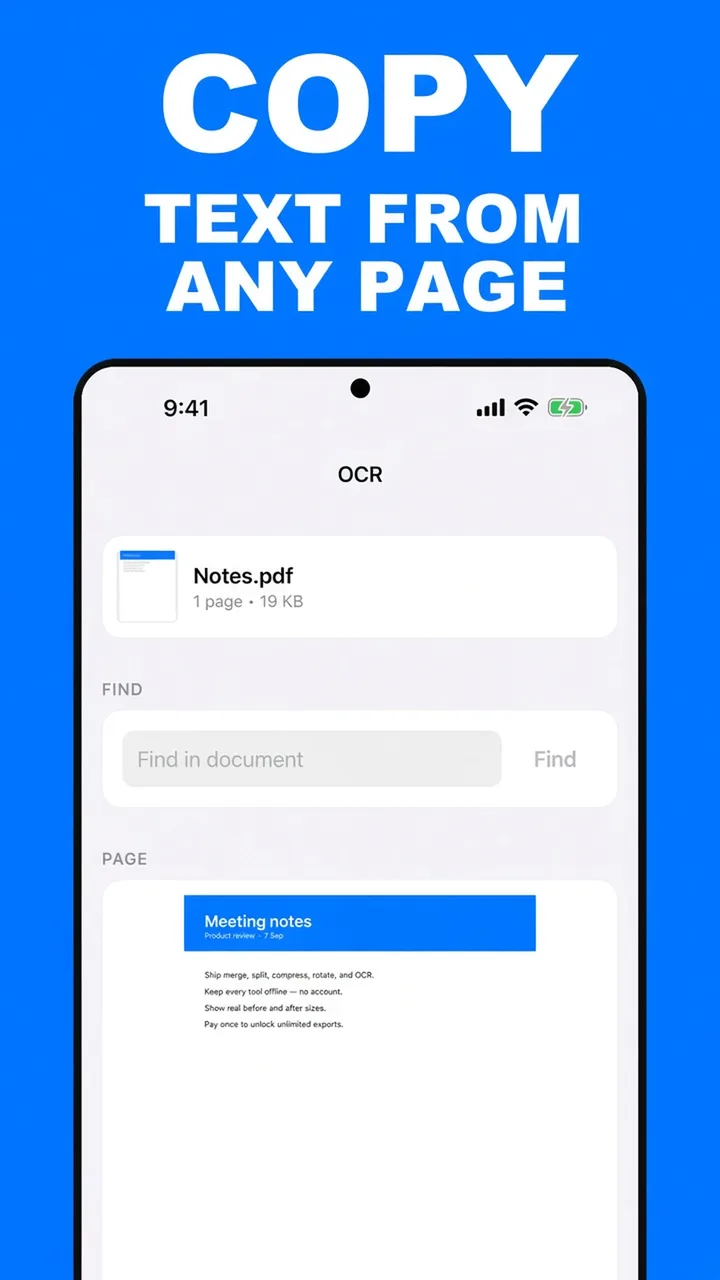
A text layer can be copied directly. A scan is recognized on the device. Save searchable PDF when the words should stay in the file.
Recents
The Recents tab lists what you have processed and filters by file name, capped at the last 100 so the list stays searchable.
A real free export
Open any tool and look at the result. The first Share or Save is free. There is no watermark and there are no ads.
Pay once
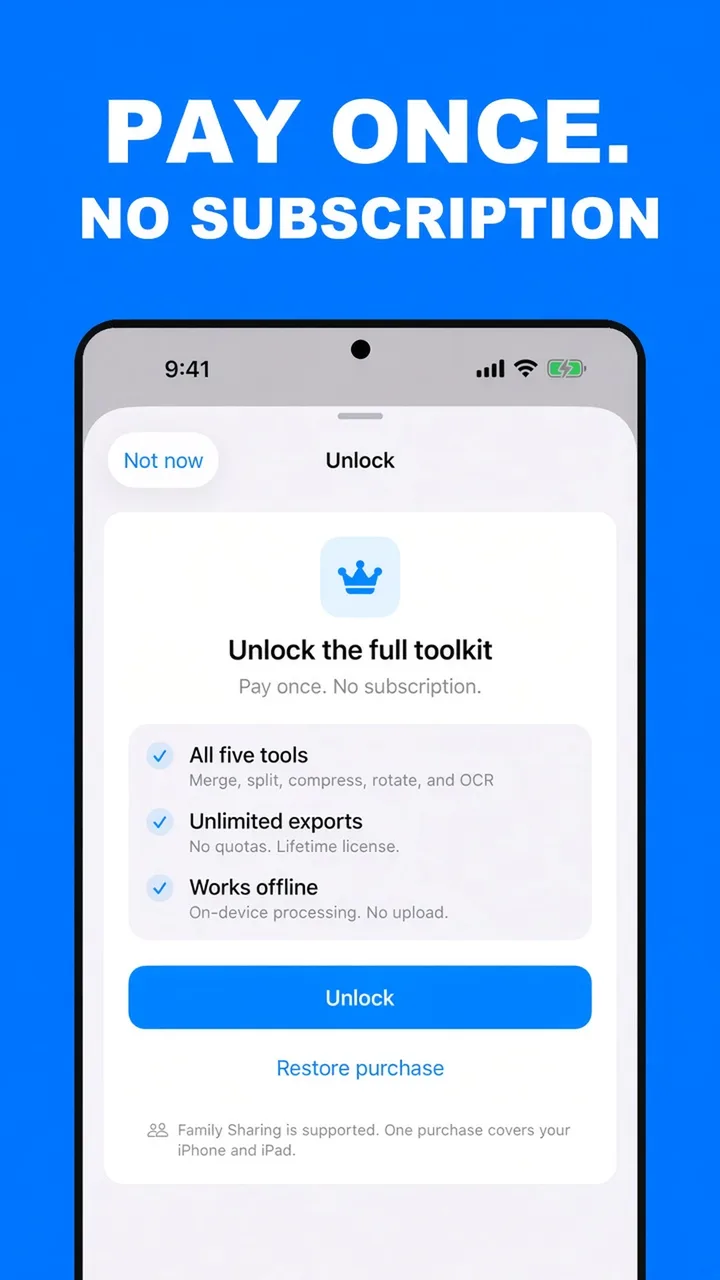
Unlimited exports are a single purchase. The US price is $14.99. Google Play shows the local price on the unlock button. No subscription.
Works offline
Processing does not wait on a connection. Install the app when you have a signal. Use the tools when you do not.
One free export. Then pay once.
Finish a real job before you buy anything. When you need another export, unlock the toolkit once. The US price is $14.99. No subscription.
Free
Enough to merge, compress, split, rotate, or copy text and send one file.
- All five tools: merge, split, compress, rotate, and OCR
- See the result before you pay, including the real compressed size
- First Share or Save is free
- On-device processing, no account, no upload
- Copy text from a page to the clipboard
- No ads and no watermark
Full toolkit
Unlimited exports. Google Play shows the price for your country on the unlock button.
- Unlimited Share and Save
- Lifetime license on your Google account
- Merge, split, compress, rotate, and OCR
- Searchable PDF export from OCR
- Works offline after the purchase is confirmed
- Restore purchases in Settings on a new phone
PDF guides for the job in front of you
How to merge, compress, split, rotate, and copy text on Android, and how the free export and the one-time unlock work.
Merge PDF files on Android
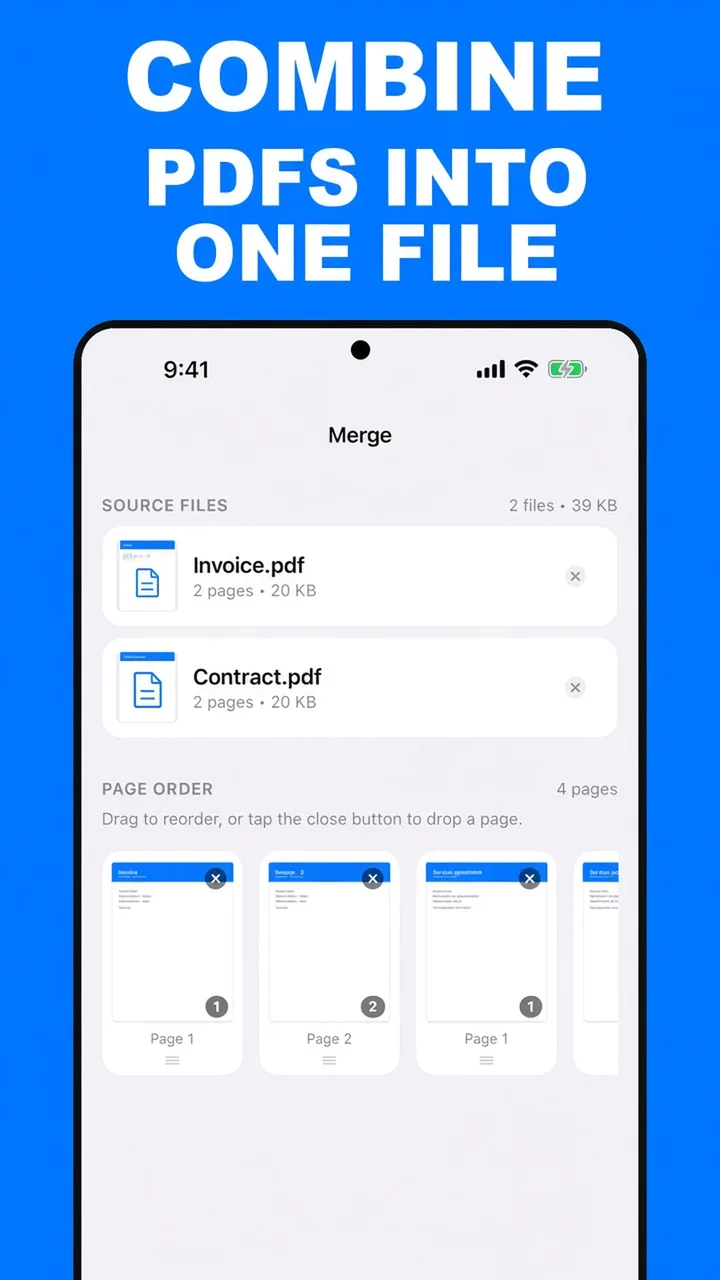
Combine two or more PDFs into one file, set the page order, and drop pages you do not need. On your phone, offline.
Read the guide →CompressCompress a PDF on Android
See the real new file size before you share. High, Medium, or Small, with the before-and-after numbers on screen.
Read the guide →SplitSplit a PDF on Android
Pull out the pages you need, or type a range like 1-3, 5. ViaPDF saves that selection as a new PDF on your phone.
Read the guide →MergeCombine PDF files into one
Turn a pile of separate PDFs into one attachment: invoice, contract, receipt. Set the order, then share a single file.
Read the guide →CompressReduce PDF file size for email
When an attachment is rejected, shrink the PDF on your phone and check the new size before you send it again.
Read the guide →SplitExtract pages from a PDF
Keep page 4, or pages 2 through 6, as a new PDF. Type the range or tap the thumbnails. The original stays intact.
Read the guide →OCRCopy text from a PDF
If the PDF has real text, copy it. If it is a scan, ViaPDF recognizes the page on your phone so you can copy that too.
Read the guide →RotateRotate PDF pages
Turn a sideways scan upright. Rotate every page, or only the pages that are wrong, by 90 degrees at a time.
Read the guide →PrivacyAn offline PDF app
Merge, split, compress, rotate, and copy text with no account and no upload. The PDF stays on your phone.
Read the guide →Questions people ask before they install
Straight answers about merging, compressing, privacy, and what the free export includes.
How do I merge PDF files on Android?
Open ViaPDF, tap Merge, add the PDFs, and arrange the pages with the arrows. Tap × to drop a page. Then Share or Save. The merge runs on your phone, and the first export is free.
How do I combine several PDFs into one file?
That is the Merge tool. Add each PDF, put the pages in the order a reader should see them, and export one attachment. The originals stay as separate files.
How do I compress a PDF on my phone?
Tap Compress, add the PDF, and choose High, Medium, or Small. ViaPDF shows the original size and the compressed size before you export, so you can see whether it is actually smaller.
How do I reduce a PDF so an email will accept it?
Compress at Medium and read the new size. If you are still over the limit, switch to Small, or extract the pages you need and compress that shorter file.
How do I split a PDF and keep only some pages?
Tap Split, choose Pages to tap thumbnails or Range to type numbers such as 1-3, 5. ViaPDF saves the pages you keep as one new PDF and leaves the original alone.
How do I extract one page from a PDF?
In Split, switch to Range and type the page number, or switch to Pages and tap that thumbnail. You get a new PDF with just that page.
How do I rotate a sideways PDF?
Tap Rotate. Turn every page 90° left or right, or use the controls on a single thumbnail. Tap the same direction again for 180°. Export writes a new file.
How do I copy text from a PDF, including a scan?
Tap OCR and open the PDF. A normal PDF shows a text layer. A scan shows recognized text. Tap Copy text. Find in document searches the other pages.
Can ViaPDF OCR a scanned PDF?
Yes. OCR recognizes the page on your phone. You can copy the words or tap Save searchable PDF to embed them in a new file. Jobs over 50 pages ask you to confirm first.
How do I reorder pages in a PDF?
Open Merge and add that one PDF. Move pages with the arrows and drop any you do not want with ×. Merge writes a new file in that order.
Does ViaPDF upload my PDFs?
No. Merge, split, compress, rotate, and OCR run on the device. The Play data-safety form reports no data collected and no data shared. A file leaves the phone when you tap Share or Save.
Is there a PDF app without a subscription?
ViaPDF is free to download, the first export is free, and unlimited Share and Save is $14.99 once in the US. Google Play shows your local price on the unlock button. There is no monthly plan and there are no ads.
What PDF tools are included?
Merge, split, compress, rotate, and OCR. It does not fill forms, collect signatures, scan from the camera, or convert PDFs to Word. Android 7.0 or later is supported today. iPhone is coming soon.
Is the first export really free?
Yes. You can run the tools and look at the result, and the first Share or Save does not require the unlock. After that export is used, unlimited exports are the one-time purchase.
What happens to a file if I have no signal?
You can still merge, split, compress, rotate, and copy text. ViaPDF does not need a connection to process a PDF. Downloading the app, and confirming a purchase, can require one.
Finish the PDF on the phone you have.
Download ViaPDF free on Android. Your first export is on us. Unlock the toolkit once when you need the next one. iPhone is coming soon.