ViaPDF
Twelve offline PDF tools for Android. No account and no upload.
See ViaPDFEverkeep is a private baby memory book that lives on your phone. Every photo, video, voice note and written note becomes a page in a book about your child, filed by age, with no account, no cloud feed and no subscription.
Free to keep. Everkeep Pro is a single purchase, not a subscription. The book design shown here is on Android now; the iPhone app is on the App Store and gets the same design in a coming update.
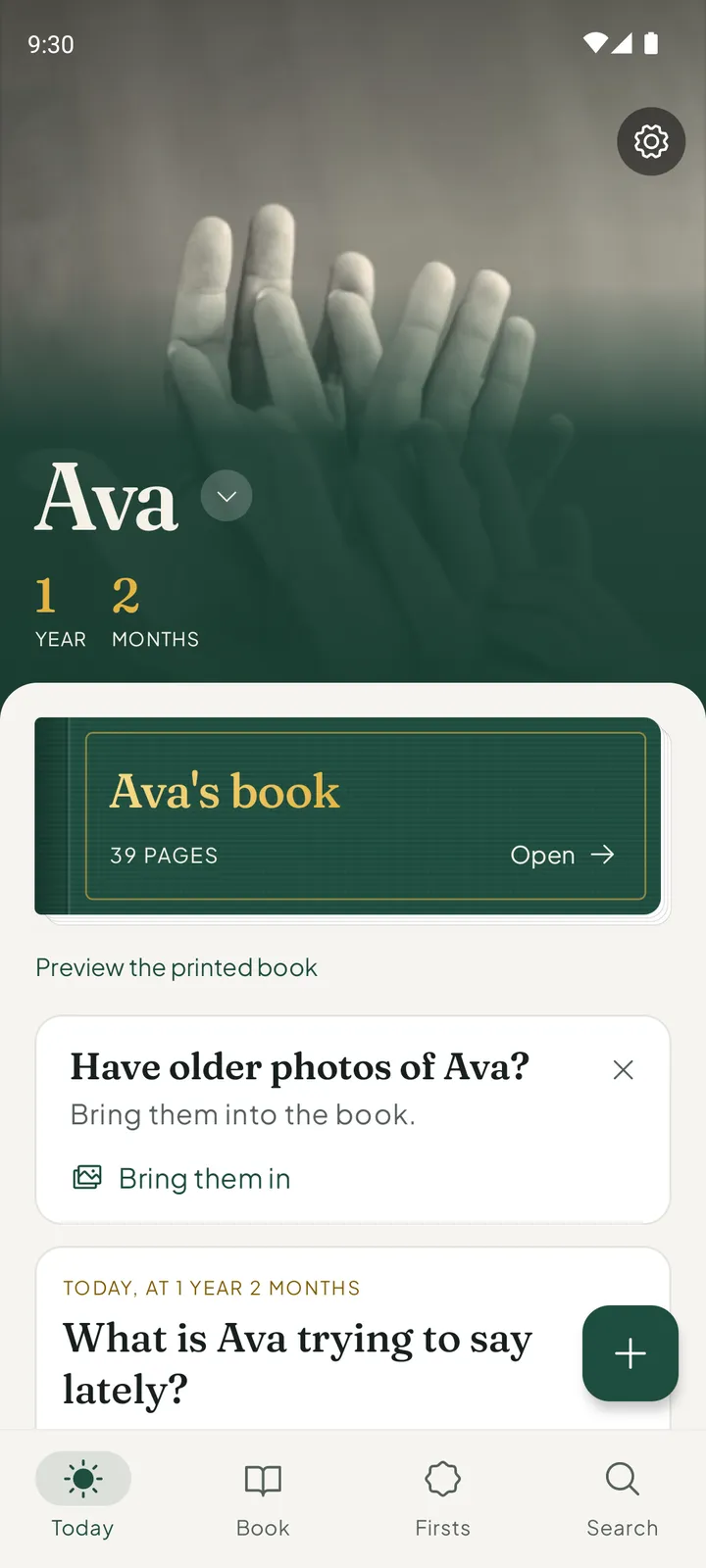
A camera roll files pictures by date. Everkeep keeps them the way a parent remembers them: by how old your child was.
Each child gets a book with a cover in the colour you choose. There are six cloths, and the one you pick colours the whole app.
The book carries your child’s name, so the app speaks of Ava’s book, Ava’s firsts and how Ava has grown.
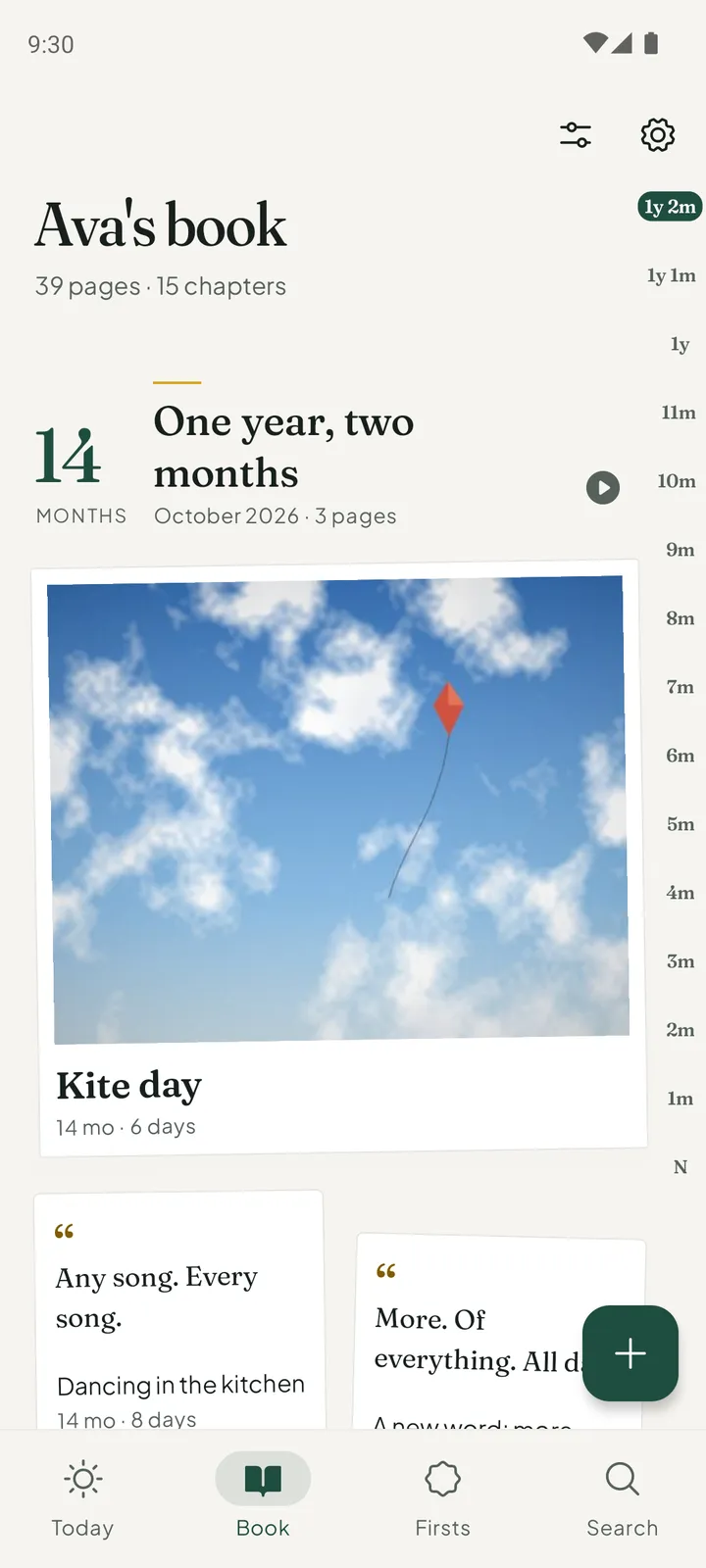
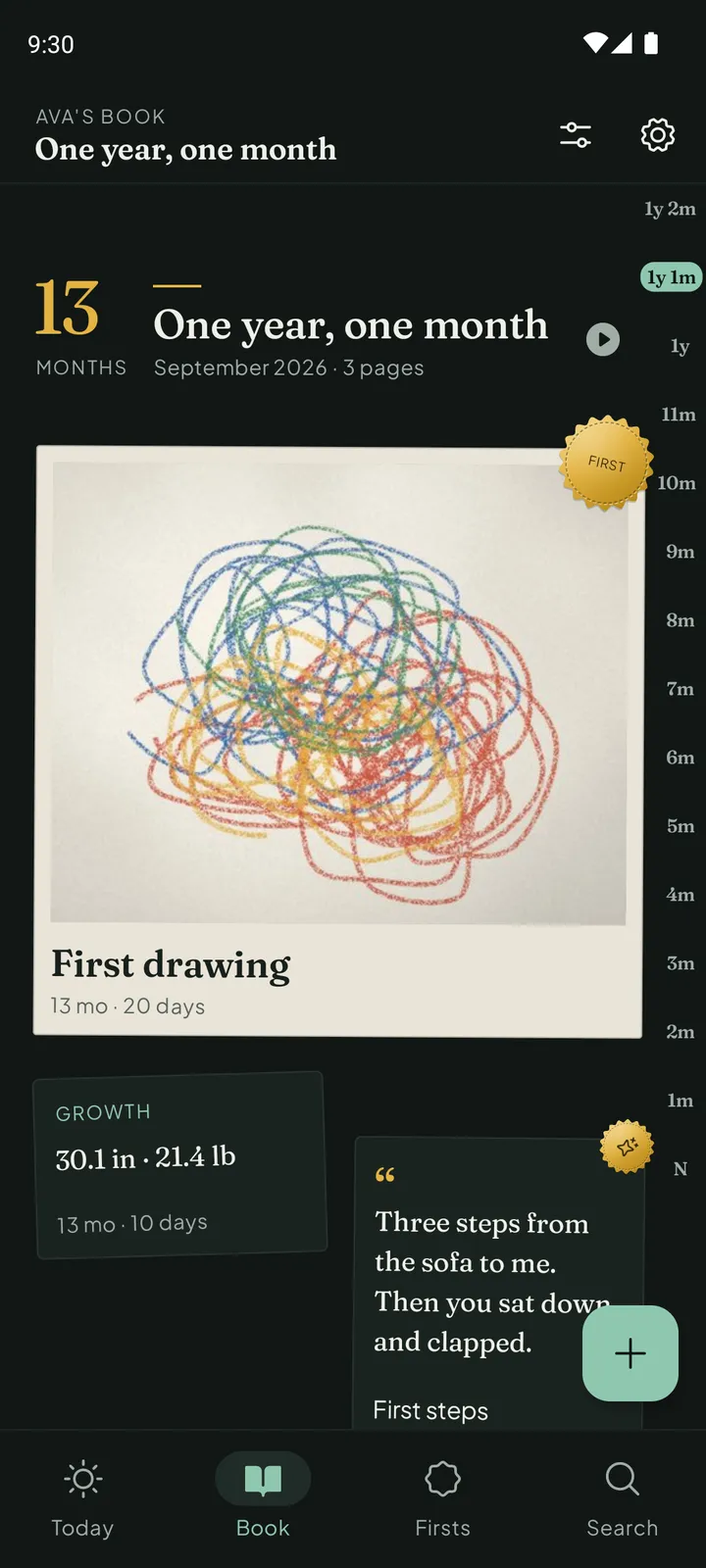
Pages are sorted into chapters by month of life: newborn, 1 month, 2 months, and on through the years.
The ages run down the side of the book, so any month is one touch away.
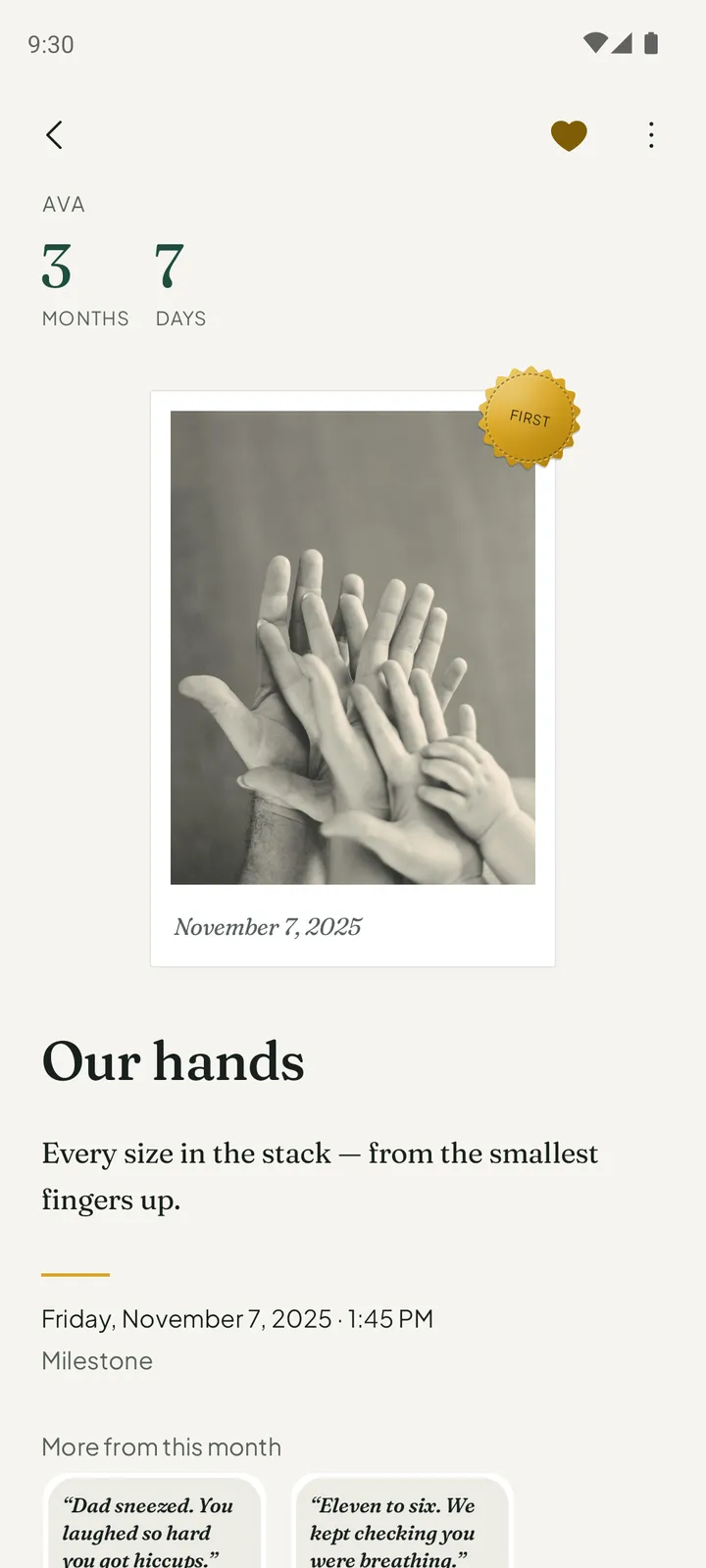
Every kind of memory has its own page. A photo is a print with the date on its border. A voice note is a card that shows the shape of the recording. A note is set like the text of a book.
 Play the film
The film plays from YouTube, and only loads when you press play.
There is no account to create and nothing to upload.
Give the book your child’s name and birthday, and choose the cloth for its cover.
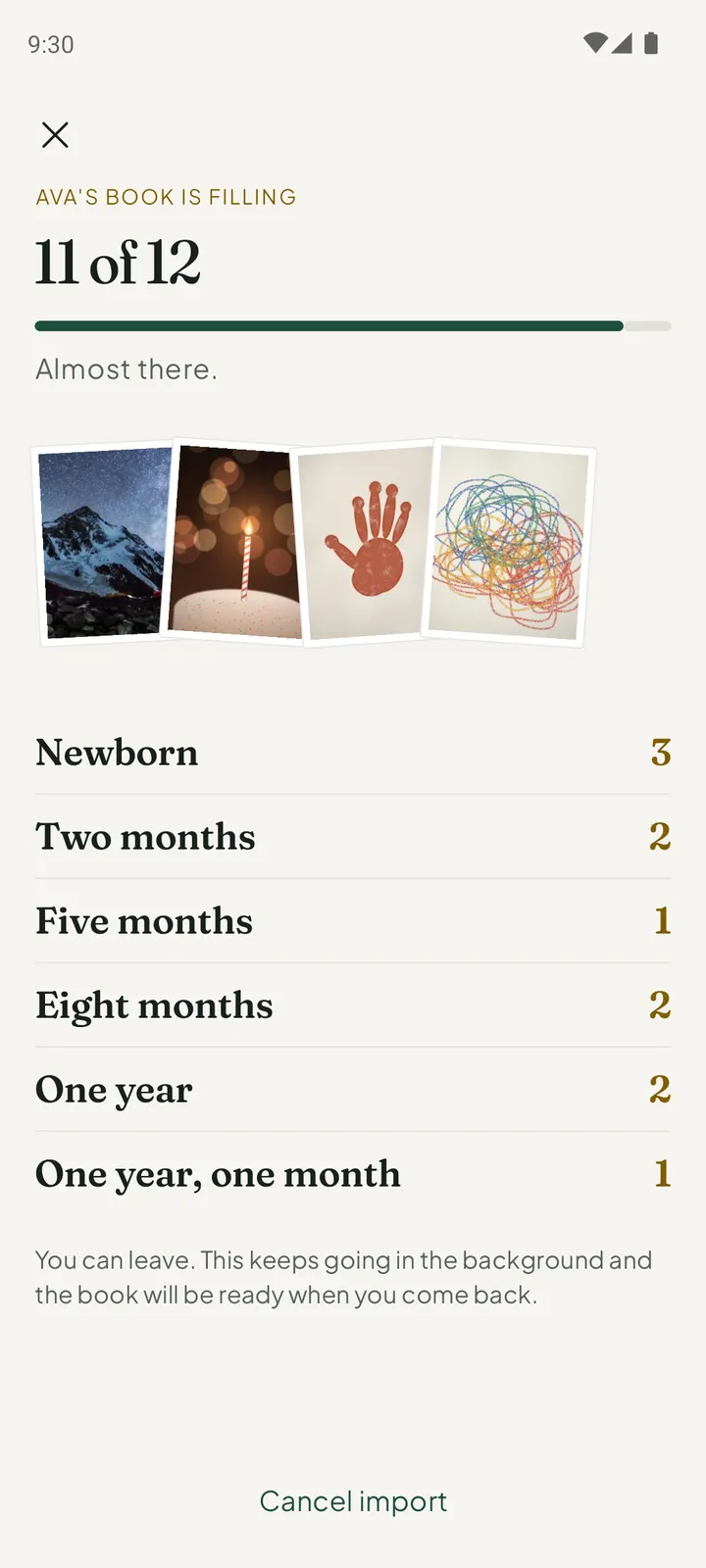
Import from your photo library. Each photo and video is filed under your child’s age on the day it was taken.
When something happens, keep it: a photo, a video, a voice note, a written note, or a card or drawing you scan.
Preview the printed book whenever you like. Everkeep Pro gives you the clean PDF to share, save or send to a printer.
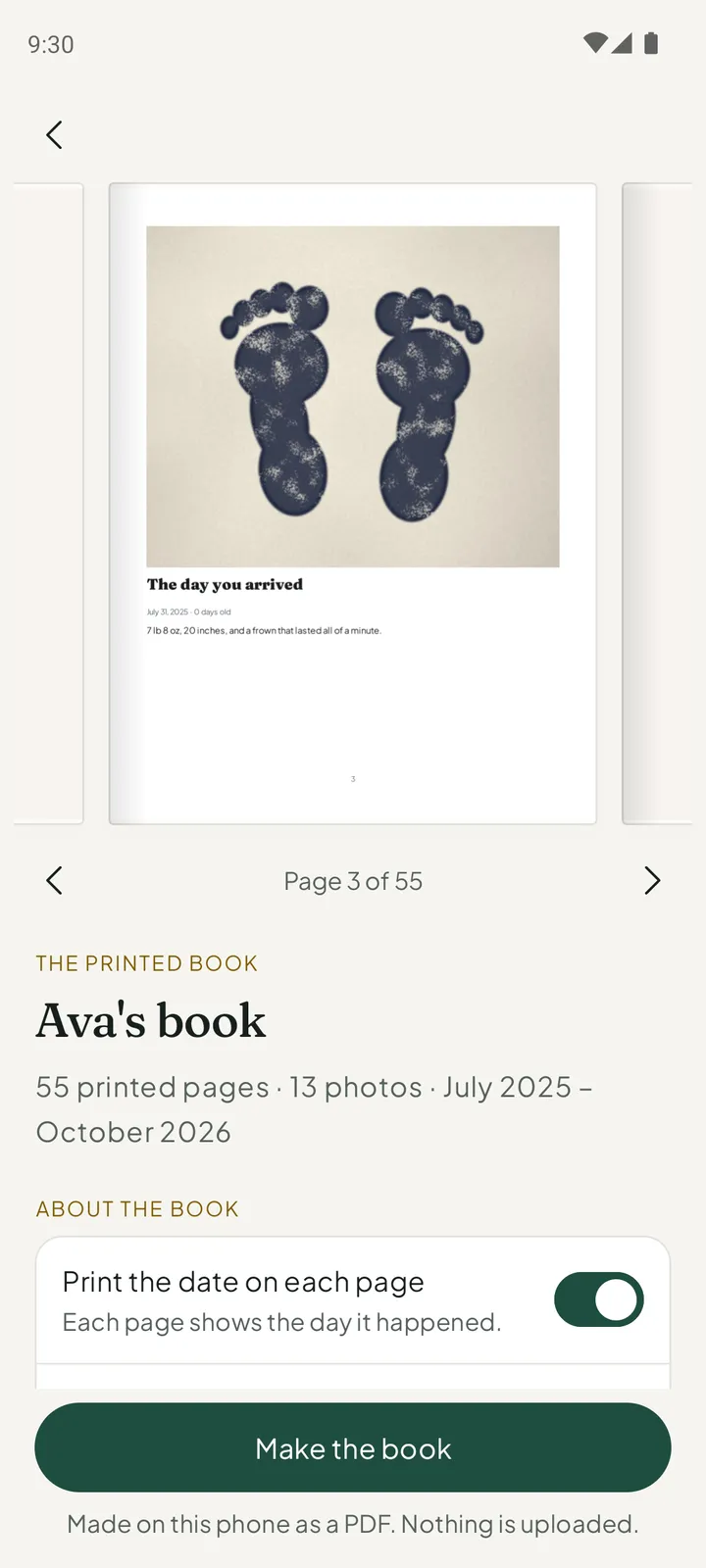
Keeping pages is free and stays free: photos, videos, voice and notes, as many as you like.
Everkeep Pro is a single purchase, not a subscription. The printed book is made on your phone as a PDF, and nothing is uploaded.
Everything you need to keep the book.
Everkeep Pro adds:

For Android 7.0 or later, and for iPhone with iOS 18.2 or later. No sign-up and no email.
Free to keep · Pro is $9.99 oncePractical answers to the questions parents ask: how to make a baby memory book, keep photos private, record your baby’s voice, and more.
The five things that decide whether you will still be journaling in a year, and how Everkeep handles each.
Read the guide →Memory bookBuild the book one page at a time and print a PDF keepsake, without a subscription.
Read the guide →Memory bookHow to build a digital baby book that is private, organised by month and printable as a real PDF.
Read the guide →PricingWhy a one-time purchase is the only fair model for a baby book, and exactly what Everkeep Pro includes.
Read the guide →PrivacyWhat on-device really means, what data Everkeep does and does not touch, and how to lock it down.
Read the guide →PrivacyWhy offline matters for the moments that count, and how Everkeep works with no signal.
Read the guide →MilestonesA checklist of milestones worth recording and how to capture the story, photo and sound behind each one.
Read the guide →VoiceWhy audio matters more than another photo, and how to record and keep voice memories in Everkeep.
Read the guide →ScrapbookMix photos, notes, voice and video into one scrapbook you can print as a PDF, no glue required.
Read the guide →Plain answers about privacy, price, backups and what Everkeep does.
Look for one that keeps memories on your device rather than on a company server, and that does not ask you to create an account. Everkeep is a private baby memory book that lives on your phone. It has no account, no ads and no social feed, and you can lock the book with a PIN, fingerprint or face.
In Everkeep every photo, video, voice note and written note becomes a page in a book about your child, filed by age. Pages are sorted into chapters by month of life, and you can bring in the photos you already have. Everkeep Pro adds the printed book as a clean PDF to share, save or send to a printer.
Choose an app that keeps the book on your device, sorts it by your child's age, lets you save a backup you hold yourself, and can turn the book into a PDF you can print. Everkeep does all four. The printed PDF is part of Everkeep Pro, a single purchase.
Yes. Keeping pages in Everkeep is free and stays free: photos, videos, voice and notes, as many as you like. Everkeep Pro is a single purchase of $9.99, not a subscription. It adds the printed book as a clean PDF, month films saved to your phone, a book for every child, Looking Back, and handwriting and voice notes turned into text without a limit.
Use a baby journal that stores everything on your device. With Everkeep your memories stay on your device: there is no account, no ads and no social feed. You can lock the book with a PIN, fingerprint or face, and save a backup file whenever you like and keep it wherever you trust.
With Everkeep, yes. It works offline because your memories stay on your device and nothing needs to sync. The printed book is made on your phone as a PDF, and nothing is uploaded. You need a connection to buy or restore Everkeep Pro.
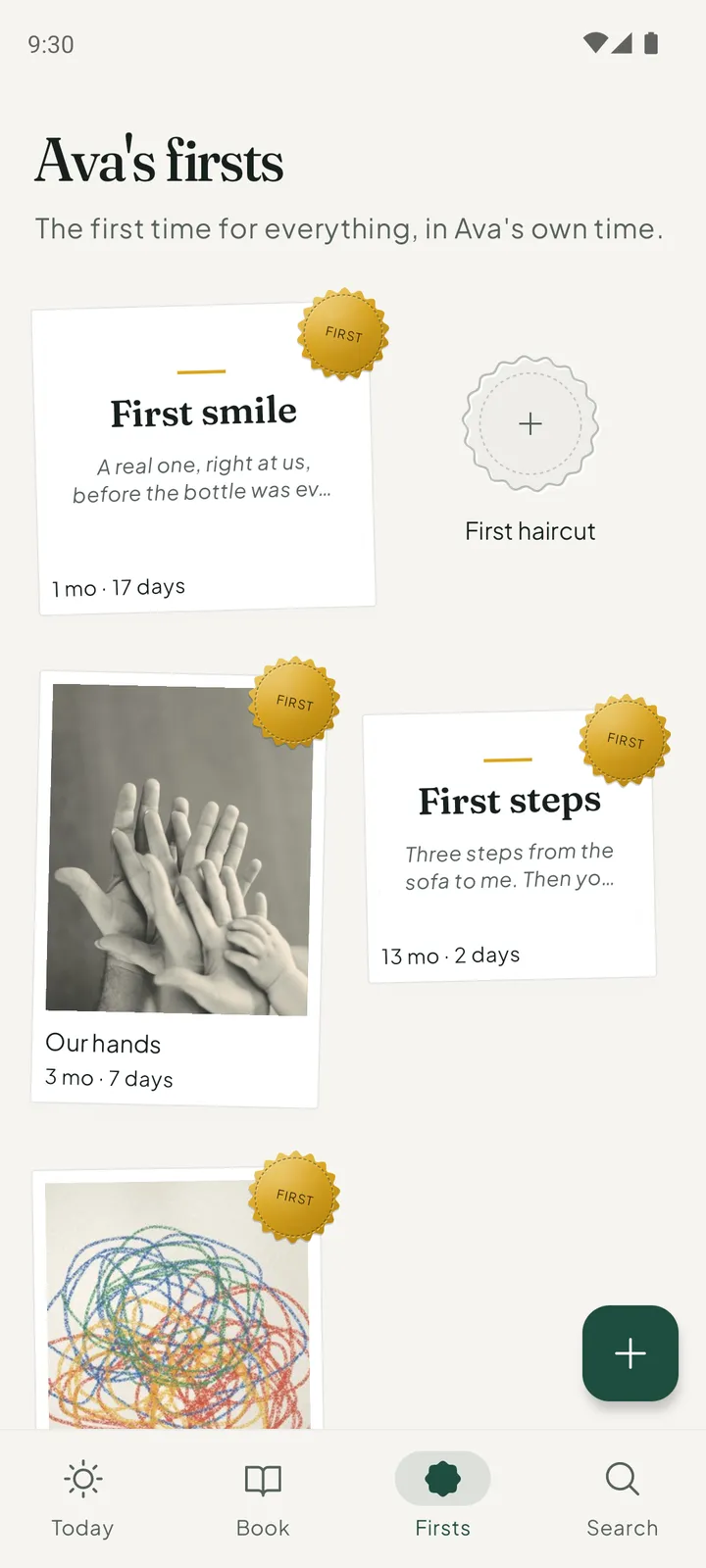
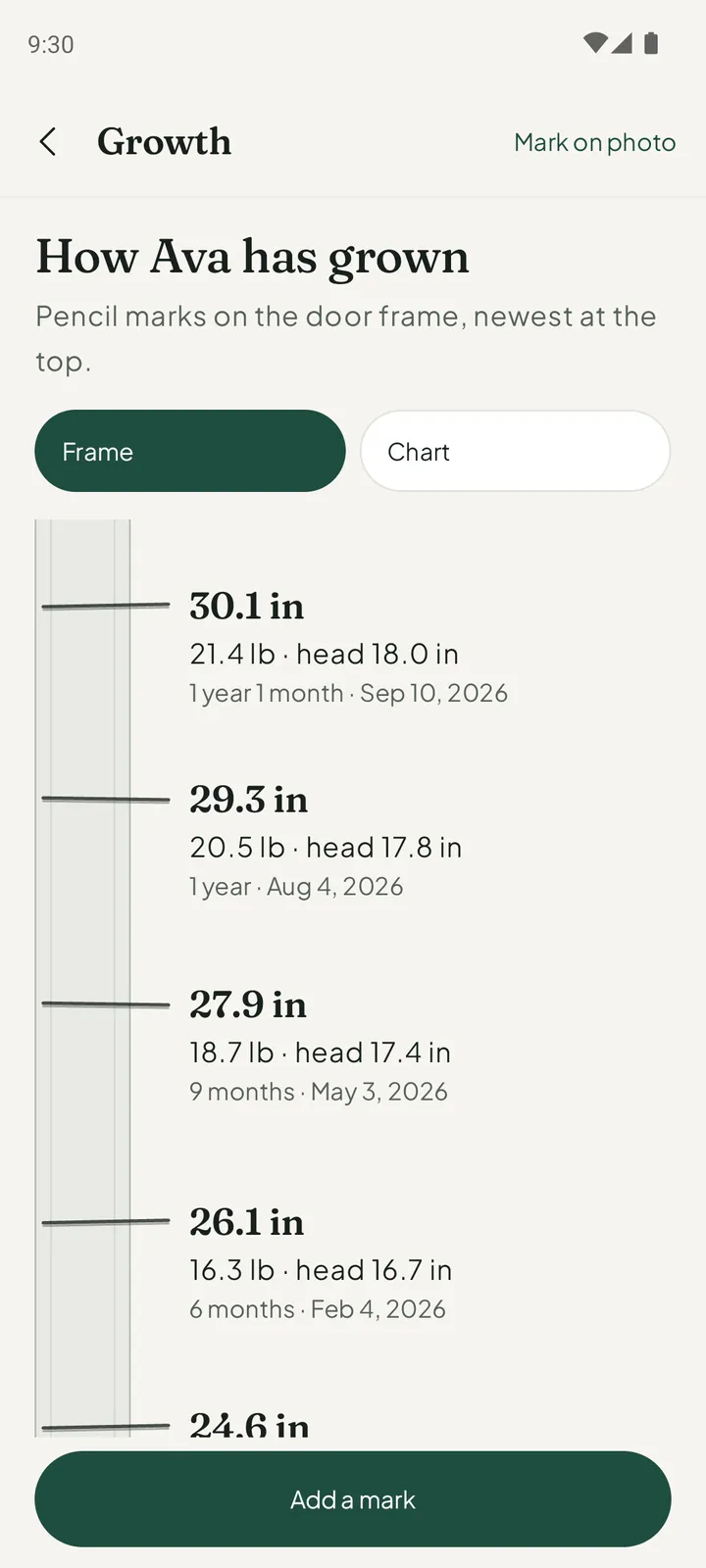
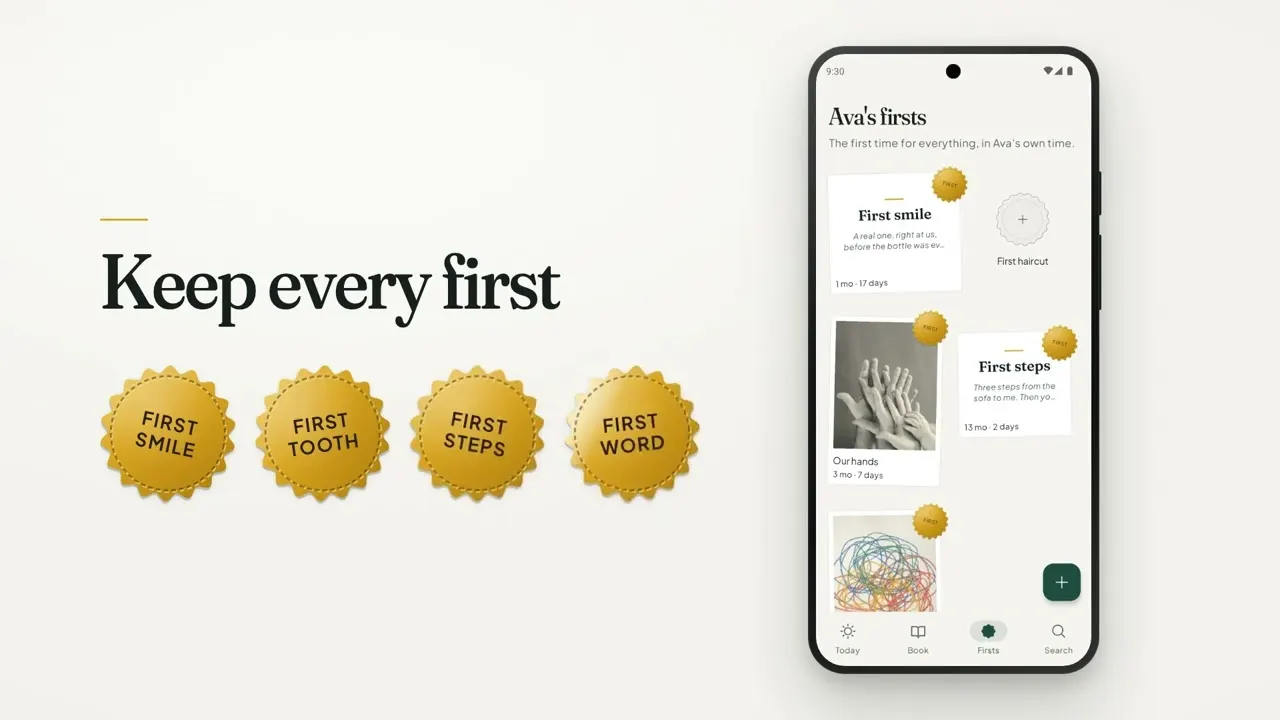
Keep each first as its own page with the day it happened: first smile, first tooth, first steps, first word. In Everkeep the firsts are gathered on one wall, each marked with a foil seal and your child's age that day. You can also record height, weight and head size and see how far your baby has come.
Keep the recording as a page of its own, not as a file in a folder. In Everkeep a voice note is a page in the book, filed under your child's age on the day you recorded it, next to that month's photos. Everkeep can also write voice notes out as text on your phone: the first five are free, and Everkeep Pro removes the limit.
Yes. In Everkeep every kind of memory has its own page: a photo print, a video, a voice note, a written story, or a scanned card or drawing. The pages are sorted into chapters by month of life, and Everkeep Pro turns the whole book into a PDF.
Pick one where a page takes a moment and can be a photo, a voice note or a sentence. Everkeep has one capture button, and each page is filed by your child's age for you. If you want one, a gentle reminder can arrive on each month birthday or once a week. Reminders are off until you turn them on.
Bring the photos into Everkeep from your photo library. It files each photo and video under your child's age on the day it was taken. Everkeep Pro then gives you the printed book as a clean PDF to share, save or send to a printer.
Everkeep works the other way round from a shared cloud album. Your memories stay on your device, there is no account and no social feed, and Everkeep Pro is a single purchase rather than a subscription. When you want family to see the book, you share the printed PDF yourself.
Yes. In Everkeep, keeping pages is free and stays free: photos, videos, voice and notes, as many as you like. The printed book as a PDF is part of Everkeep Pro, a single purchase of $9.99 and not a subscription. Reminders are optional and off until you turn them on.
Learn more: A Qeepsake alternative without the subscription →
Write the story behind a moment rather than only its date: where you were, who was there, how it felt. A new word, what made them laugh this week, a letter to them. In Everkeep a written note is set like a page of a book, and a card or a drawing can be scanned and kept as a page too.
Keep a few pages a month rather than trying to record everything, and mix photos with voice and short notes. Everkeep sorts the pages into chapters by month of life: newborn, 1 month, 2 months, and on through the years. A gentle reminder on each month birthday can help, if you turn it on.
File them by your child's age rather than by calendar date. Everkeep does this for you: import from your photo library in a few taps, and each photo and video is filed under your child's age on the day it was taken. If you change your mind, you can undo an import for 30 days.
Yes. In Everkeep each child gets a book with a cover in the colour you choose, with its own chapters, firsts and growth. One book is free. Everkeep Pro, a single purchase, adds a book for every child.
Yes. Keeping pages is free and stays free: photos, videos, voice and notes, as many as you like. The book, firsts, growth, importing your photos, the cover colour, the lock, reminders and backup are free too. Everkeep Pro is an optional single purchase of $9.99, not a subscription.
Save a backup file in Everkeep and keep it wherever you trust. On the new phone, install Everkeep and restore from that file. Because you hold the backup, the book does not depend on a server of ours.
No. Everkeep has no account, no ads and no social feed, and your memories stay on your device. Reading handwriting and writing out voice notes also happen on the phone. Purchases of Everkeep Pro go through Google Play or the App Store.
A baby journal, milestone tracker, photo album and keepsake book in one quiet app, made for parents who want to keep their child’s first years to themselves.
Twelve offline PDF tools for Android. No account and no upload.
See ViaPDFClipboard manager for Android that stays on this phone. No ads. No account.
See SoloclipFinds similar photos, bursts and old screenshots on Android. Photos stay on the phone.
See SparePix