Three questions to ask any digital baby book
Who owns the file?
If the book only exists on a company’s server, it exists at their pleasure. Companies get acquired, raise prices, add ads and shut down. A durable digital baby book is one you can hold as a file: a PDF, plus a backup of the originals.
Is it organised the way memory works?
Camera rolls are organised by the second the shutter fired. Baby books are organised by chapters: “the newborn weeks”, “three months”, “the summer she learned to crawl”. You want an app that groups by month and age automatically, so the book writes its own table of contents.
Can it hold the whole memory?
A picture of the first step is good. The video, plus a voice note of you laughing, plus two lines about how it happened, is the memory. Look for photo, video, voice and text in one entry.
How Everkeep is built as a digital baby book
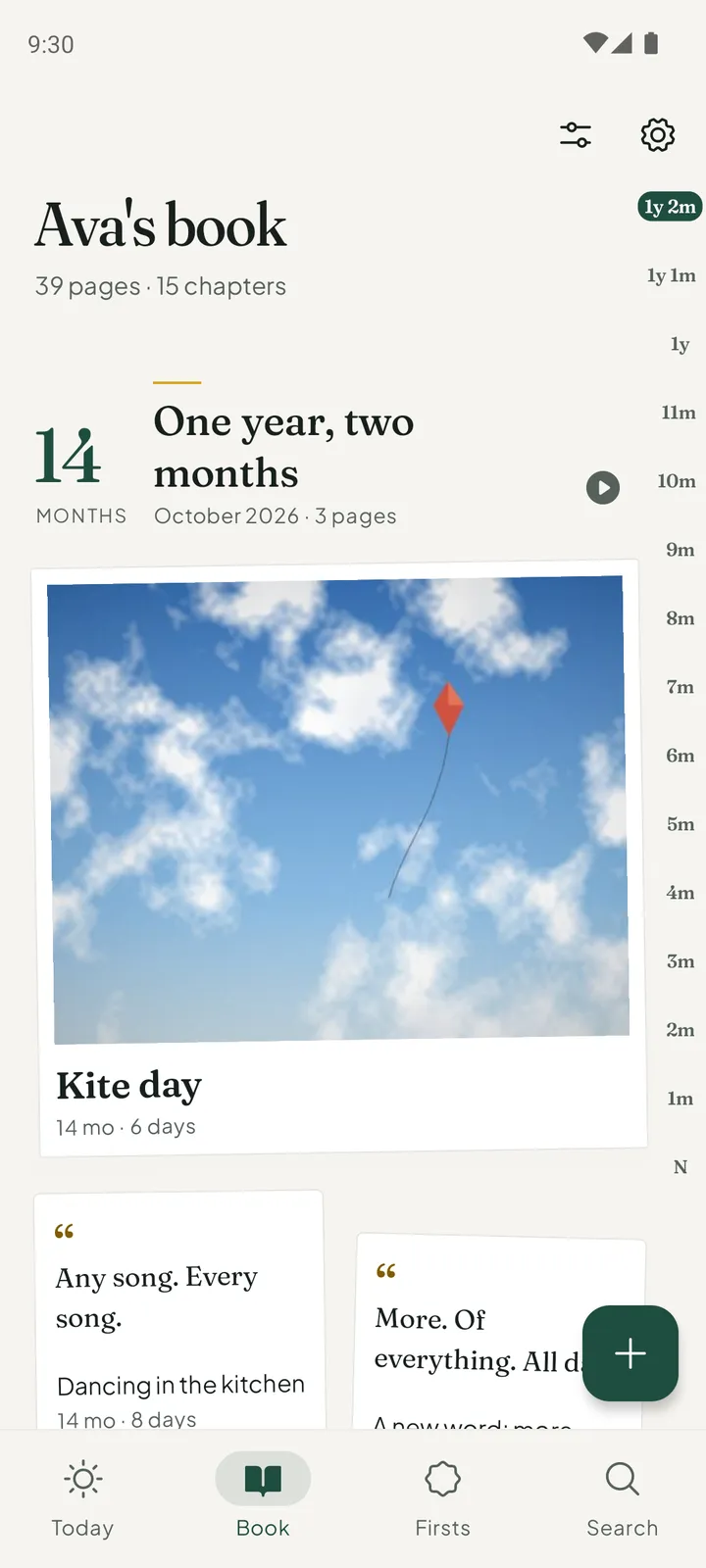
Everkeep’s Book is made of chapters. Each month of your child’s life is one: Newborn, One month, Two months, and on through the years, with that month’s pages inside. Open a chapter and you are reading that month.
Every kind of memory has its own page: a photo print, a video, a voice note, a written story, or a scanned card or drawing. And because everything is stored on your phone, the book works offline and never appears in anyone’s feed.
Two things make it last: a backup file you save yourself (free, any time) and the printed book as a PDF (Everkeep Pro, $9.99 once). Keep both somewhere you trust.
How to build your digital baby book in Everkeep
The structure is created for you; your job is just to add moments.
- Open the bookInstall Everkeep and add your child’s name and birth date, and choose the cloth for the cover. Chapters are counted from that date, so the book is organised by age from day one.
- Add memories, old and newKeep new moments with the + button. For the backlog, import from your photo library; Everkeep files each photo and video under your child’s age on the day it was taken.
- Write the words now, not laterA title and a sentence or two is enough. This text becomes the narration of your book, and Search can find it later.
- Look through the BookOpen the Book tab. Each chapter shows what it holds, with the ages down the side. Gaps are easy to spot and fill from your photo library.
- Save a backupIn Settings, open Backup and restore and save a backup file. Keep it somewhere you trust, off the phone, and make a new one every few months.
- Get the PDF (Pro)Buy Everkeep Pro once and make the printed book. Keep the PDF next to your backup and you have a digital baby book that needs no app to open.
Build a digital baby book you ownKeeping the book is free. The printed PDF is part of Everkeep Pro, $9.99 once.
Digital baby book FAQ
Is a digital baby book better than a paper one?
They do different jobs. Digital is faster to keep up with, holds video and voice, and is searchable. Paper is the object you hand over one day. The best approach is a digital book you can print as a PDF, which is what Everkeep does, so you get both.
What file formats does Everkeep use?
The printed book is a PDF, which opens on any computer. The backup is a file that holds your pages with their photos, videos and recordings, and Everkeep restores from it on a new phone.
Can I add scans of paper keepsakes?
Yes. Scan the hospital bracelet, a card or a drawing and it becomes a page of its own. Everkeep can read the writing into text on your phone. The first five readings are free, and Everkeep Pro removes the limit.