Why the camera roll fails as a baby album
Your camera roll is a log of every shutter press: forty near-identical shots of the same yawn, screenshots, receipts. Cloud photo services group by face and date, which helps, but they know nothing about your child’s age, the milestone, or what was said. They also put your child’s face into a system you do not control.
Organising baby photos well means three things: choosing (a few per week, not all), captioning (the story), and structuring by age (month chapters). That is a journal, not an album.
The Everkeep method
- Import, do not migrate. Bring in the photos that carry a memory, not the whole roll. Everkeep files each one under your child’s age on the day it was taken. It only sees what you choose, and never asks for your whole library.
- Caption in one line. A title and a sentence per page. Put a set of shots on one page when they tell one story.
- Mark the firsts. A page marked as a first gets a foil seal and a place on the wall of firsts, so the big moments are always one touch away.
- Keep it on your phone. No upload, no face-matching in someone else’s cloud, and a lock if you want one.
- Change your mind. You can undo an import for 30 days. Your photo library is not touched either way.
- Keep and print. Save a backup file any time; the printed PDF and month films come with Everkeep Pro.
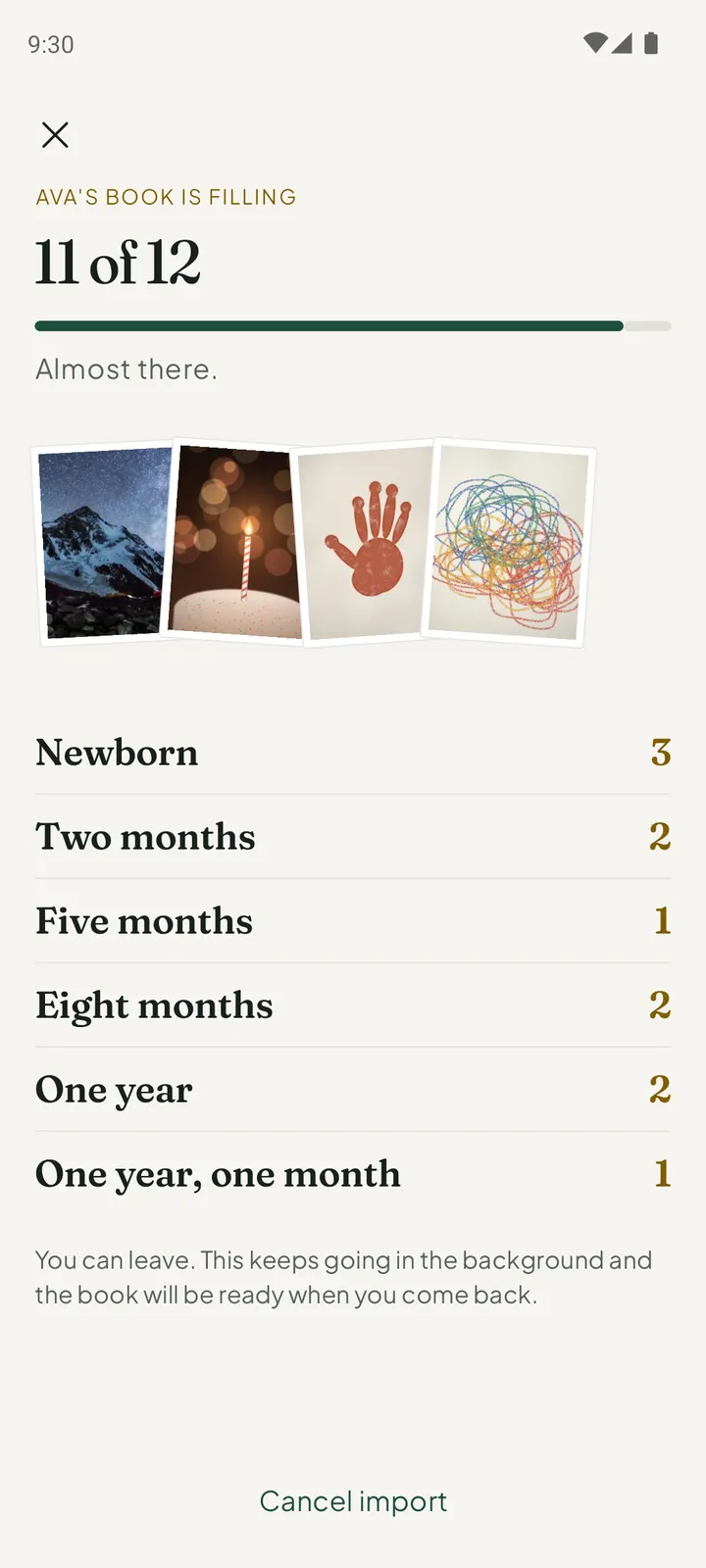
Importing is free. You can leave while the photos copy. The import carries on in the background, and the book is ready when you come back.
How to organise your baby photos in Everkeep
One evening for the backlog, then a minute a day.
- Open the bookInstall Everkeep and enter your child’s birthday, so every imported photo is filed by their age.
- Choose, then importStart an import and pick the photos with a story. The fastest way is to open your baby’s album or people group in the picker and select from there.
- Place the undated onesPictures that travelled through messaging apps can lose their date. They wait in an Undated chapter; place them by your child’s age, and a rough guess is fine.
- Caption and groupAdd a title and a line. Put related shots on one page.
- Mark the firstsMark the big moments “This is a first” so they go on the wall.
- Set the capture habitFrom now on, take the keeper straight in Everkeep with the + button and skip the camera-roll step entirely.
From 4,000 photos to one bookEverkeep sorts baby photos by month of life, privately. Free on Android and iPhone.
Organising baby photos FAQ
Does importing into Everkeep remove photos from my camera roll?
No. Everkeep copies the photos you choose into the book on your phone; your photo library is not touched. You can then tidy your camera roll independently, knowing the keepers are in the book.
Can Everkeep automatically pick the best photos?
No, and deliberately so. Choosing is the part that makes a journal meaningful. Everkeep makes the choosing quick and handles the dating, ordering and chapters.
Does Everkeep use face recognition?
No. Everkeep does not analyse faces or send images anywhere. Pages are organised by date and age, and found by your own words.