How to keep a baby diary you will not abandon
- Lower the bar. One sentence counts. “Discovered her feet today. Very pleased.” is a perfect entry.
- Let a photo be the entry. Some days a single picture with a three-word title is all you have. Fine.
- Talk instead of type. A 20-second voice note while walking the pram is a richer diary entry than anything you will type at midnight.
- Anchor it to a routine. After bedtime, before you open anything else, one entry.
- Do not backfill guilt. Missed a week? Add one entry that says so and move on.
Why Everkeep works as a baby diary app
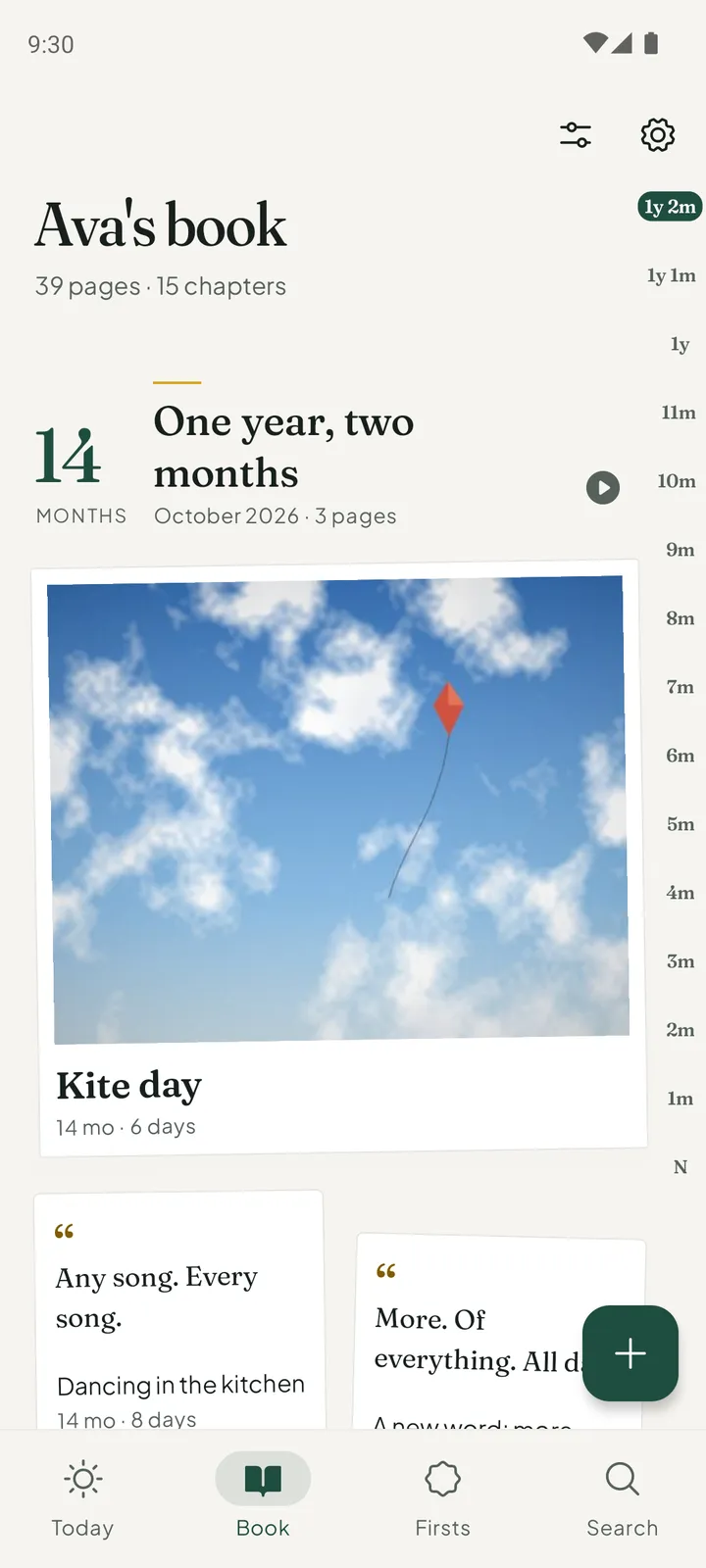
The + button is on every screen and offers a photo, a video, a voice note or a note. Whichever kind of entry you have energy for tonight is a moment away. Every page is filed by your child’s age, so “what was she like at seven months?” is a chapter you can open.
Today offers one question for your child’s age, such as “What is Ava trying to say lately?”, which you can answer in a line. Search finds a page by a word, a date, a first, or what was said in a voice note. And with Looking Back (Pro), pages return on their anniversaries, which is when a diary starts paying you back.
It is private (no account, no social feed), works offline, and has a night mode for late feeds, so the diary is a place you can be honest about the hard days too.
How to set up a daily baby diary in Everkeep
Two minutes of setup, then under a minute a day.
- Open the bookInstall Everkeep and add your child’s name and birthday. Pages carry their age from now on.
- Pick your daily triggerDecide when the entry happens: after bedtime, during the morning feed. Put Everkeep on your home screen’s first page.
- Make the entryPress + and choose a note for a sentence, a voice note for a spoken thought, or a photo with a short title. Keep it.
- Turn on a gentle reminder, if you want oneIn Settings, Reminders can nudge you on each month birthday or once a week. They are off until you turn them on.
- Search when you are curiousType a word (“teeth”, “giggle”) to see every page that mentions it.
- Turn the diary into a bookWhen you want a keepsake, Everkeep Pro gives you the diary as a printed PDF.
A diary that takes a minute a dayFree, private and offline. Everkeep for Android and iPhone.
Baby diary app FAQ
Does Everkeep send reminders to write?
Only if you ask. Gentle reminders are off until you turn them on. You can have one on each month birthday, or once a week on the day you choose; the weekly one stays quiet in weeks when you have just added a page.
Can I write about myself as well as the baby?
Yes. Many parents use notes for how they are feeling, what surprised them, what they want to remember about this season. It is your diary; Everkeep just files it by your child’s age.
Can I lock the diary?
Yes. Turn on App Lock in Settings to ask for a PIN, fingerprint or face before the book opens.