ViaPDF
Offline tools for Android that work on your documents on the phone. No account, no upload.
See ViaPDFSparePix groups the near-duplicates, bursts and re-saves in your photo library, then sorts your screenshots by month. Nothing is deleted until you review the group and confirm the delete. Photos stay on this phone.
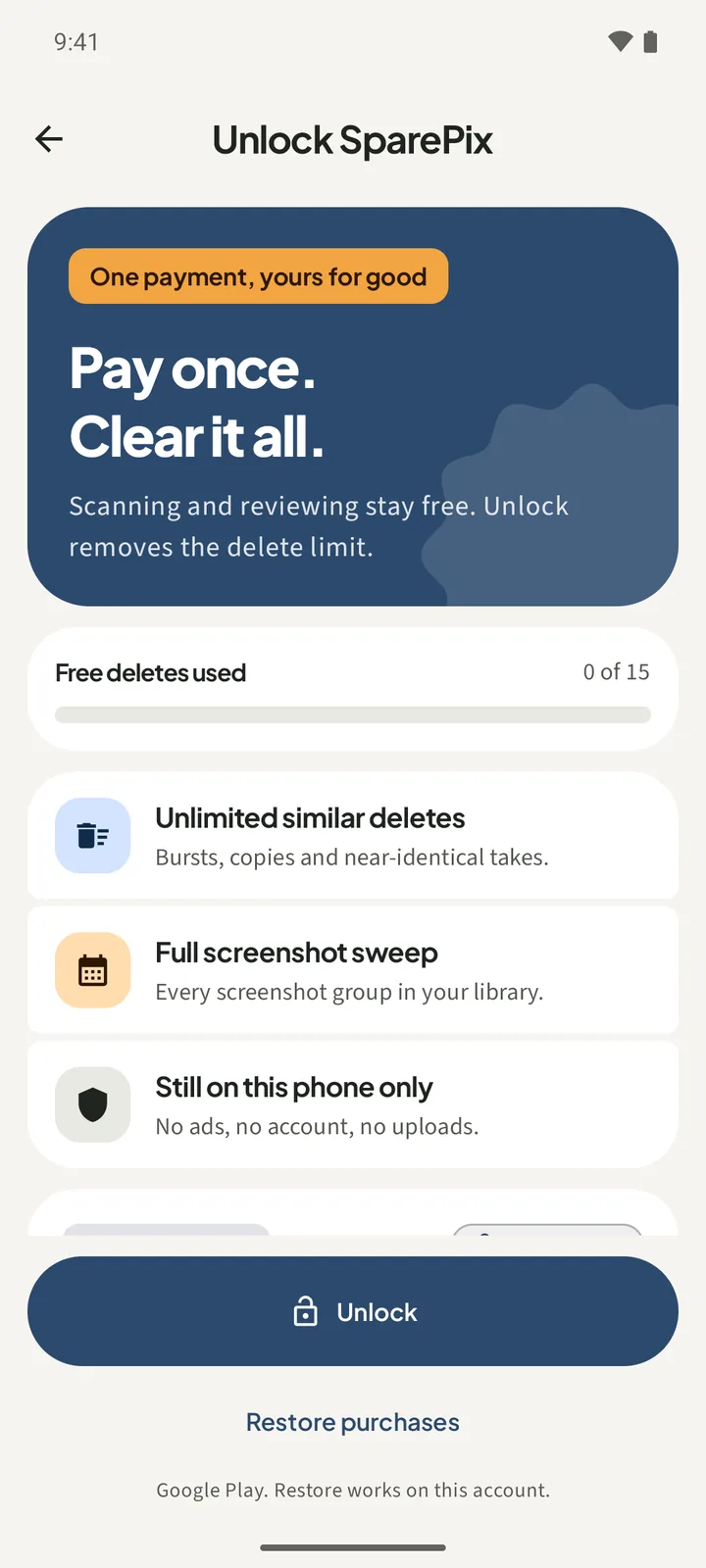
Free to download. Scanning and reviewing are free, with 15 free deletes. One-time unlock. No subscription.

On Google Play for Android 8.0 and later. Allow access to all photos or to the ones you pick. No sign-up, no email, no upload. iPhone is coming soon.
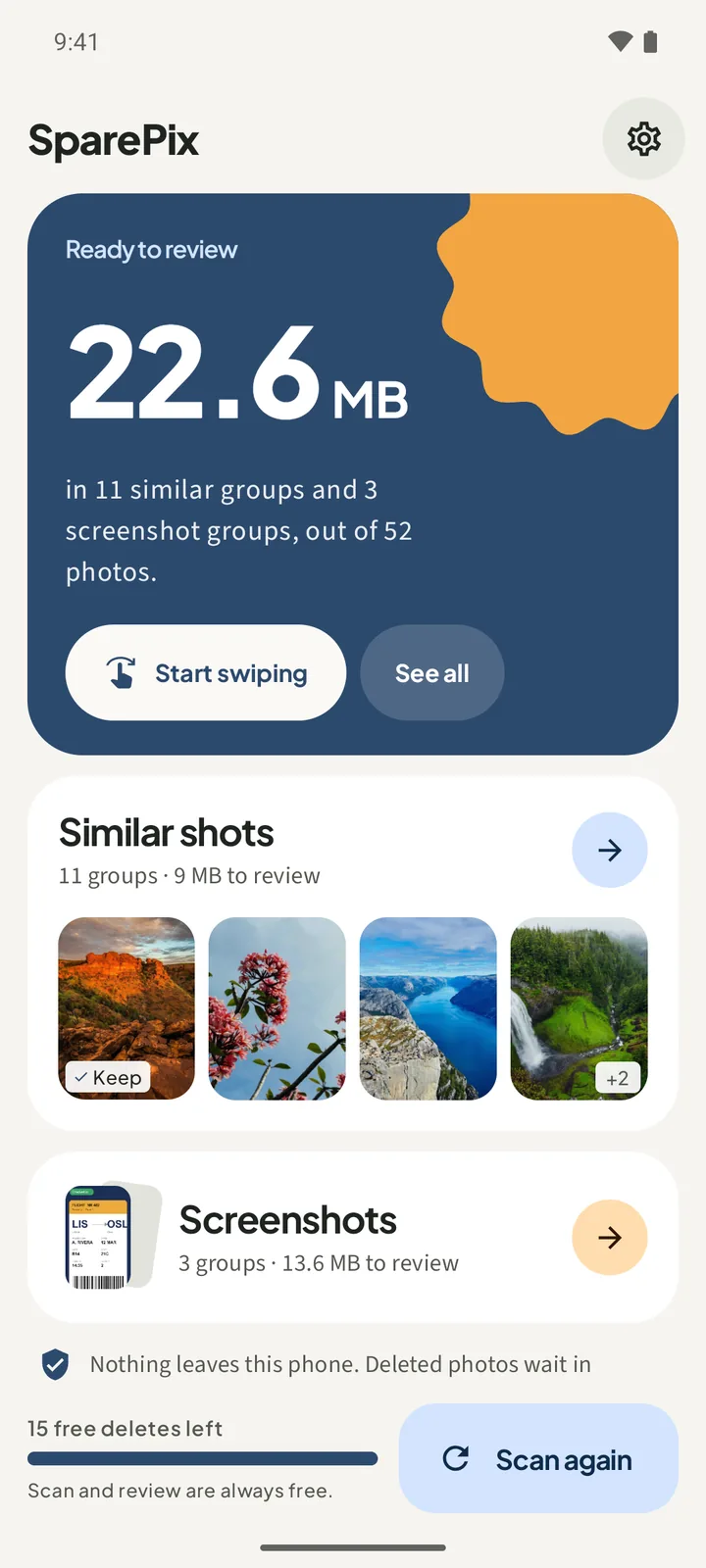
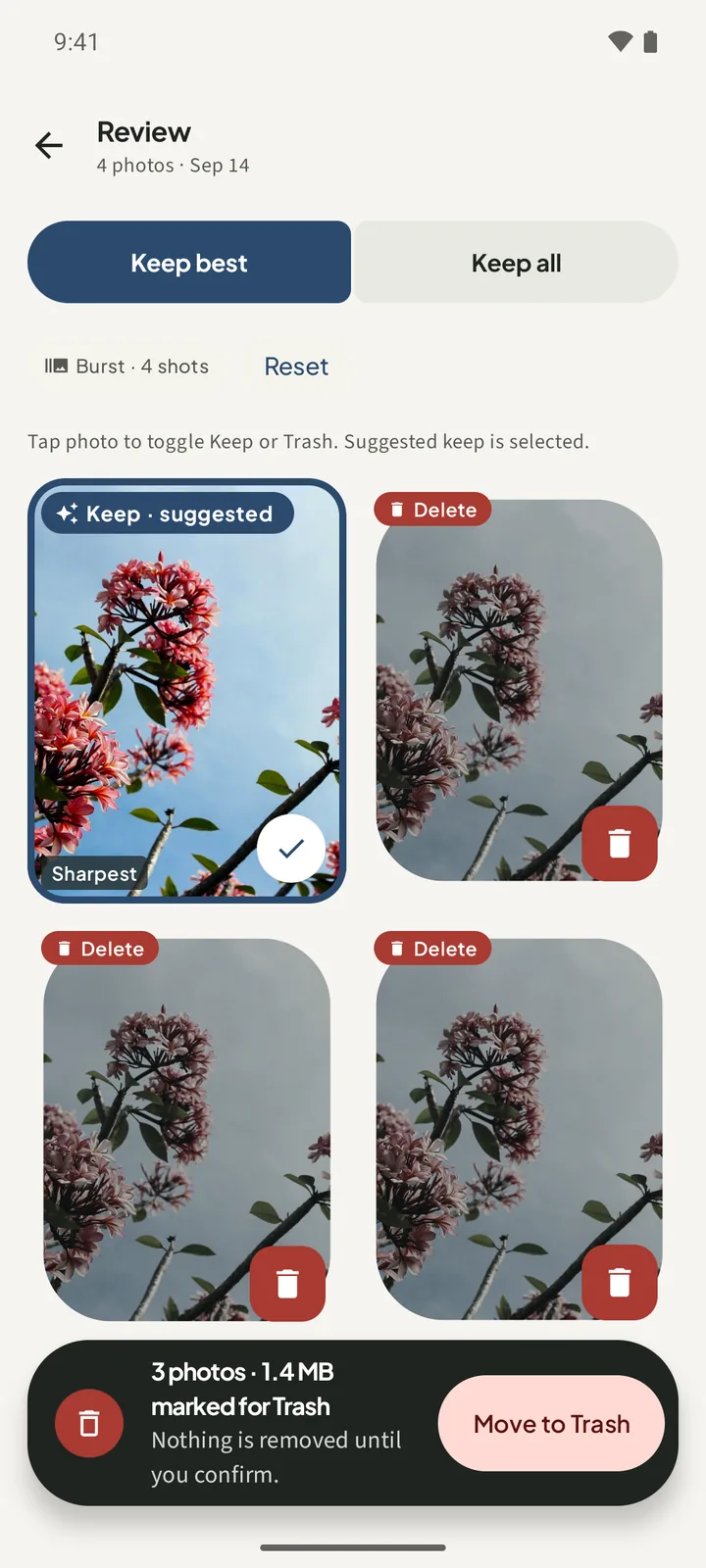
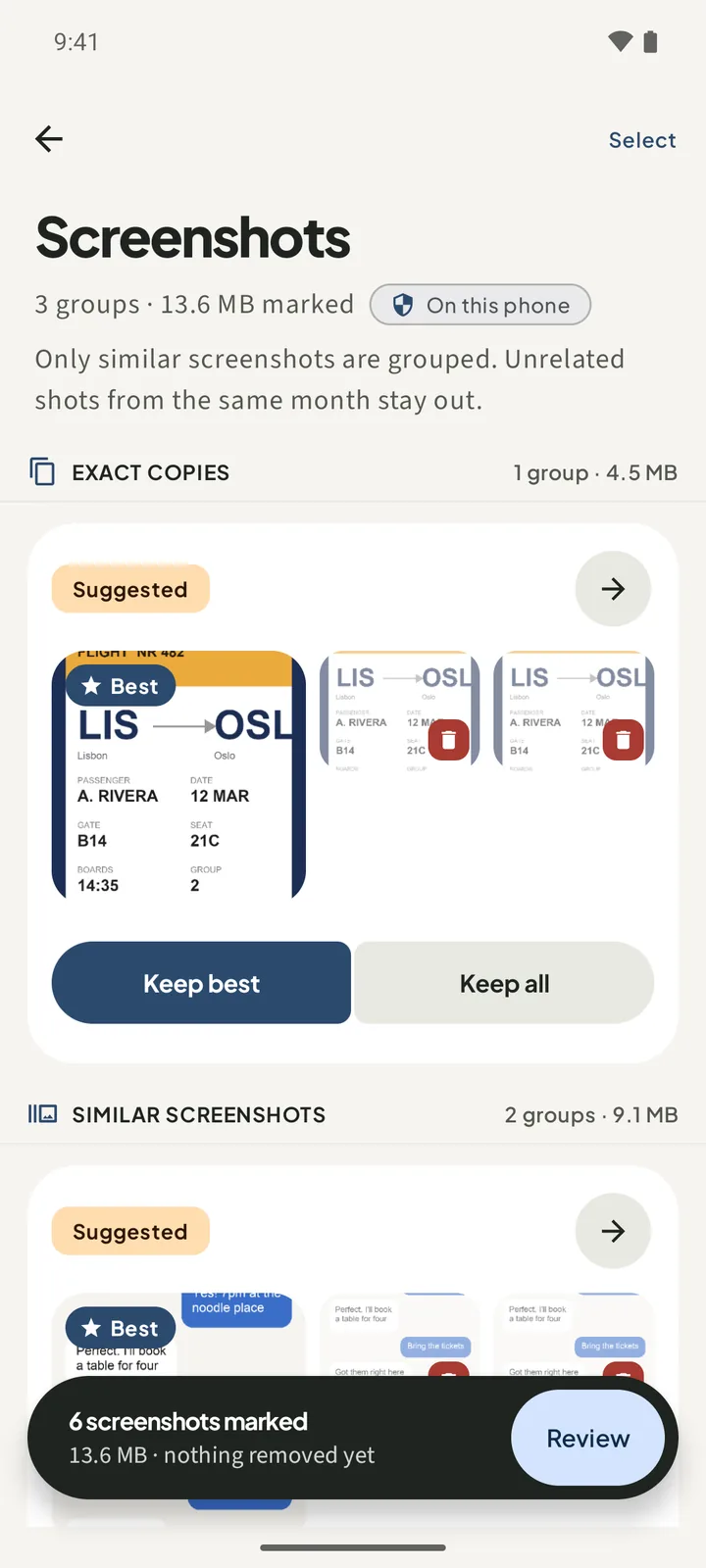
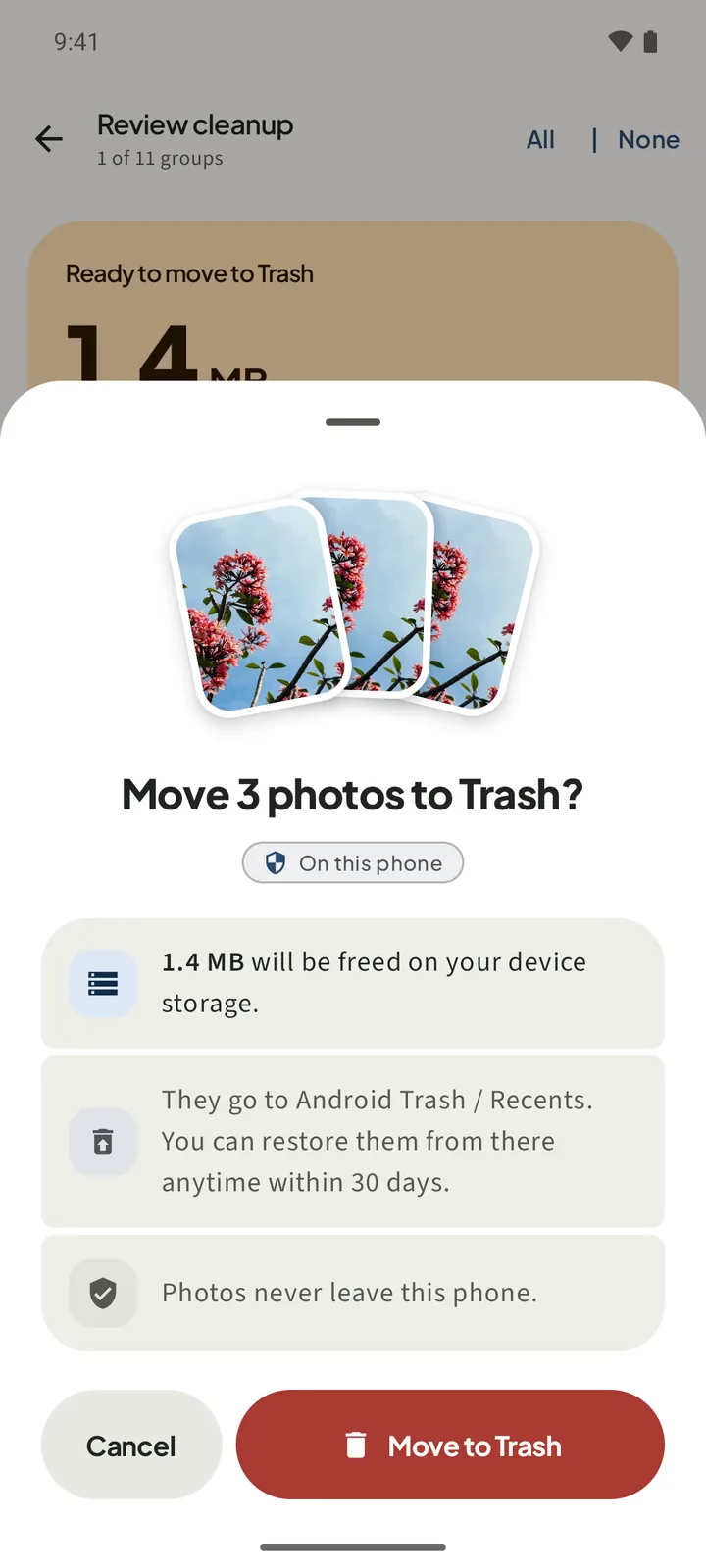
Free to download · one-time unlock · no subscriptionThese are real screens from SparePix on an Android phone. Each one shows a step you will see before anything moves to Trash.
The promo video shows the groups, the review and the confirm step. It loads from YouTube only when you press play.
No account to create and nothing to upload. You choose the photos, review each group, and confirm the delete.
Tap Allow all, or Select photos and pick the ones you want scanned. SparePix scans only what you grant.
Tap Scan photos on Home. Comparing happens on this phone, and the Home card shows the MB to review.
Open a group under Similar shots or Screenshots. Tap a photo to toggle Keep or Delete. Keep · suggested is already set.
Tap Move to Trash and confirm on the sheet. Nothing is removed until you confirm.
Four jobs, each with the screen you will use.
SparePix compares the photos you grant and groups the ones that look alike: bursts, re-saves, and slight crops. Each group marks one photo as Keep · suggested and tags the Sharpest frame. You can change any choice before you confirm.
Old screenshots are sorted by month, and the ones that look alike are grouped, such as a boarding pass saved three times. Unrelated shots from the same month stay out of the groups.
Every group opens for review. The bar at the bottom shows how many photos and how many MB are marked. Nothing moves until you tap Move to Trash and confirm on a sheet that shows the count and where the photos go.
Comparing and scoring run on this phone. SparePix does not upload your library, and it has no account and no ads. It works on photos only. It does not touch apps, files, downloads, or the cache.
You can scan, review every group, and make 15 photo deletes before you pay anything. The unlock is a one-time purchase, not a subscription.
Enough to see what SparePix finds in your library and clear the first photos.
Google Play shows the local price on the unlock button.
The unlock button shows the price from Google Play for your country.
How to find duplicates, group similar shots, sweep screenshots, and undo a delete, on Android and without uploading anything.
Find the exact copies and near-copies in your gallery, keep the one you want, and confirm the delete. Photos stay on your phone.
Read the guide →SimilarSee bursts, re-saves and slight crops grouped together, so you can compare them side by side on this phone.
Read the guide →ScreenshotsWork through the screenshot pile by month, keep the ones you need, and send the rest to Trash after you confirm.
Read the guide →BurstsKeep the sharpest frame from a burst and mark the rest for Trash, one group at a time.
Read the guide →StorageSee how many MB the similar photos and screenshots take before you delete anything.
Read the guide →PricingScanning and reviewing are free, with 15 free photo deletes. One payment unlocks the rest. No weekly plan.
Read the guide →PrivacyComparing happens on your phone. No account, no uploads, and no ads.
Read the guide →TrashOn Android 11 and later, confirmed deletes go to Android Trash, which the app says keeps them for 30 days. Here is how to get one back.
Read the guide →Straight answers about the free tier, privacy, Trash, and the iPhone.
Yes to download, and scanning and reviewing are always free. The free tier includes 15 photo deletes in total. A one-time unlock removes the delete limit and adds the full screenshot sweep. Google Play shows the local price on the unlock button. There is no subscription.
No. SparePix never uploads your library. Comparing and scoring run on this phone, and the app has no account and no cloud copies.
On Android 11 and later, a confirmed delete moves the photos to Android Trash, and the app says you can restore them from Trash or Recents within 30 days. On Android 10 and older, the delete is permanent after you confirm. The confirm sheet says which one applies.
No. SparePix groups exact copies, and it also groups similar photos: bursts, re-saves, and slight crops. Every group is a suggestion. You review it and choose what to keep.
Yes. If you allow only some photos, SparePix scans only those. The Home screen shows a Partial access card to say so, and you can add more photos there.
No. The unlock is a one-time purchase. There is no weekly or monthly plan, and there are no ads.
No. SparePix works on photos only. It does not scan apps, files, downloads, or the cache.
iPhone is coming soon. There is no App Store link yet. For now SparePix is on Google Play for Android 8.0 and later.
Download SparePix free on Android. Scan, review, and make your first 15 deletes free. Unlock once if you want the rest. iPhone is coming soon.
Offline tools for Android that work on your documents on the phone. No account, no upload.
See ViaPDFA private baby memory book for Android and iPhone. No account, no subscription.
See EverkeepClipboard manager for Android that stays on this phone. No ads. No account.
See Soloclip