Compress a PDF only if you can see the new size
Most people searching compress PDF Android have a file an email or a form just rejected. A slider that says “high quality” does not answer the question. You need the new size, in kilobytes or megabytes, before you hit send.
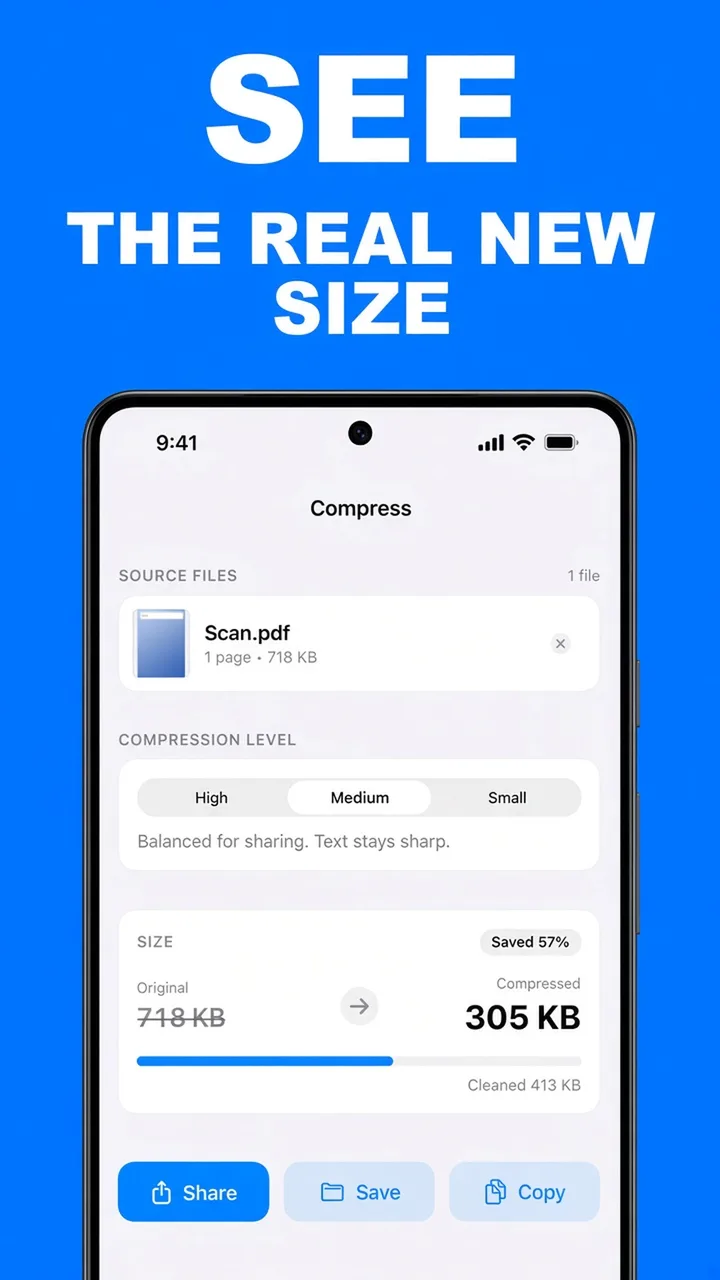
ViaPDF compresses on your phone and puts that number on screen: original size, compressed size, and how much was removed. The listing screenshot shows one scan moving from 718 KB to 305 KB at Medium, a 57% reduction. That is an example, not a promise. Your PDF shrinks according to what is inside it.
Which compression level to use
- High — less compression. Pages stay sharper. Use it for a page someone will read closely.
- Medium — balanced for sharing. Text stays sharp. This is the right default for email.
- Small — smallest file, more compression. Use it when the form or the inbox has a hard limit.
Compression rewrites the pages as smaller images. A text-only PDF often shrinks only a little. A phone scan of a paper form usually shrinks a lot. If you only need a few pages of a long file, extract those pages first, then compress what is left.
Look before you export. The size card updates when you change High, Medium, or Small. Share or Save only after the number fits.
How to compress a PDF in ViaPDF
- Open CompressOn Actions, tap Compress. Processing stays on your phone.
- Add the PDFTap Add PDFs and choose the file. ViaPDF shows the current page count and size.
- Pick a levelHigh keeps pages sharper. Medium is the balance for sharing, and text stays sharp. Small makes the smallest file and compresses more.
- Read the sizeThe size card shows the original size, the compressed size, and how much was cleaned up. If the number is not small enough, switch to Small and look again.
- Share or SaveExport only when the size is one you are willing to send. The first export is free.
Do this job on your phoneFree to download. The first export is free. Then $14.99 once. The file stays on the device until you share it.
Compress a PDF on Android FAQ
Will compression make the text blurry?
Medium is described in the app as balanced for sharing, with text staying sharp. High compresses less and keeps pages sharper. Small is the smallest file and compresses more, so use it when size matters more than fine detail.
Why does my PDF barely shrink?
A PDF that is already mostly text has little image data to shrink. Scans and photo-heavy pages shrink more. The size card tells you which kind of file you have before you export.
Is there a file-size limit?
ViaPDF refuses files over 250 MB or documents over 200 pages. Compress asks you to confirm before running a job over 50 pages, because those jobs take longer on a phone.