Keeping the book is free: as many pages as you like, with photos, videos, voice notes and written notes. There is no account, no ads and no social feed, the app works offline, and your pages stay on your phone. When you want the book on paper, Everkeep Pro makes it as a clean PDF. Pro is one purchase, not a subscription, and Google Play shows your local price.
How to start a baby book in the app
You can fill the first chapters in an evening, mostly from photos already on your phone.
- Install Everkeep and open the bookAdd your child’s name and birth date, and choose the cloth for the cover. There is no account to create. Chapters are counted from the birth date, so every page carries your child’s age.
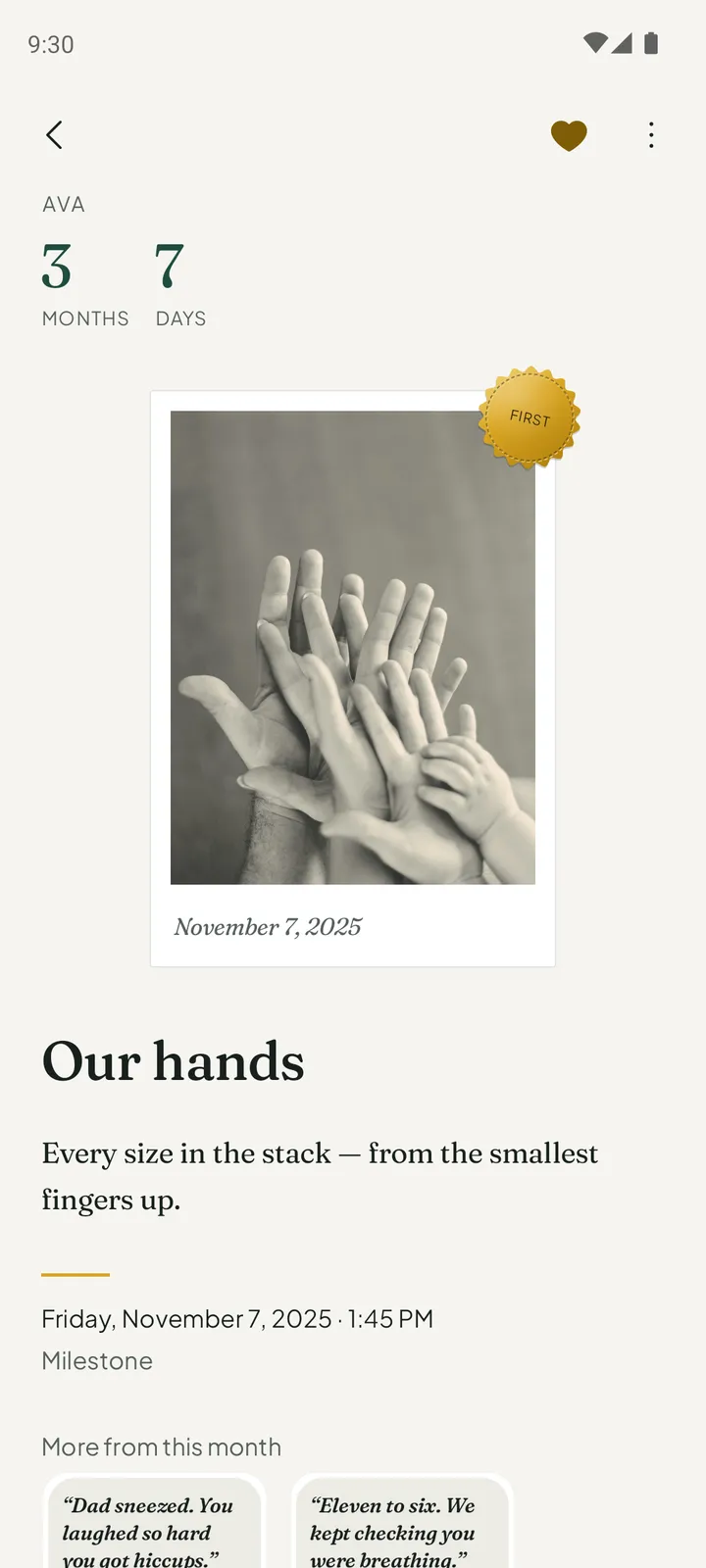
- Keep the first pagePress the + button and choose a photo, a video, a voice note or a note. Add a title and a sentence or two about what happened. That is one page of the book.
- Bring in the photos you already haveIn Settings, open Bring in photos and recordings and import from your photo library. Everkeep files each photo and video under your child’s age on the day it was taken. You can undo an import for 30 days.
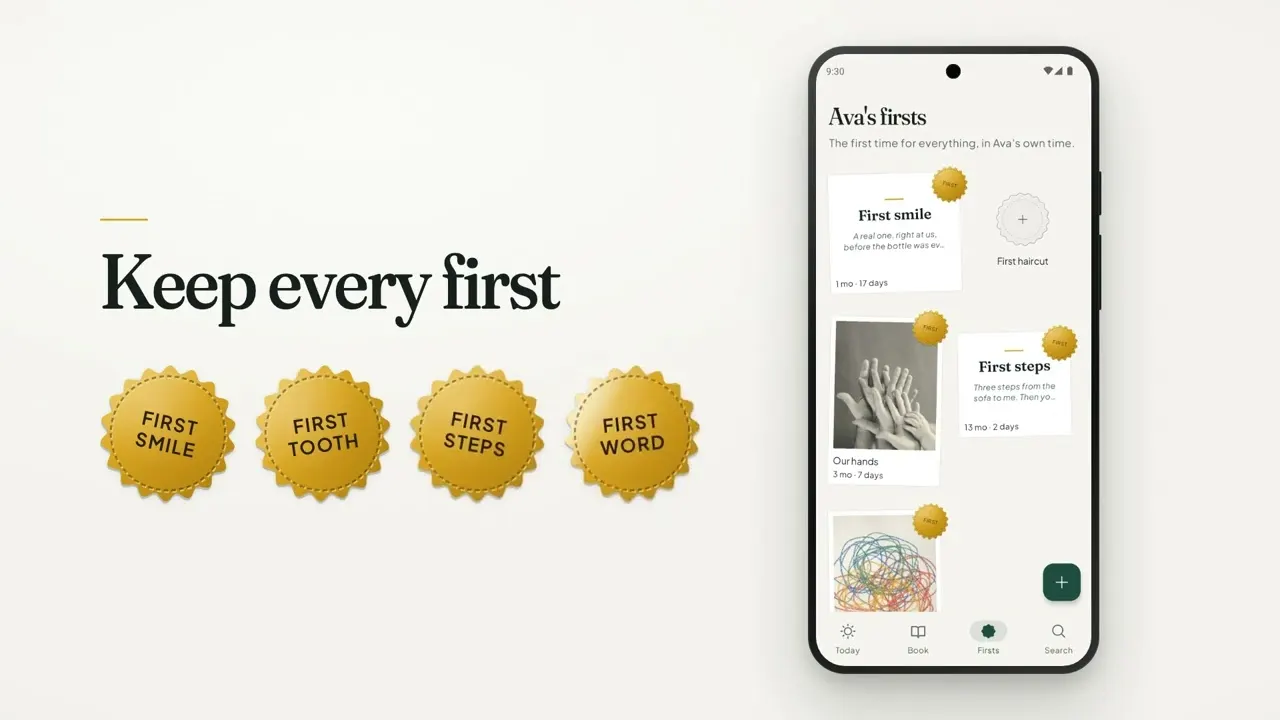
- Mark the firstsWhen a page is a first smile, a first tooth or first steps, mark it “This is a first”. It gets a gold First seal and takes its place on the Firsts tab.
- Read the BookOpen the Book tab. Each month of your child’s life is a chapter: Newborn, One month, Two months, and on through the years. You now have a baby book, and everything up to here is free.
- Print it when you want paperOn the Today tab, Preview the printed book shows how the pages will look. With Everkeep Pro, one purchase, Make the book builds a clean PDF on this phone to share, save or send to a printer.
Start your baby book tonightFree to keep, with no account. Your pages stay on your phone.
What a baby book app should do
File pages by your child’s age
A baby book is organized by age, not by calendar date, and the app should do that sorting for you. Everkeep counts chapters from the birth date, so a photo taken on any day lands in the right month of life.
Hold more than photos
In Everkeep every kind of memory has its own page: a photo print, a video, a voice note, a written story, or a scanned card or drawing. You can also record height, weight and head size, and the Firsts tab gathers the firsts on one wall.
Stay private
Everkeep keeps the book on your device, with no account and no cloud feed, and App Lock closes the book behind a PIN, plus fingerprint or face on Android and Face ID or Touch ID on iPhone. The guide to a private baby journal app shows how to set it up.
Let the book leave the app
Look for a backup you control and a copy you can print. Everkeep saves a backup file for free and makes the printed book as a PDF with Pro; the guide to a digital baby book covers keeping both.
Other ways to keep a baby book on a phone
An album in your phone’s gallery
An album in Google Photos, Samsung Gallery or Apple Photos is free and already on your phone. It holds the pictures and videos, but sorts them by the date each one was taken rather than by your child’s age. If you only want the photos in one place, an album is enough.
A notes app
Google Keep, Samsung Notes or Apple Notes will take a dated line about each first, with a photo attached. It is quick and free. What you end up with is a list of notes rather than a book with chapters.
An app built for family sharing
Apps such as Tinybeans and Qeepsake are built around an account so relatives can follow along. If daily sharing with grandparents matters most, that model suits you. If you would rather keep the book on your own phone, see how Everkeep compares as a Tinybeans alternative and a Qeepsake alternative.
A paper baby book
Paper is the object you hand over one day, but it cannot play a video or a voice note. You can keep the pages in an app and still end with paper: here is how to print a baby book from your phone.
What Everkeep does not do
Everkeep has no account and no sync, so two parents cannot edit the same book from two phones; share a single page or the PDF, or move the book to another phone with a backup file. It is a memory book, not a care log: there are no feed, sleep or diaper logs. The free app holds one book; a book for every child is part of Everkeep Pro, and so is the clean PDF.
Baby book app FAQ
Is there a free baby book app?
Yes. In Everkeep, keeping pages is free and stays free: photos, videos, voice notes and written notes, as many as you like, in one book. Everkeep Pro is one purchase, not a subscription, and adds the printed book as a clean PDF, a book for every child, month films and Looking Back. Google Play and the App Store show the price in your currency.
Do I need an account to use a baby book app?
Not with Everkeep. There is no account, no sign-in and no social feed. Your pages stay on your phone and the app works offline. Apps built for family sharing, such as Tinybeans and Qeepsake, are built around an account.
Can a baby book app print a real book?
Everkeep makes the printed book as a PDF on your phone, and nothing is uploaded. With Everkeep Pro you get the clean PDF to print at home, at a print shop or with any service that prints PDFs.
What happens to the book if I change phones?
In Settings, open Backup and restore and save a backup file. Restoring that file on the new phone brings the whole book back, and replaces whatever was in Everkeep on that phone. Keep a recent backup somewhere you trust, off the phone.