Soloclip
Clipboard manager for Android that stays on this phone. No ads. No account.
See SoloclipOne notification is easy to swipe away and forget. Insisto doesn’t let it go: when a reminder is due it rings, and if you don’t mark it done, it asks again in 10 minutes, and again, until you do. Works with Do Not Disturb and after a restart.
Free for 3 nagging reminders, with every other feature included. Unlimited is a one-time purchase, and Google Play shows your local price.

For Android 8.0 and later. Free: 3 reminders that nag at a time, unlimited reminders that ring once, widgets, repeats and every other feature. No sign-up, no email.
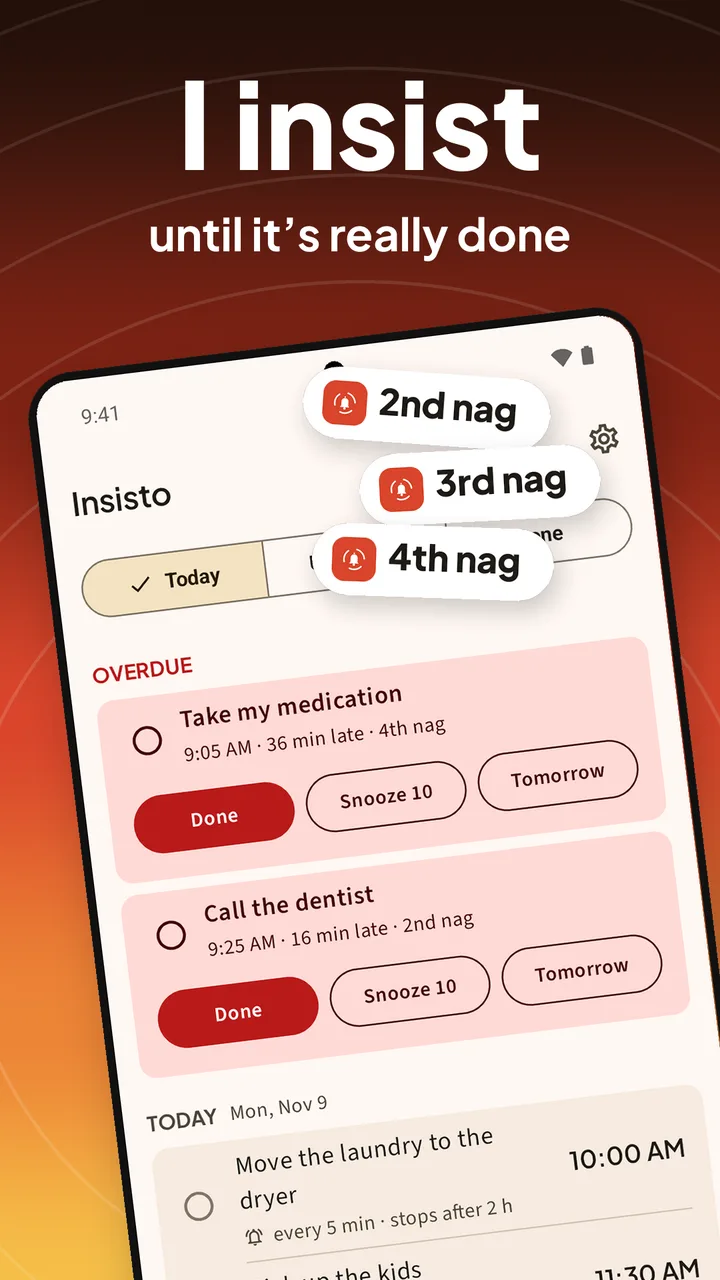
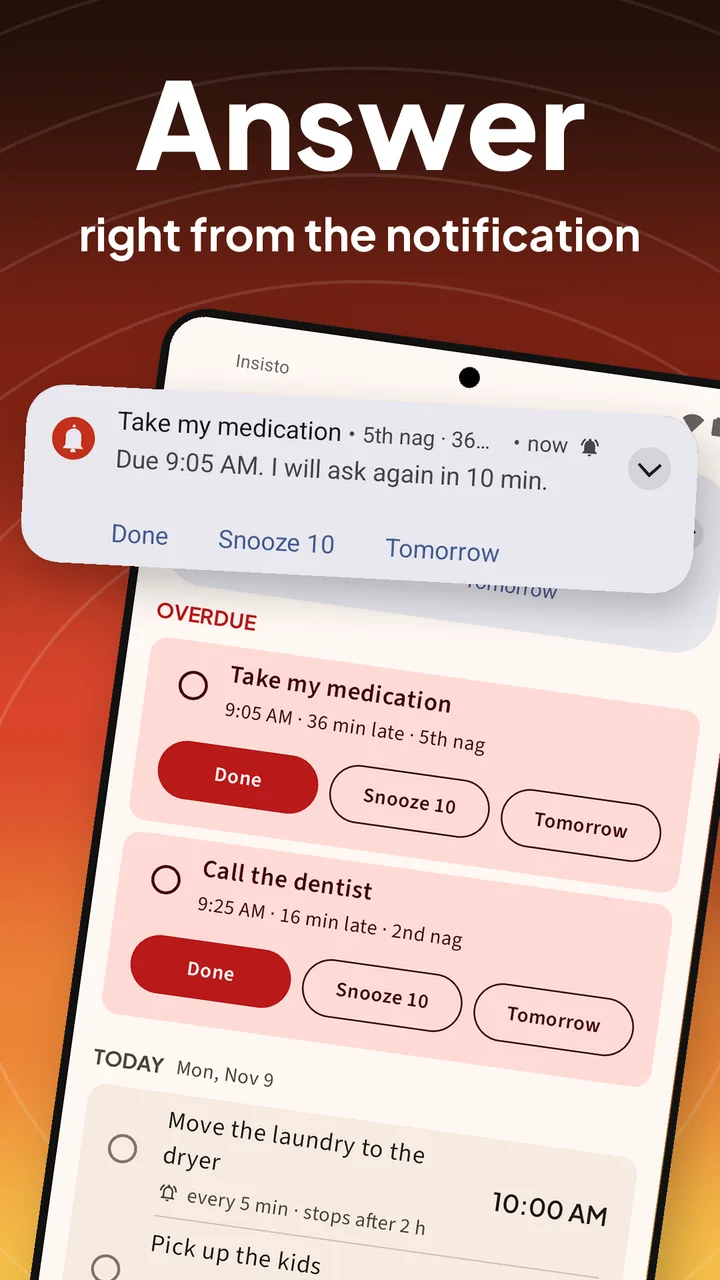
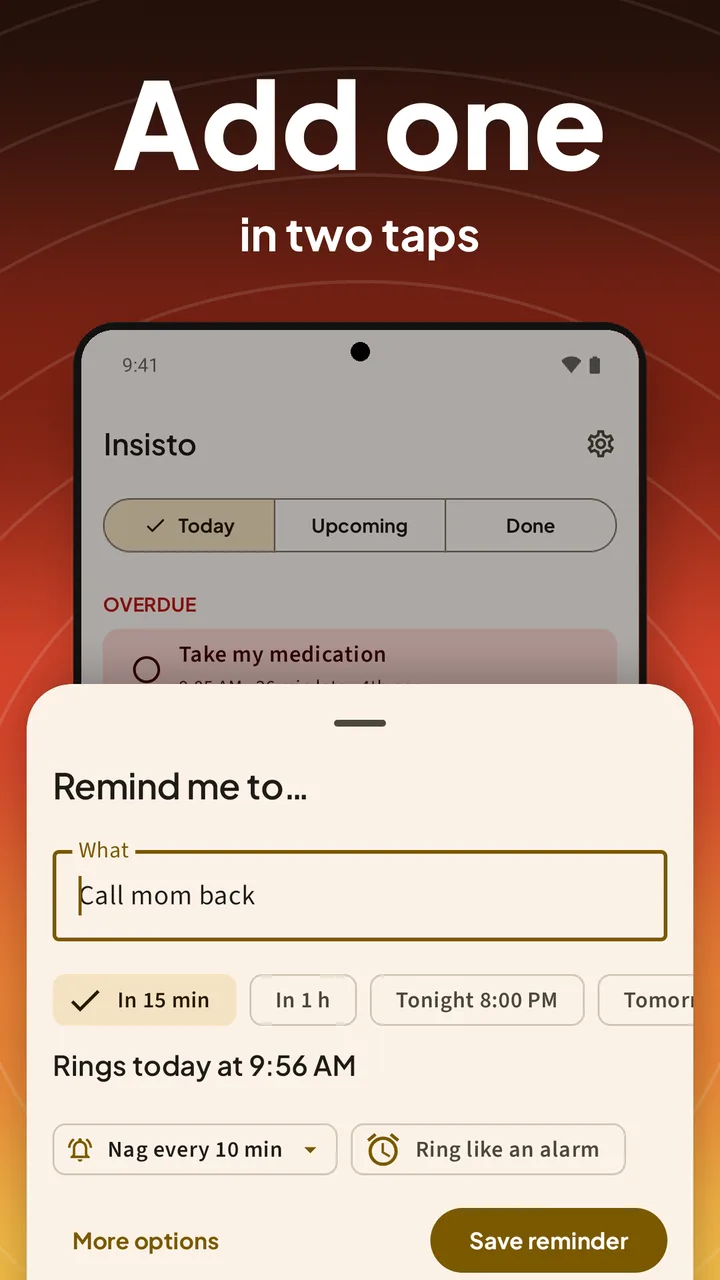
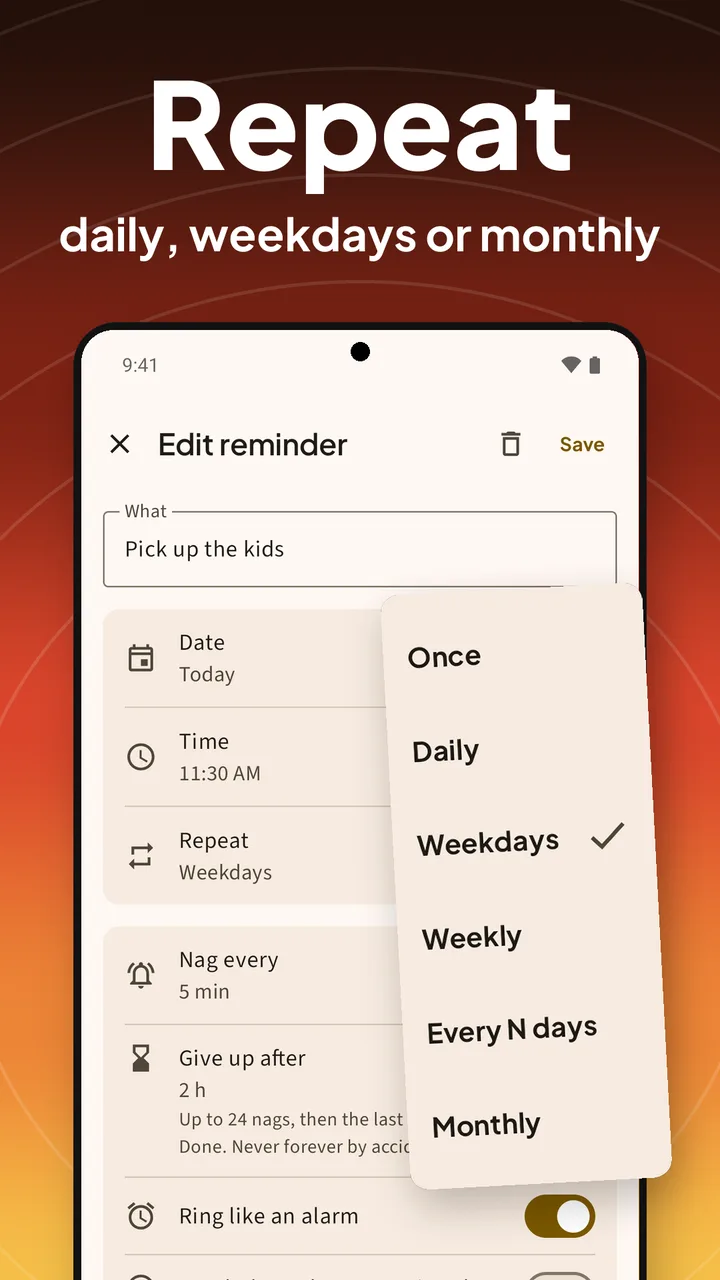
Unlimited · pay once · no subscriptionToday’s list, a reminder on its fifth nag, quick add and the repeat options. These are the screenshots from the Google Play listing.
A reminder that rings, a second nag ten minutes later, and Done from the lock screen. The video loads from YouTube only when you press play.
Insisto checks the four Android switches that stop reminders, and lets you test each one before you rely on it.
Tap Remind me, type it, and pick a time: In 15 min, In 1 h, Tonight, Tomorrow or any date and time.
Every 1, 5, 10, 15, 30 or 60 minutes, or Ring once. Insisto gives up after 2 hours unless you choose otherwise.
At the time you set it rings. Ignore it, and it asks again at your interval: 2nd nag, 3rd nag, until you answer.
Answer from the notification or the lock screen. Done stops it; repeating reminders move to the next time.
Most reminders notify once and trust you to remember. Insisto assumes you won’t, and keeps asking.
Every 1, 5, 10, 15, 30 or 60 minutes. Nagging stops by itself after 2 hours (you choose, up to 24), so nothing nags forever by accident.
Turn on Ring like an alarm for the reminders that matter: the alarm sound instead of a notification chime.
Break through Do Not Disturb lets alarm reminders ring when your phone is silenced. Everything else stays quiet.
Done, Snooze 10 and Tomorrow sit on the notification. Tomorrow moves it to the same time the next day.
Daily, weekdays, chosen days of the week, every few days or monthly. Each one asks again until it’s done.
Step-by-step battery settings for Samsung, Xiaomi, Redmi, POCO, Huawei and OPPO, and a test reminder that rings in 10 seconds.
A Today widget, a countdown to the next reminder, a Quick Settings tile, and Share from any app to make a reminder.
Insisto can’t send anything anywhere. No account, no ads, no analytics. Export your reminders to a file whenever you want.
Unlimited nagging reminders are a one-time purchase on Google Play. No subscription. Restore it on another phone with the same Google account.
The free version is the whole app, capped at 3 reminders that nag at a time. One payment lifts the cap for good. Google Play shows your local price.
Enough for the three things you keep forgetting.
A one-time purchase on Google Play that lifts the cap.
How to set a reminder with an alarm, make it repeat until done, and fix reminders that don’t go off on Samsung and Xiaomi.
The alarm sound for the reminders that matter, even on Do Not Disturb.
Read the guide →Repeat until doneRings again every few minutes until you tap Done, then stops.
Read the guide →Samsung GalaxyThe battery settings that put reminders to sleep, and how to test the fix.
Read the guide →Xiaomi, Redmi, POCOAutostart and Battery saver: the two settings that make reminders ring.
Read the guide →MedicationRings daily and asks again every few minutes until you tap Done.
Read the guide →Recurring remindersDaily, weekdays, chosen days, every few days or monthly, like bills.
Read the guide →Straight answers about nagging, alarms, battery settings and privacy.
A normal reminder notifies once. If you swipe it away or miss it, it’s gone. Insisto rings at the time you set, then asks again every few minutes (10 by default) until you tap Done, Snooze 10 or Tomorrow.
No. Nagging stops by itself after 2 hours, or the time you choose in Give up after (30 minutes to 24 hours). The last notification stays until you tap Done.
Yes. Turn on Ring like an alarm when you add or edit a reminder, and it uses the alarm sound. With Break through Do Not Disturb on, it rings even when the phone is silenced.
Samsung puts apps it thinks you don’t use to sleep, and their reminders go quiet. Set Insisto to Unrestricted in App info > Battery. Insisto shows you where, and sends a test reminder in 10 seconds so you can check.
Turn on Autostart for Insisto, then set Battery saver to No restrictions. Without both, Xiaomi stops the app and reminders never ring. Insisto’s setup has a Show me where button for each step.
Yes. Insisto sets every reminder again when the phone starts, from its own list, so a restart doesn’t lose anything.
Yes, as a reminder: set a daily reminder that nags every 10 minutes until you tap Done. Insisto doesn’t track doses or refills and isn’t a medical device.
Everything, with up to 3 reminders that nag at a time. Reminders that ring once are unlimited. Unlimited nagging reminders are a one-time purchase.
No. The unlock is a one-time purchase on Google Play, and Google Play shows the price for your country. Restore purchase in Settings brings it back on another phone with the same Google account.
No, Insisto is made by Deximo Apps and isn’t related to Due. It works the same way Due users like: a reminder that keeps asking until you mark it done.
Only on your phone. Insisto has no internet permission and no account. Settings > Export reminders to a file saves a copy wherever you choose.
Android 8.0 and later. The app follows your phone’s language: English, Spanish, Portuguese, French and Italian.
Set the one thing you keep forgetting, and let Insisto ask until it’s done. Free for 3 nagging reminders; pay once for unlimited.
Clipboard manager for Android that stays on this phone. No ads. No account.
See SoloclipScan papers to PDF and find any document by a word on the page.
See FiletrayFinds similar photos, bursts and old screenshots on Android. Photos stay on the phone.
See SparePixOffline PDF tools for Android: merge, split, compress, OCR and more.
See ViaPDF