Why reminders never ring on Xiaomi
To save battery, Xiaomi, Redmi and POCO phones do two things to apps by default:
- Battery saver limits what an app may do when you aren’t using it, which can stop its alarms.
- Autostart is off, so the app can’t start by itself, for example after a restart or when an alarm should wake it.
Together, they mean a reminder app that isn’t open often never gets the chance to ring. The fix takes a minute and you do it once.
Fix it for any reminder app
- Settings > Apps > Manage apps > choose the app > Autostart: on.
- In the same screen, Battery saver > No restrictions.
- Optional: in recent apps, long-press the app and lock it, so clearing recent apps doesn’t close it.
Names vary between MIUI and HyperOS versions. If you can’t find one, type “autostart” in the search box at the top of Settings.
How Insisto sets it up on Xiaomi
- Open Insisto’s setupMake sure it rings opens the first time you use Insisto. Later: Settings > Permission check-up.
- Allow Notifications and Alarms and remindersNotifications show the reminder; Alarms and reminders make it ring on the exact minute.
- Tap Show me where (Xiaomi)Insisto opens the app settings and tells you what to change: turn on Autostart, then Battery saver > No restrictions.
- Do bothWithout both, Xiaomi stops Insisto and reminders never ring.
- Test it nowTap Test it now, lock the phone and wait 10 seconds for a real test reminder.
If it worked once and then stopped
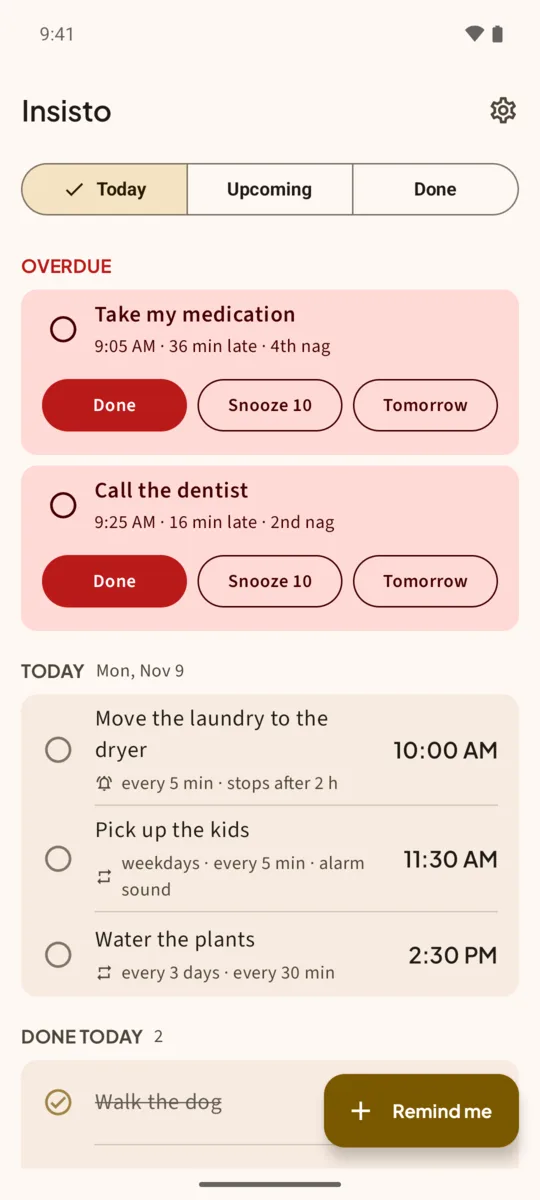
Some Xiaomi updates and the Security app’s cleanup reset these settings. Insisto shows a banner on Today if the phone stopped it and reminders rang late, with an Open setup button, and Settings shows Reminders may be late or silent with a Fix button.
Other brands
Insisto’s setup has the same kind of steps for Samsung, Huawei and OPPO. On most phones the key step is the same: let the app use the battery freely (Unrestricted, No restrictions or Don’t optimize), then test with the phone locked.
Insisto doesn’t need to run all the time. It asks Android to wake it at the exact time for each ring. The battery settings only stop Xiaomi from cancelling that wake-up.
One notification is easy to swipe away.Insisto rings on time, then every few minutes until you tap Done. Free for 3 nagging reminders; unlimited is a one-time purchase, and Google Play shows your local price.
Reminders on Xiaomi: questions
Do I need both Autostart and No restrictions?
Yes. With only one, many Xiaomi phones still stop the app and the reminder never rings.
Does this work on HyperOS?
Yes. The settings have the same names on HyperOS, and Settings search finds them.
Will this drain my battery?
No. Insisto doesn’t run between reminders; the settings only let Android wake it at the time you set.
Why did reminders stop after an update?
Updates and cleanup tools can reset Autostart and Battery saver. Check them again and run the 10-second test.