Soloclip
Clipboard manager for Android that stays on this phone. No ads. No account.
See SoloclipMuto saves the notifications you swipe away, so you can read them later, even a message the sender deleted. It shows where your screen time goes, keeps every day instead of a week, and puts a daily limit on the apps that take too much of it. All on your phone: Muto has no internet permission.
Free to try. Muto Full is a one-time purchase, and Google Play shows your local price.

For Android 8.0 and later. Free: 3 days of notification history, 7 days of screen time history, one app limit and the widgets. No sign-up, no email.
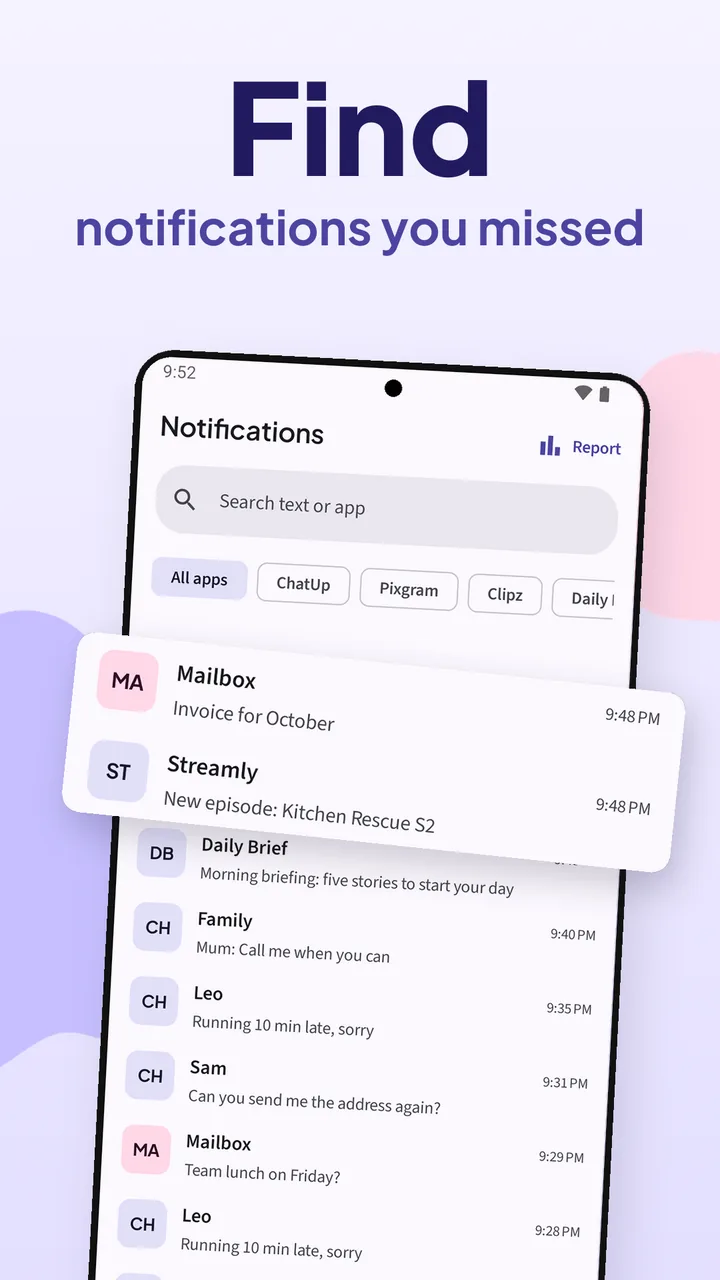
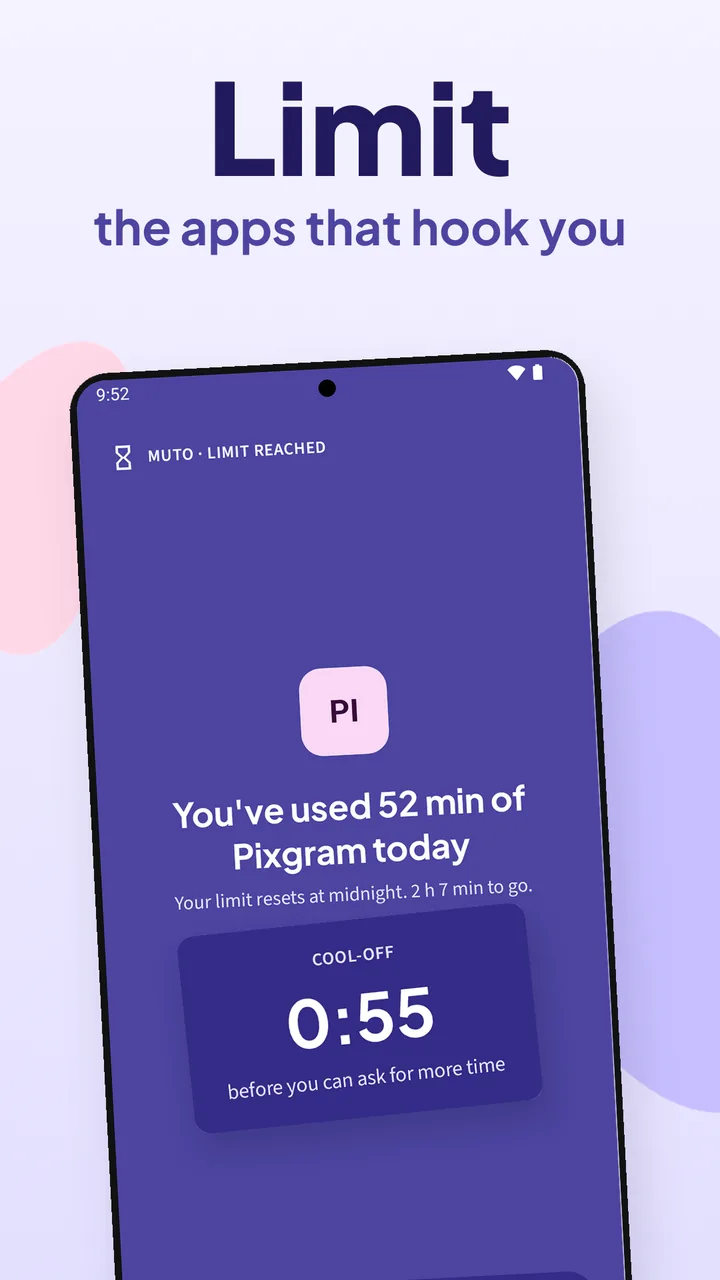
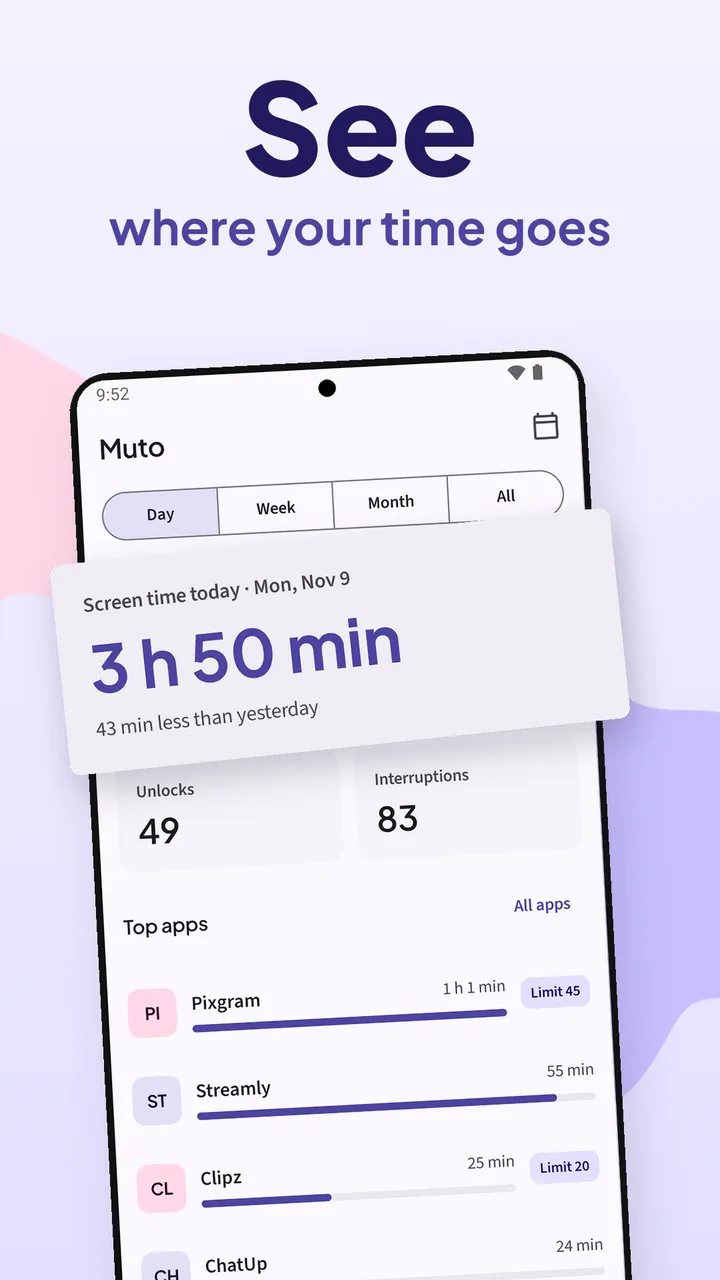
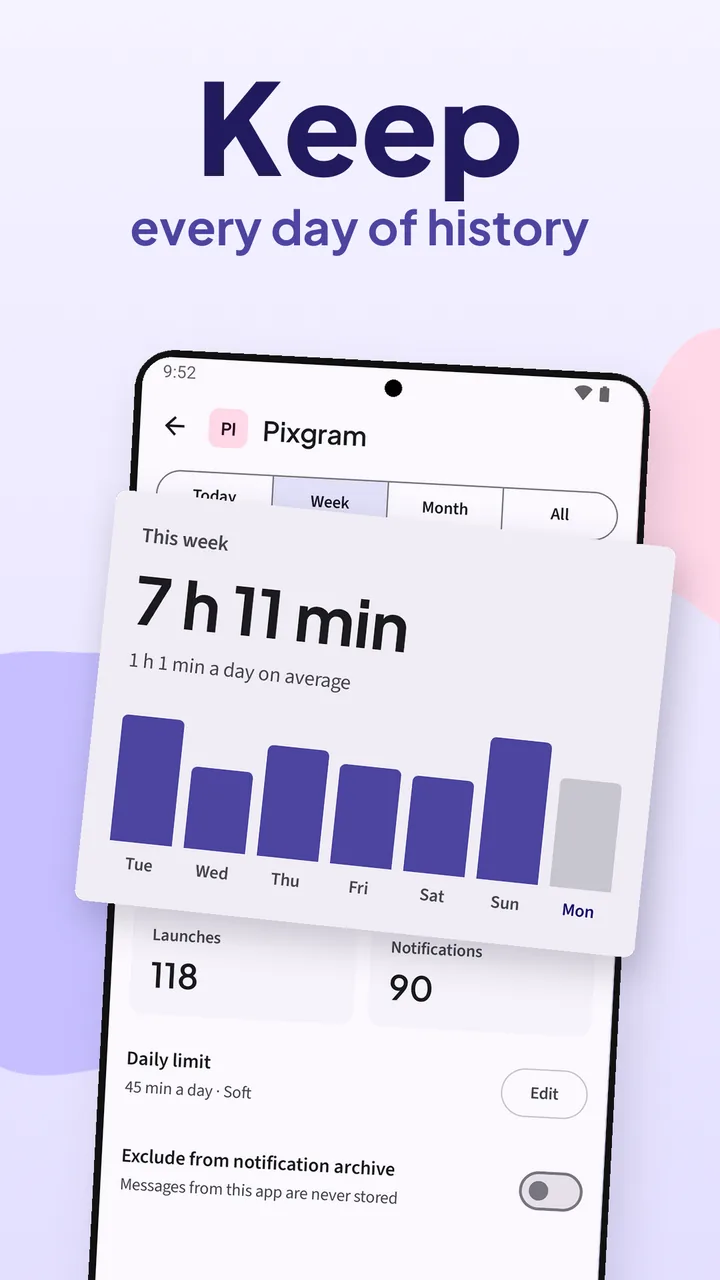
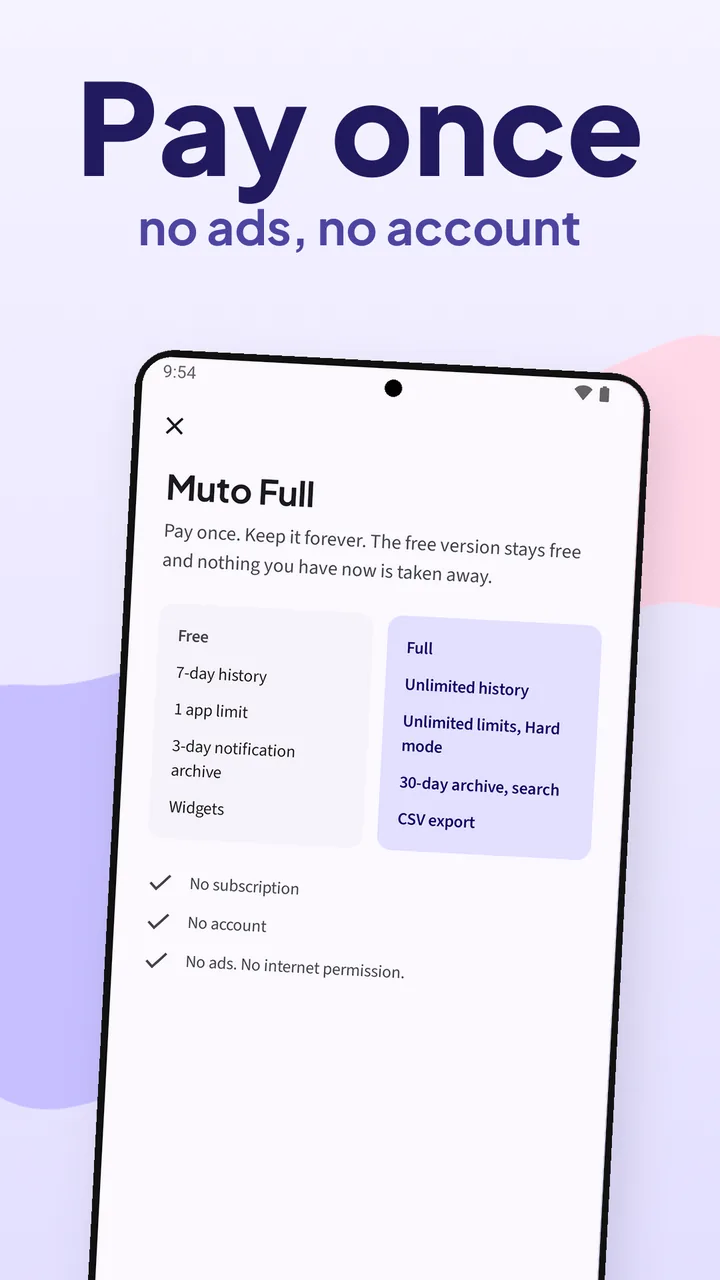
Muto Full · pay once · no subscriptionThe notification history, today’s screen time, one app’s week, the pause screen and the one-time unlock. These are the screenshots from the Google Play listing.
A flood of notifications, months of screen time, a limit that holds. The video loads from YouTube only when you press play.
Muto asks for each Android permission only for the feature that needs it, and explains it first. Nothing leaves the phone.
Android shares how long you use each app. Muto counts screen time, unlocks and launches, and saves a copy of every day.
From then on, every notification is saved with its app, title, text and time, even after you swipe it away.
Pick an app and its daily minutes. With Display over other apps on, Muto shows a pause screen when the time is up.
Open Notifications to find a message, or switch Today to Week, Month or All to see where the time went.
Android shows today’s screen time and a day of notifications. Muto keeps the rest, and works alongside Digital Wellbeing.
Every notification is saved with its app, title, text and time, including WhatsApp and other chats. Android’s own history keeps 24 hours.
Tap an app to see only its notifications. Muto Full searches the text of 30 days of notifications.
Today, the last 7 days, the last 30 days or all time, with unlocks and launches per day.
Android keeps detailed usage for a short time. Muto saves a copy every day, so you can pick any past day on the calendar.
A daily limit from 5 minutes to 3 hours, or blocked hours like 10 PM to 7 AM. Soft mode gives you 5 more minutes a few times a day.
Hard mode keeps the app blocked until the next day unless you enter your PIN. An optional cool-off makes you wait before switching a limit off.
Muto can’t send anything anywhere. No account, no ads, no analytics. Notification text stays on this phone.
Step-by-step battery settings for Xiaomi, Redmi, POCO, Samsung, Honor, OPPO and more, and a notice if the phone stopped Muto.
Muto Full is a one-time purchase on Google Play. No subscription. Restore it on another phone with the same Google Play account.
The free version shows today’s numbers and keeps a short history. Muto Full keeps everything, once, for good. Google Play shows your local price.
Enough to see where this week goes.
A one-time purchase on Google Play that lifts every limit.
How to see notification history, read a deleted message, check screen time history and set app limits on Android.
Find Android’s 24-hour history, and keep 30 days you can search.
Read the guide →Deleted messagesRead a message the sender deleted, from the notification that already arrived.
Read the guide →Screen timeToday, the week, the month and every day since you installed Muto.
Read the guide →App limitsDaily minutes, blocked hours and a PIN, without an Accessibility service.
Read the guide →Xiaomi, Redmi, POCOWhere the hidden history is, and the battery settings that keep a history app running.
Read the guide →AlternativesLonger history, limits with a PIN, and a notification history. It runs next to Digital Wellbeing.
Read the guide →Straight answers about notification history, screen time, limits and privacy.
Android 11 and later can keep the last 24 hours, if Notification history is switched on in Settings > Notifications. Muto keeps a longer history: allow Notification access once, and every notification is saved with its app, title, text and time. Open Notifications in Muto to read them.
If the message reached your phone as a notification while Muto had Notification access, yes: its text stays in Muto’s notification history. Muto can’t bring back messages from before it was set up, photos or voice notes, or messages whose notification showed no text.
From the day you install Muto, it saves a copy of every day’s screen time, so the history keeps growing. The free version shows the last 7 days; Muto Full shows all of it, with any past day on the calendar.
Pick an app and give it daily minutes, from 5 minutes to 3 hours, or blocked hours such as 10 PM to 7 AM. When the time is up, Muto shows a pause screen over the app. Soft mode allows 5 more minutes a few times a day; Hard mode keeps it blocked unless you enter your PIN.
No. Muto reads Android’s usage statistics to know which app is open, and shows its pause screen with Display over other apps. It never asks for Accessibility.
No. Muto has no internet permission, so it can’t send anything anywhere, and there is no account. You can exclude any app so its notifications are never stored, and old notifications are deleted after the period you choose.
It works alongside it. Keep Digital Wellbeing if you like it; Muto adds a screen time history that keeps growing, limits with a PIN, and a notification history.
Some phones close apps in the background to save battery. In Muto, open Settings > Keep Muto running: it checks each permission and shows the battery steps for your phone, like choosing No restrictions and turning on Autostart on Xiaomi.
Learn more: Notification history on Xiaomi, Redmi and POCO →
3 days of notification history, 7 days of screen time history, one app limit in Soft mode, the interruptions report and the widgets. Muto Full adds 30 days of notifications with search, unlimited history, unlimited limits and Hard mode, and CSV export.
No. Muto Full is a one-time purchase on Google Play, and Google Play shows the price for your country. Restore purchases in Settings brings it back on another phone with the same Google Play account.
Android 8.0 and later. The notification history and screen time work on every supported version.
Muto keeps what happens from the day you install it. Free to try; pay once for Muto Full.
Clipboard manager for Android that stays on this phone. No ads. No account.
See SoloclipScan papers to PDF and find any document by a word on the page.
See FiletrayFinds similar photos, bursts and old screenshots on Android. Photos stay on the phone.
See SparePixOffline PDF tools for Android: merge, split, compress, OCR and more.
See ViaPDF