Who can read the Android clipboard
People asking about clipboard password safety on Android usually want to know one thing: after I tap Copy, who else can see it?
- The app in front of you. Any app you open can read the current clip while it is on screen.
- Your keyboard. The default keyboard can read the clipboard at any time. That is how Gboard and Samsung Keyboard build their clipboard drawers.
- A clipboard manager. Whatever it captures, it keeps, often for weeks, sometimes in a cloud account.
Background apps were locked out in Android 10. Android 13 added a flag that password managers use to mark a copy as sensitive, which hides it from the preview chip, and it clears the clipboard after about an hour.
Where a copied password actually leaks
The weak point is rarely Android. It is the history. A keyboard drawer or a clipboard app that saves every copy turns a password you meant to paste once into a line in a list. If that list is synced, it is also on a server.
Autofill beats copy and paste. When your password manager can fill the field directly, use that. Copy only when autofill does not work, and paste straight away.
What Soloclip does with a secret
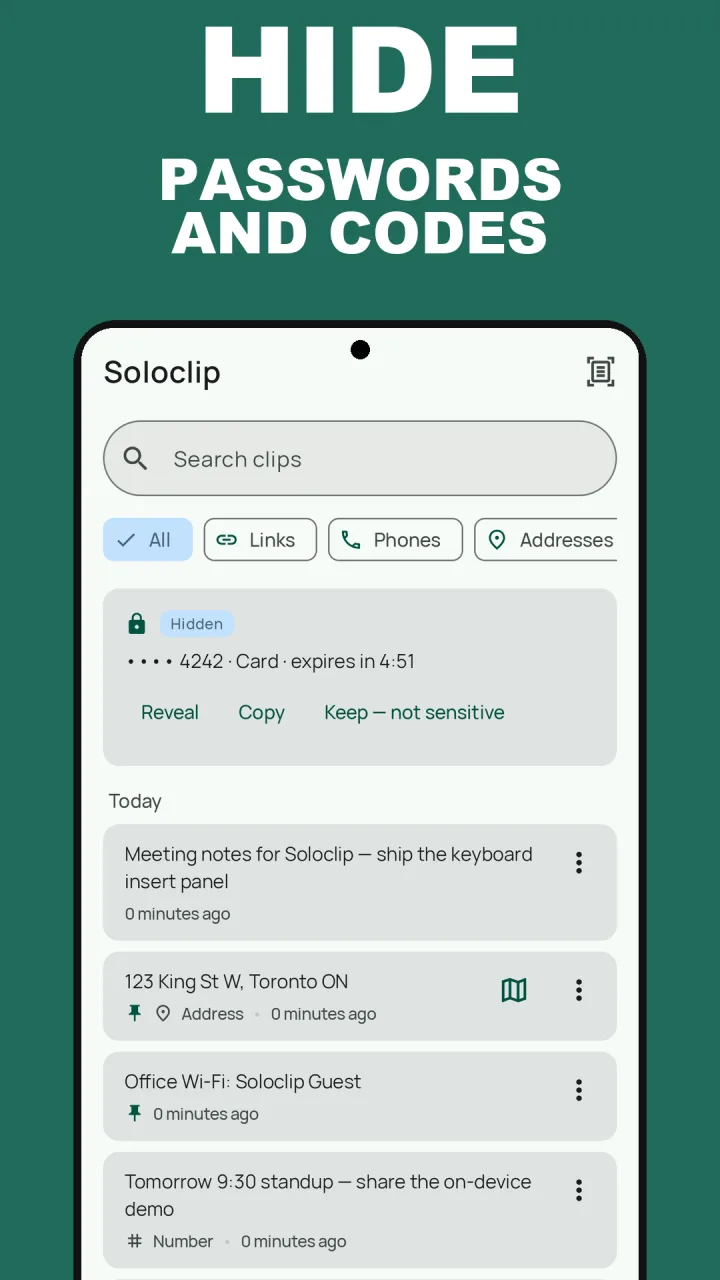
Soloclip is a clipboard history that hides what it should not keep. When a password manager marks a copy as sensitive, or Soloclip spots a one-time code, card number, IBAN or API key, the clip is masked, never saved to storage, and gone in five minutes. If the guard gets one wrong, Keep — not sensitive saves it as a normal clip.
Everything else you copy stays on this phone. There is no account and there are no Soloclip servers. Soloclip does not use Accessibility and does not read the clipboard in the background.
Keep secrets out of your clipboard history
The guard needs no setup. These steps show what you will see the first time it catches something.
- Install SoloclipThe sensitive guard is on from the first launch and is free. There is no account.
- Copy a password or a code as usualIf your password manager marks the copy as sensitive, or Soloclip recognises a one-time code, card number, IBAN or API key, the clip appears masked with a Hidden badge.
- Paste it within five minutesThe hidden clip is held in memory only and shows a countdown. After that it is gone. It is never written to storage.
- Reveal only when you need toReveal and Copy on a hidden clip ask you to confirm it is you with the screen lock or a fingerprint.
- Exclude apps you never want savedIn Settings, add a banking or password app to Excluded apps. Wipe sensitive now clears every hidden clip at once.
Watch it in 14 seconds
The same steps as a short video. It loads from YouTube only when you press play.
Keep clipboard history on this phoneFree to download with unlimited history. Unlock once. No ads. No subscription.
Copying passwords safely FAQ
Can other apps read my clipboard on Android?
Since Android 10, only the app you are using and your default keyboard can read it. Background apps cannot. Android 12 and later show a notice when an app reads a clip that came from another app.
Does Android clear the clipboard by itself?
Android 13 and later clear the clipboard after about an hour. Gboard also drops unpinned clips after about an hour. Until then the text is still there to paste.
Does Soloclip store my passwords?
No. Sensitive clips are masked, kept in memory only, and gone in five minutes. They are not written to the history database and are not part of an export.