You can only recover what is still stored somewhere
There is no hidden Android vault of every copy you ever made. Recover copied text means checking, in order: the current clipboard, your keyboard’s short history, then a manager like Soloclip if it was already saving clips.
- Paste once. If you have not copied since, the text is still the system clipboard.
- Open the keyboard clipboard. Gboard and Samsung may still show the previous items for an hour or a day.
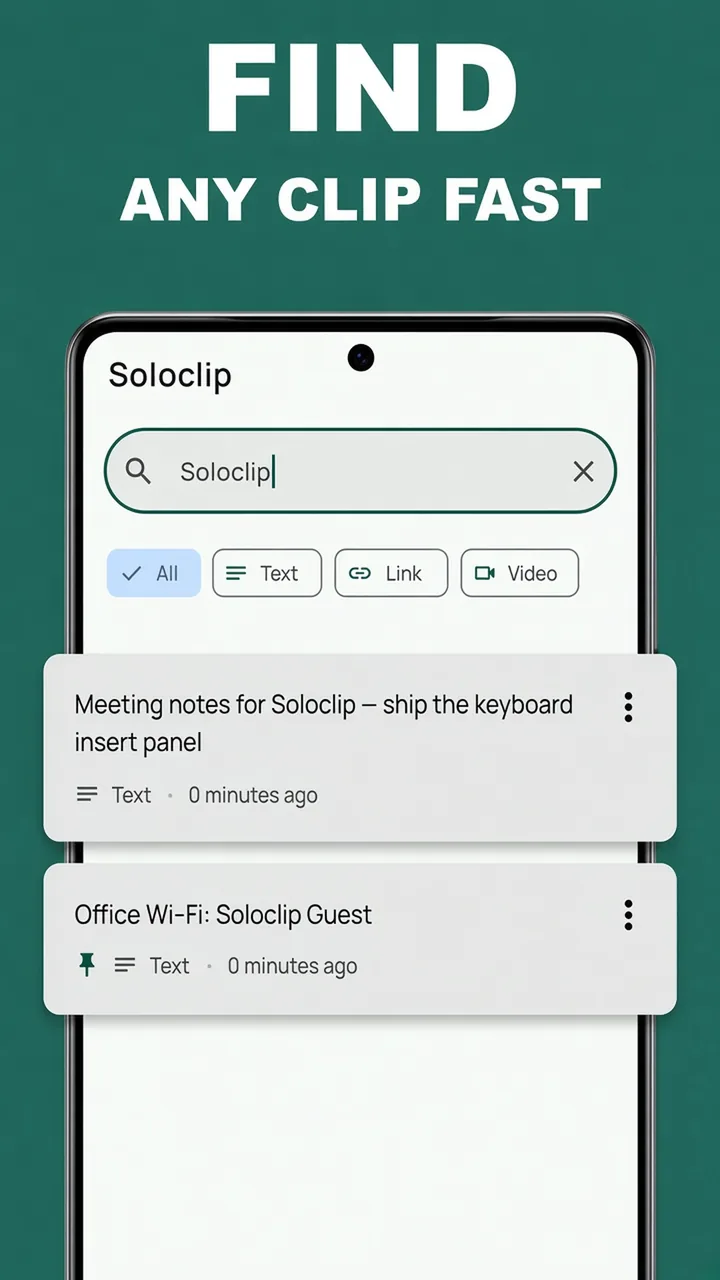
- Search Soloclip History. If Soloclip captured that copy, a few letters of the address or note will find it.
If all three are empty, the clip is gone. The useful move is to start capturing before the next important copy.
How Soloclip helps the next time
History is a searchable list of text clips on this phone. Free users keep the last 25. Unlock once for unlimited history and pins. Search is included on free.
Share-in works when you already have the text on screen. In many apps, Share → Soloclip adds the paragraph even if you never hit Copy.
Recover a clip in Soloclip
Use search rather than scrolling. One unique token — a street name, a meeting title — is enough.
- Open SoloclipGo to the History tab. The newest clips are at the top.
- Search a distinctive wordType part of the address, the Wi-Fi name, or a word from the note. Matching cards appear.
- Tap the card to copy it againPaste into the app you need. Nothing is sent to a server.
- Pin it so it cannot roll offWith Pro, pin the clip or drop it in a snippet folder. Pinned items skip the 30-day cleanup.
- Next time, capture on purposeUse the Soloclip keyboard, share the text in, or tap Add clip so the next important copy is already in History.
Keep clipboard history on this phoneFree to download. Last 25 clips free. Then $3.99 once. No ads. No subscription.
Recover copied text FAQ
Can I recover a copy from last week if I never installed an app?
Usually no. Gboard and Samsung only keep a short window. Soloclip cannot reconstruct clips from before it was capturing.
Does Soloclip recover deleted clips?
No. Wipe and delete are permanent. There is no cloud backup of your clipboard.
What if the clip was a password or OTP?
Soloclip excludes OTP-like codes or keeps password-like text for at most five minutes. Those are not meant to be recovered later.