Clipboard history that stays on this phone
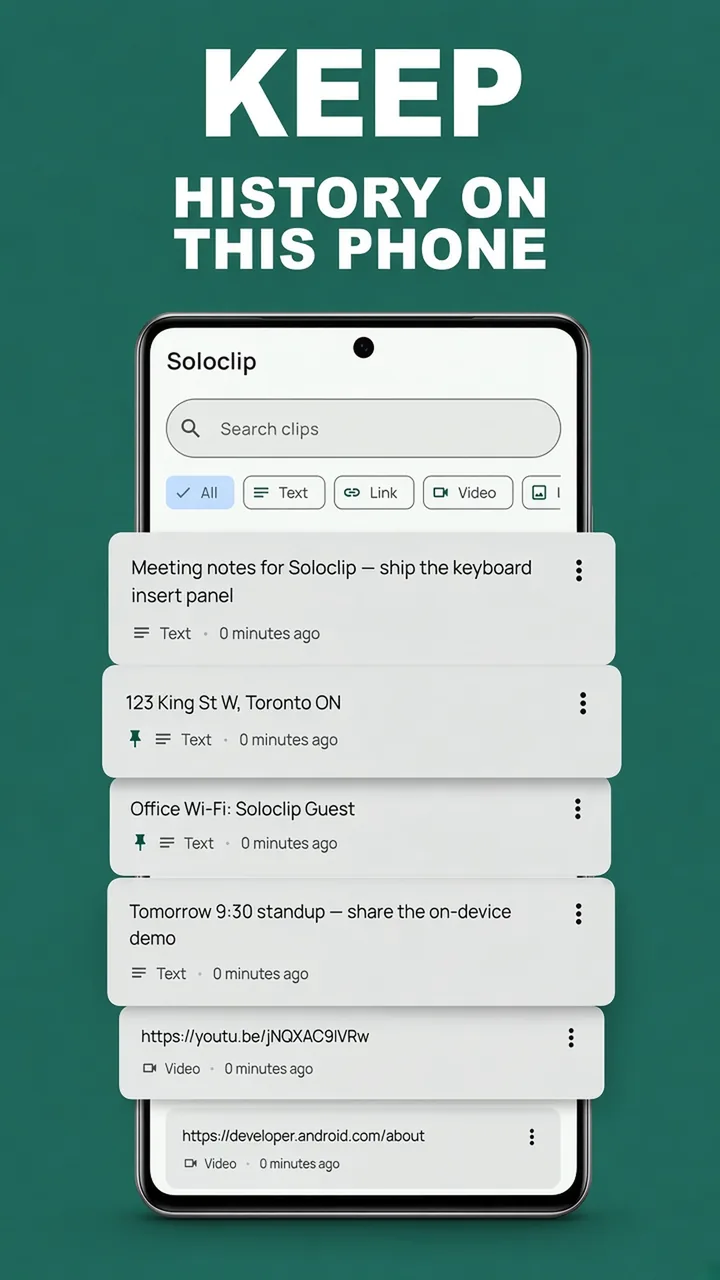
Soloclip is a clipboard manager for Android: search what you copied, pin the snippets you reuse, and paste from a keyboard. No ads. No account. No Accessibility. Pay once if you want the Pro surfaces.
- Clipboard never leaves this phone
- No ads, no account
- $3.99 once, not monthly
- Android now, iPhone later
Free to download. Last 25 clips included. Soloclip Pro is $3.99 once in the US. Google Play shows your local price. No subscription.
Download Soloclip free
On Google Play for Android 8.0 and later. No sign-up, no email, no cloud clipboard. iPhone is coming later.
Soloclip Pro · $3.99 once · no subscriptionA clipboard manager that looks like a tool, not a feed
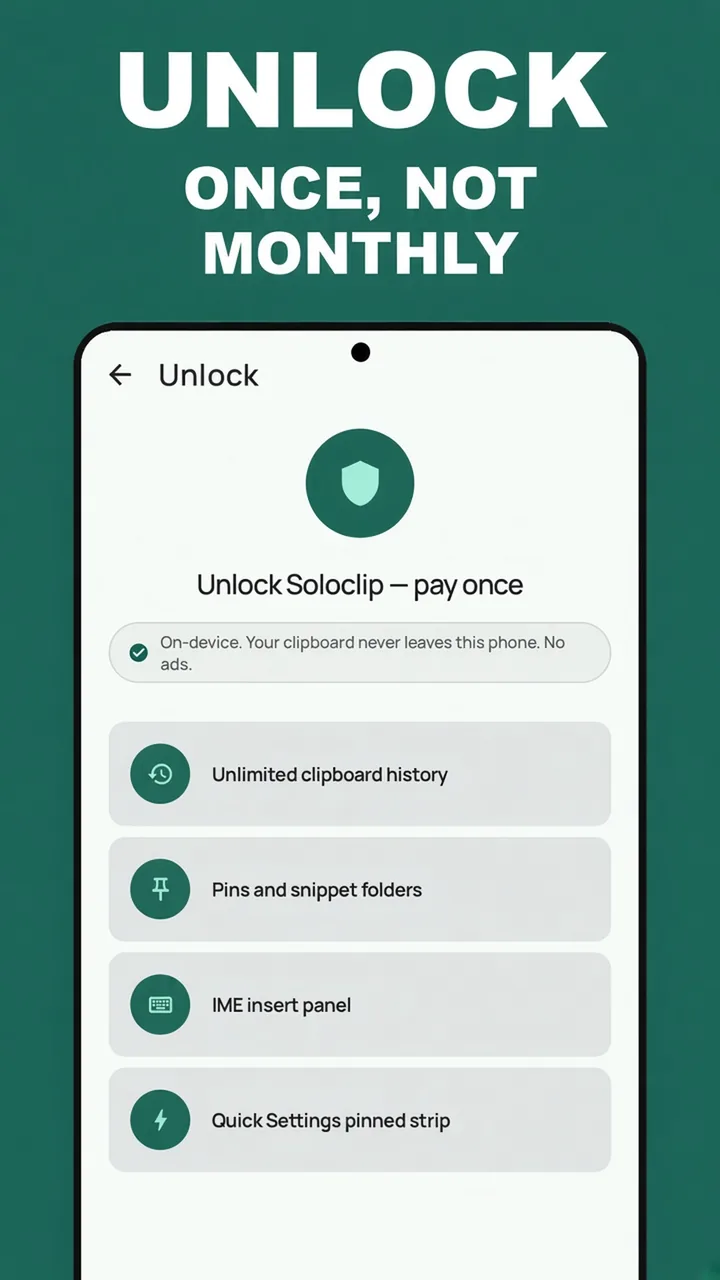
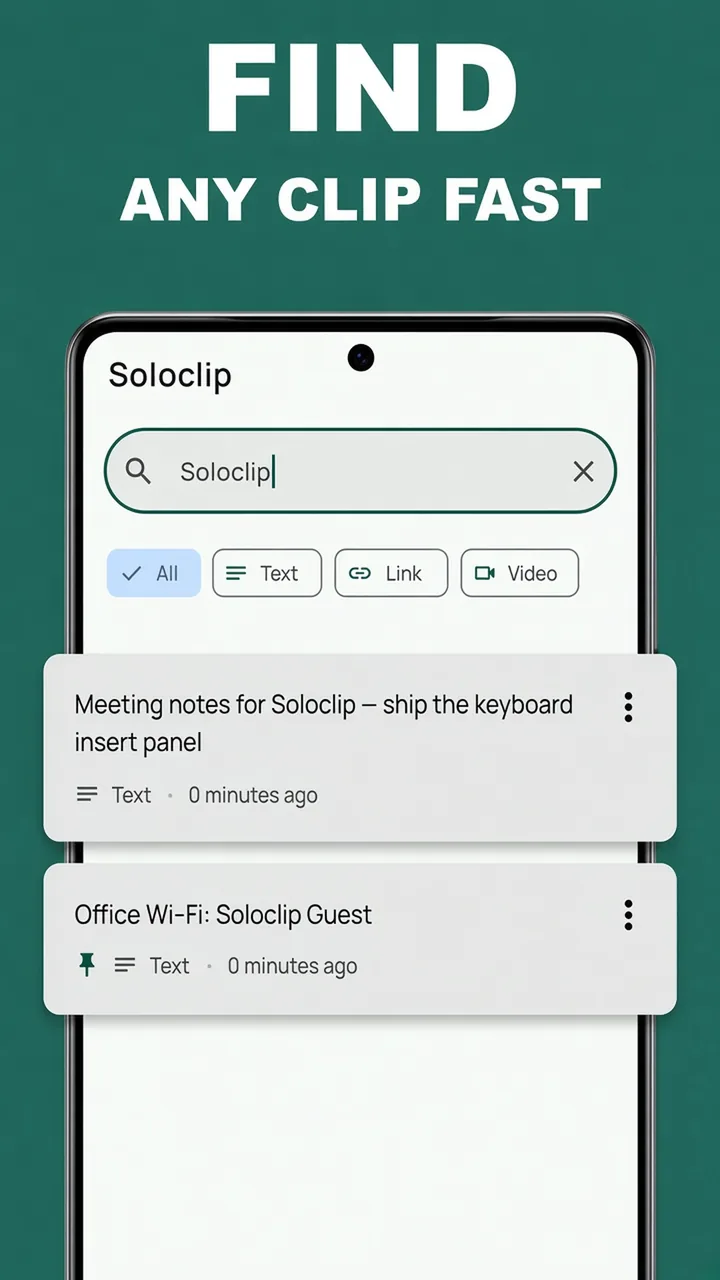
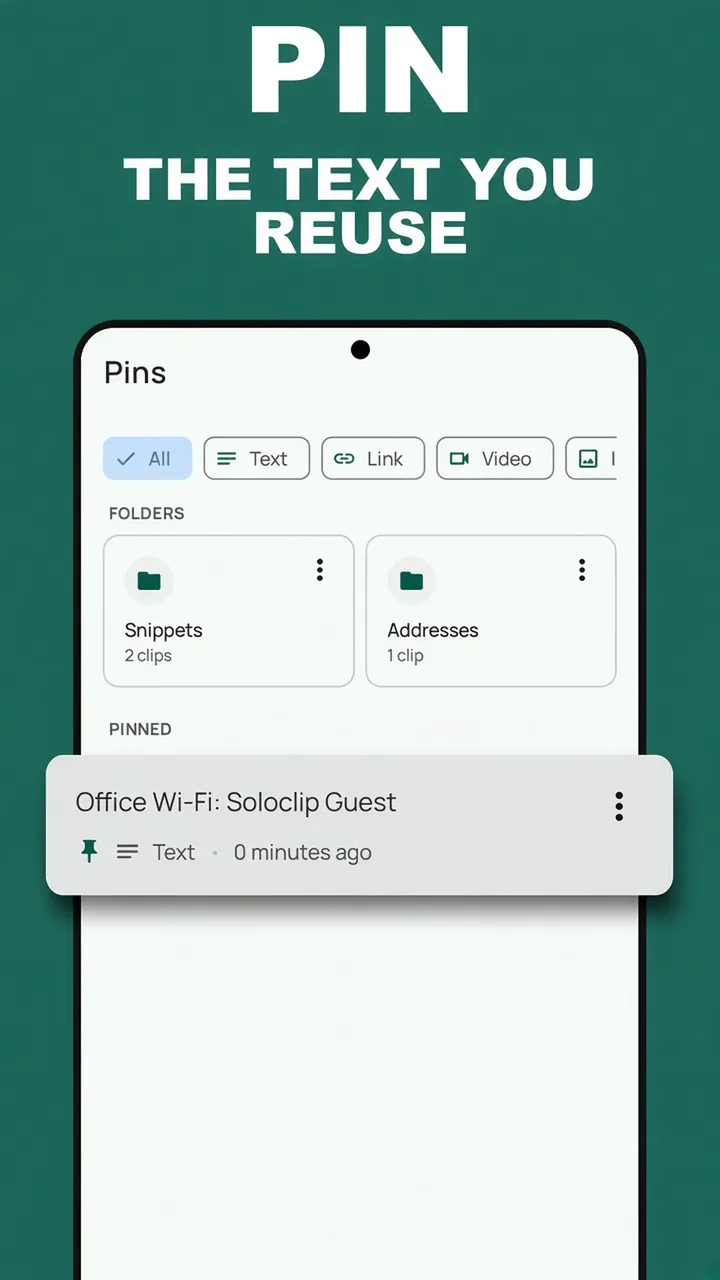
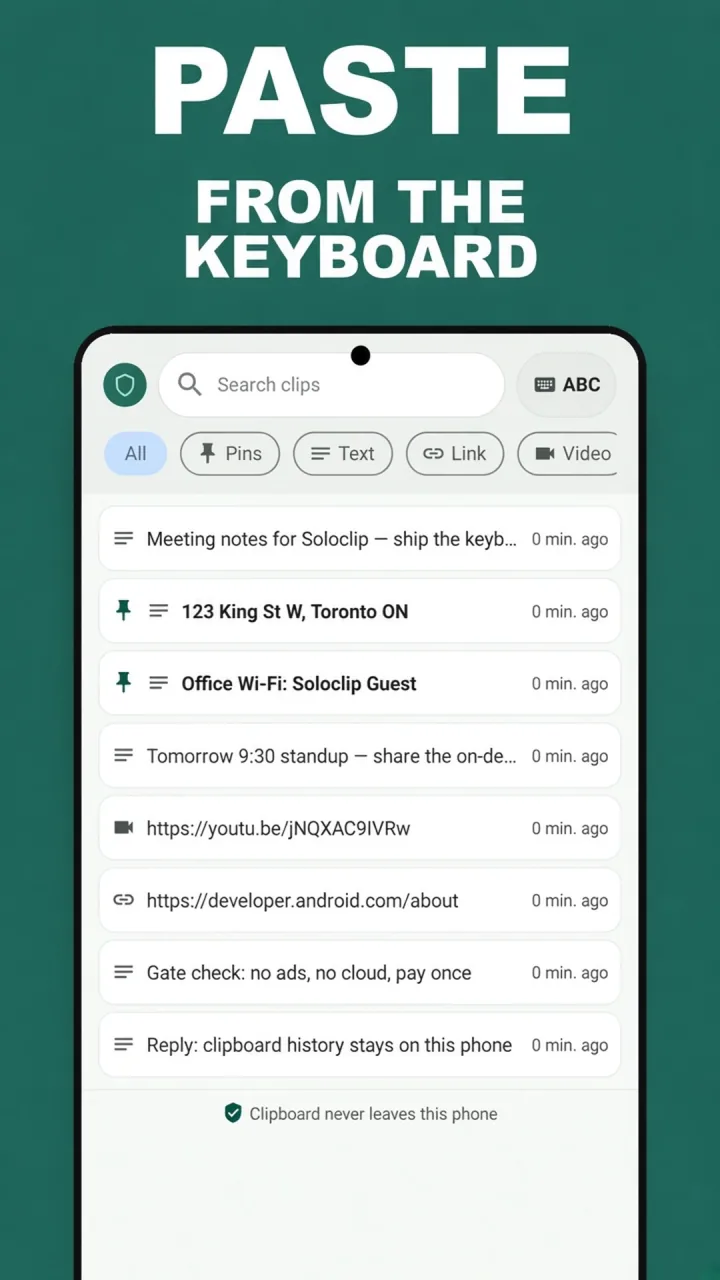
These are the Play listing screenshots: history on this phone, search, pins, keyboard insert, and a one-time unlock.
From a copy on Android to a clip you can find
No account to create. Nothing to upload. Capture is honest about what Android 10 and later allow.
Enable the keyboard
Android will not let a background app read the clipboard. Soloclip uses a keyboard, app focus, share-in, and manual add. Onboarding walks through the switcher. There is no Accessibility prompt.
Copy as usual
Copy text, share a paragraph into Soloclip, or tap Add clip. History is a local list of text clips. OTP-like codes and password-like text are excluded or kept for minutes, not forever.
Search and pin
Find a clip by the words you remember. Unlock once to pin staples and put them in snippet folders. Pins never auto-clear. Unpinned clips default to 30 days.
Paste from the keyboard
Switch to Soloclip, tap a clip, and it inserts into the field. Switch back to Gboard to type. Quick Settings copies a recent or pinned clip without opening the app.
The clipboard jobs a phone should finish privately
Built for people who reuse addresses and notes all day, and do not want that list in someone else’s cloud — or next to an ad.
On this phone
No account and no Deximo cloud. Clipboard contents are processed on-device. A clip leaves the phone when you paste it or share an export yourself.
Search that finds it
History is full-text search over the clips on this phone. Free includes search on your last 25. Pro keeps the whole archive.
Pins and snippets
Pin Wi-Fi, ship-to addresses, and replies. Folders keep them grouped. Pins skip the 30-day cleanup.
Paste from the keyboard
The Soloclip IME is an insert panel, not a typing keyboard. Pick a clip, then switch back to Gboard or Samsung.
No Accessibility
Capture is keyboard, focus, share-in, or manual. Soloclip does not watch the screen and does not sniff the clipboard in the background.
OTP and passwords
One-time codes and password-like text are excluded or kept ≤5 minutes. They are not stored permanently. Onboarding says so.
Pay once
Unlimited history, pins, insert, and the QS pinned strip are $3.99 once in the US. No subscription and no ads.
Export and wipe
Export JSON or CSV and hold the file. Wipe all deletes the local database. There is nothing to recover from a server.
Works offline
Search and insert do not wait on a connection. Install and confirm a purchase when you have Play. Use the history when you do not.
Twenty-five clips free. Then pay once.
Start with real history today. When you need pins and an unlimited list, unlock Soloclip Pro once. The US price is $3.99. No subscription.
Free
Enough to keep the last 25 copies, search them, and add more by hand.
- Last 25 text clips on this phone
- In-app search
- Share-in and manual add
- On-device only — no account, no upload
- OTP / password-like auto-clear
- No ads
Soloclip Pro
Google Play shows the price for your country on the unlock button.
- Unlimited clipboard history
- Pins and snippet folders
- Keyboard insert panel
- Quick Settings pinned strip
- Lifetime on your Google account — restore on a new phone
- Still offline, still no ads
Clipboard guides for the job in front of you
How to see clipboard history on Android, recover a copy, leave Clipper’s ads, and paste from a keyboard — with steps in Soloclip.
How to choose a clipboard manager for Android
What a clipboard manager has to do after Android 10, and how Soloclip handles capture, ads, and price.
Read the guide →How-toHow to see clipboard history on Android
Use Gboard or Samsung for the last hour, then keep a searchable history on this phone with Soloclip.
Read the guide →How-toRecover text you copied on Android
When the next copy overwrote the address, search History — if a manager was already keeping clips on this phone.
Read the guide →PrivacyA clipboard manager without ads
Your clipboard holds addresses and codes. Soloclip has no ads, no ad SDK, and no feed next to your clips.
Read the guide →PricingA clipboard manager with no subscription
Paste on Apple is monthly. Soloclip on Android is $3.99 once — or stay on the free 25-clip history.
Read the guide →SwitchingA Clipper alternative without ads
Same job — keep what you copy — without banners. On-device, pay once, no Accessibility.
Read the guide →SwitchingPaste for Android? Use an on-device analog
Paste is Apple-only. Soloclip is the Android job: history, pins, keyboard insert, pay once, no cloud.
Read the guide →PrivacyA private clipboard manager, on this phone
No account, no upload, OTP codes auto-clear. Clipboard never leaves this phone.
Read the guide →KeyboardPaste from a clipboard keyboard
Enable the Soloclip keyboard, pick a clip, insert into the field. Then switch back to Gboard.
Read the guide →Questions people ask before they install
Straight answers about clipboard history, ads, Accessibility, Gboard, and the one-time unlock.
What is the best clipboard manager for Android?
Pick one that stores history on the phone, says how capture works after Android 10, has search and pins, and does not put ads next to your copies. Soloclip is built around those requirements.
How do I see clipboard history on Android?
Open your keyboard’s clipboard drawer (Gboard or Samsung) for the last hour or day. For searchable history that stays on this phone, use Soloclip History.
How do I recover text I copied on Android?
Paste if it is still the current clip, then check Gboard or Samsung. If Soloclip was already capturing, search History for a word from the text.
Is there a clipboard manager without ads?
Yes. Soloclip has no ads on free or Pro. Free keeps the last 25 clips. Pro is a one-time unlock, not an ad-removal upsell.
Is there a clipboard app with no subscription?
Soloclip is free to download. Unlimited history, pins, keyboard insert, and the QS pinned strip are $3.99 once in the US. Google Play shows your local price. There is no monthly plan.
What is a good Clipper alternative?
Soloclip does the clipboard-history job without ads or Accessibility. Capture is keyboard, focus, share-in, or manual. Pro is pay once.
Is there a Paste app for Android?
There is no official Paste on Android. Soloclip is an on-device analog: history, pins, keyboard insert, $3.99 once. It does not sync to a Mac and is not affiliated with Paste.
How do I keep clipboard history private?
Use a manager with no account and no upload. Soloclip stores clips on this phone, auto-clears OTP-like codes, and never uses Accessibility to watch the screen.
Do I have to grant Accessibility for clipboard history?
Not with Soloclip. Many Android 10+ managers use Accessibility to detect copies. Soloclip uses an IME, app focus, share-in, and manual add instead.
How do I pin clipboard snippets on Android?
In Soloclip Pro, pin a clip from History or move it into a snippet folder. Pins never auto-clear. Insert them from the Soloclip keyboard.
How do I paste from a clipboard keyboard?
Enable the Soloclip keyboard, switch to it from the globe icon, tap a clip in the insert panel, then switch back to Gboard to type.
Where is Samsung clipboard history?
On Galaxy, open the Samsung Keyboard toolbar and tap Clipboard. For history you can search after that day, keep clips in Soloclip on the same phone.
Why does Gboard clipboard only last an hour?
Gboard’s drawer is designed to forget unpinned clips after about an hour. Pin inside Gboard for later today, or keep searchable history in Soloclip.
Does Soloclip work offline?
Yes. History, search, pins, and insert do not need a network. Play is used to install and to confirm the one-time purchase.
Keep the next clip on this phone.
Download Soloclip free on Android. Search the last 25 clips on us. Unlock once when you need pins and unlimited history. iPhone is later.