Where a copied link might still be
If you need to find a link you copied on Android, check these in order.
- Paste. If you have not copied anything since, the link is still on the clipboard.
- The keyboard clipboard. Gboard keeps recent copies for about an hour, Samsung Keyboard for about a day.
- Browser history. If you opened the page, Chrome history has it even though the clipboard does not.
- The app you copied from. The message, post or email that held the link is often quicker to find than the link itself.
If none of those has it, it is gone. The fix is to keep links as you copy them.
Keep copied links in one place
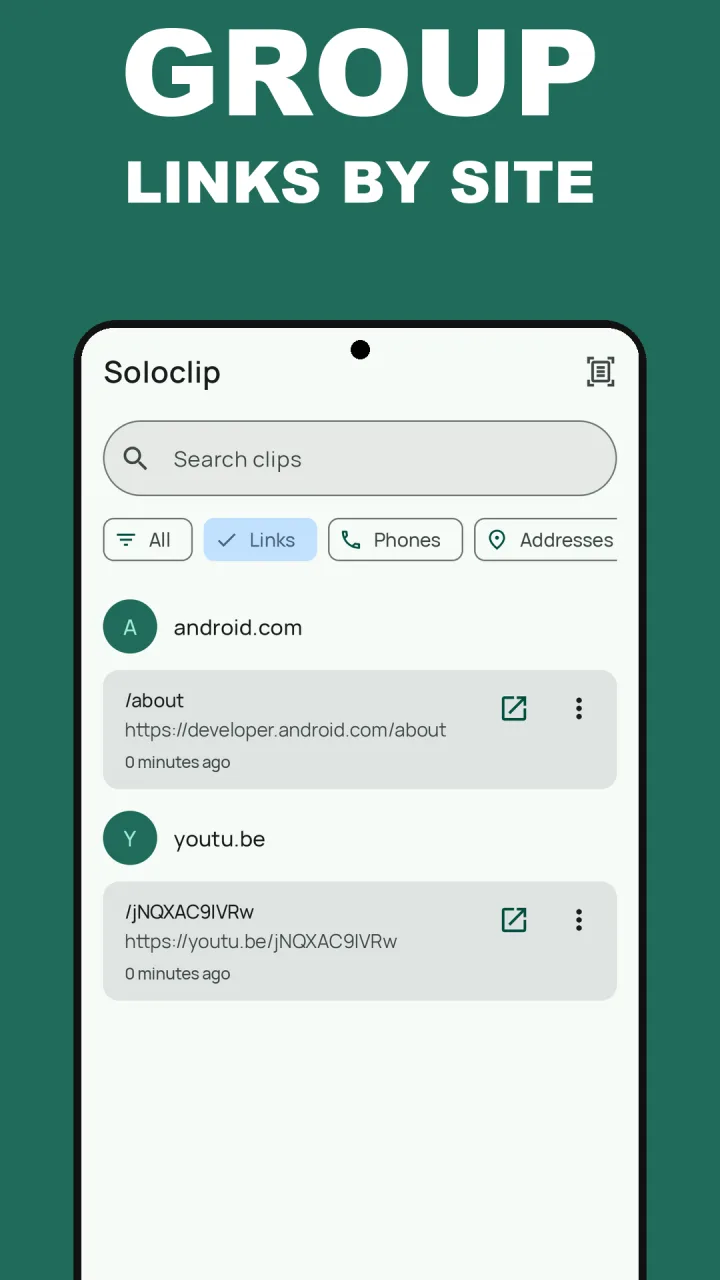
Soloclip sorts what you copy. Links get their own chip in History, and under that chip they are grouped by site, so every video link sits together and every shop link sits together. Each one has an open button. Nothing is fetched from the internet to build that list.
Not a bookmark manager. Unpinned clips are cleared after 30 days by default. Pin a link, or lengthen retention in Settings, if you need it to stay.
Find a link in Soloclip
Links copied from now on are kept on this phone, with no account and no Soloclip servers.
- Install SoloclipFree on Google Play. History is unlimited and stays on this phone.
- Save links as you copy themCopy with the Soloclip panel open, share a page to Soloclip from your browser, or select a link and tap Save to Soloclip.
- Tap the Links chipHistory switches to links only, grouped by site.
- Search if the list is longType part of the address. Search covers every clip on the phone.
- Open, copy or shareThe open button sends the link to your browser. Tap the clip to copy it again.
Keep clipboard history on this phoneFree to download with unlimited history. Unlock once. No ads. No subscription.
Find copied links FAQ
Can I recover a link I copied before installing anything?
Only if it is still in your keyboard clipboard, or if you opened the page and it is in your browser history. Soloclip cannot recover copies from before it was installed.
Does Soloclip load previews of my links?
No. It does not fetch titles, icons or thumbnails. Links are grouped by the site name in the address, on the phone.
Are links free or part of the unlock?
Free. Unlimited history, the Links chip, search and the open action are all free. Pins and keyboard insert are part of the one-time unlock.