What “Paste for Android” actually means
People typing paste app Android usually just left iOS. They want: a history of copies, pins for snippets, paste without opening a separate window, and not another subscription. They do not always want iCloud-style sync — and many specifically do not want the clipboard in the cloud.
Soloclip matches the on-device half of that job. It does not match Paste’s design language, membership, or multi-device library. That is intentional.
What you get instead
- Searchable text history on this phone
- Pins and snippet folders (Pro)
- Soloclip keyboard insert panel (Pro)
- Quick Settings for recent / pinned (pinned strip is Pro)
- One-time $3.99 unlock, no ads
Set up the analog
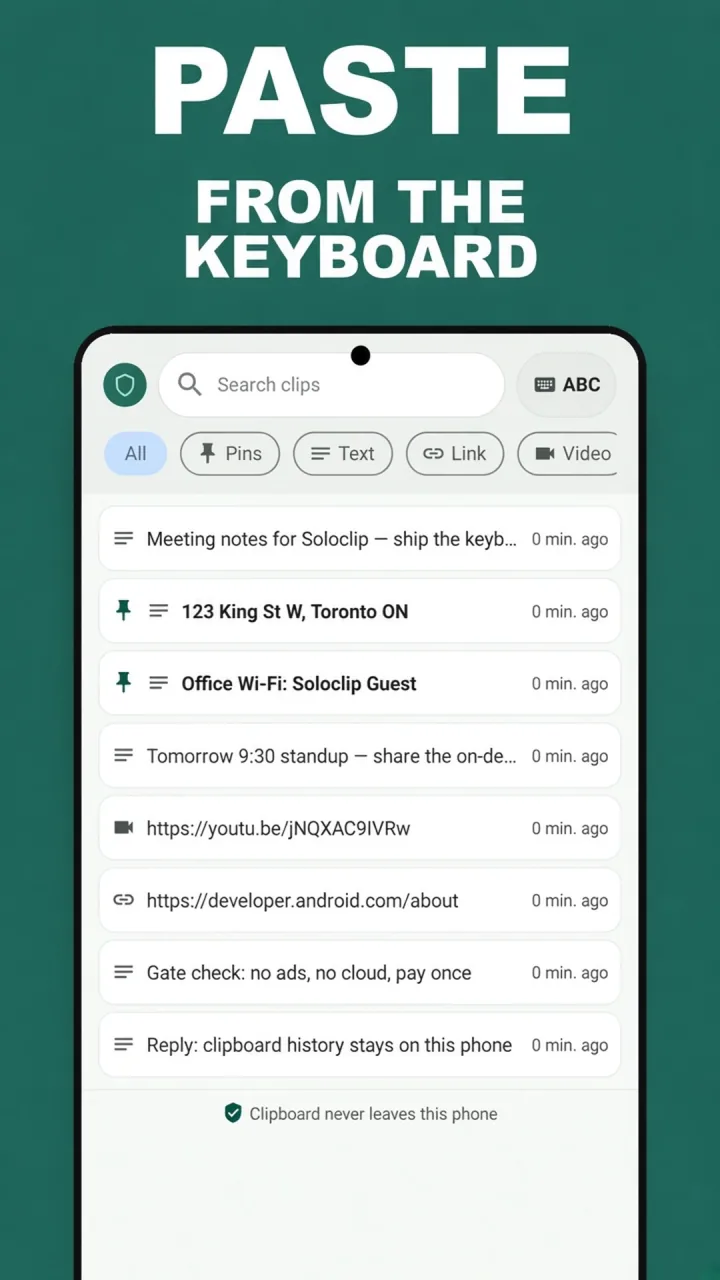
Treat the Soloclip keyboard like the panel you used to open in Paste. Switch to it, pick a clip, switch back to Gboard to type.
- Install SoloclipAndroid 8.0 or later. No iCloud, no Paste account — there is no account.
- Enable the Soloclip keyboardThis is the insert surface, like opening Paste’s panel above the keyboard.
- Build pins for the text you type every weekAddress, Wi-Fi, ship-to, canned replies. Pro unlocks pins and folders.
- Pay once if you want the full set$3.99, not a yearly Paste bill. History stays on this phone.
Keep clipboard history on this phoneFree to download. Last 25 clips free. Then $3.99 once. No ads. No subscription.
Paste for Android FAQ
Is this the official Paste app?
No. Paste is made by a different company and is not on Android. Soloclip is not affiliated with Paste.
Does Soloclip sync to my Mac?
No. Cloud clipboard sync is an explicit non-goal. Clips stay on the phone.
Does it handle images like Paste?
Not in v1. Text only.