A clipboard keyboard is not your daily driver
Gboard and Samsung are for typing. A clipboard keyboard is for picking a saved clip. Soloclip is the second kind. It does not try to replace autocorrect.
On Android 10+, a custom IME is also the honest way to participate in clipboard capture without Accessibility. While Soloclip is selected, copies can land in History. While it is not, use share-in, manual add, or open the app.
Insert from the panel
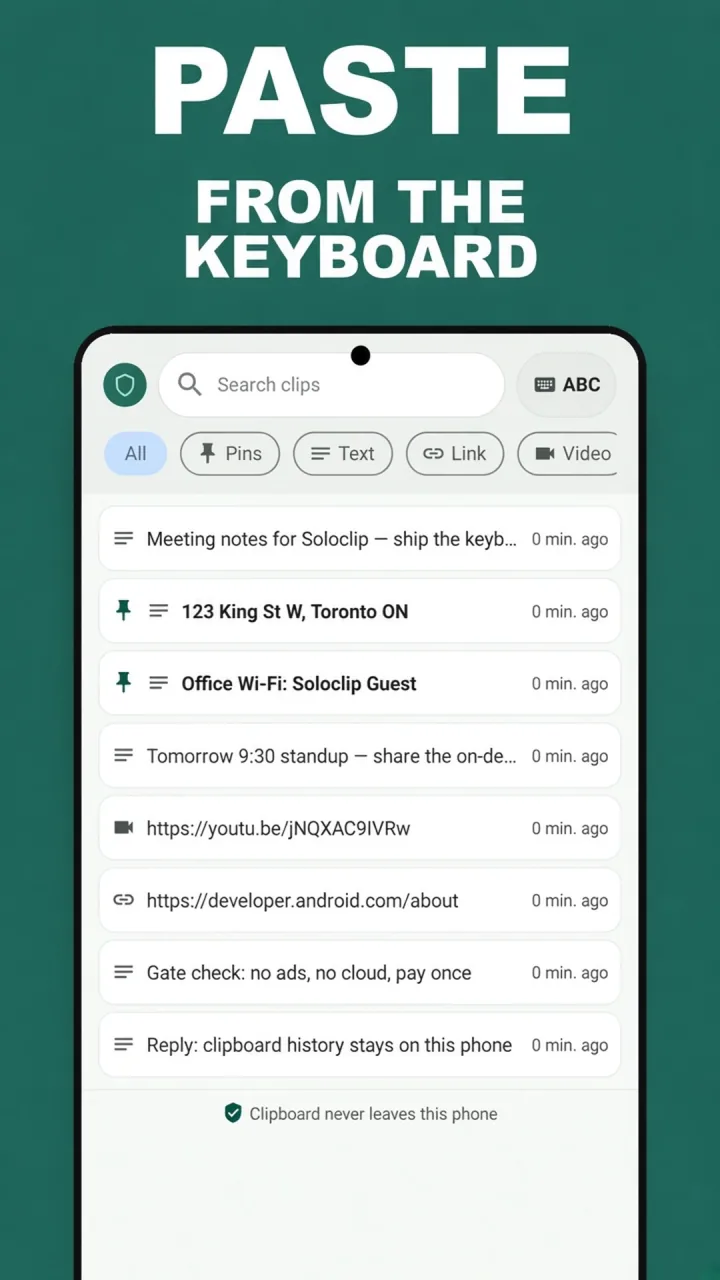
The panel lists clips with search and pin filters. Tap to insert into the focused field. Unlock once to use this panel; free users see a pay-once CTA there.
Quick Settings is the other fast path. The tile copies a recent (or pinned, with Pro) clip so you can paste with the normal keyboard.
Turn it on
Onboarding and Settings both deep-link to system input methods. Enable Soloclip, then practice the switcher once — globe icon — so it is not a surprise later.
- Enable Soloclip in system keyboardsFrom the app, tap Enable Soloclip keyboard, or open Android input settings yourself.
- Open any text fieldMessages, Gmail, a form.
- Switch input methodTap the globe or keyboard icon and choose Soloclip.
- Search or filter PinsTap a clip to insert. Pro is required for the insert panel.
- Switch back to Gboard (or Samsung)Use ABC / the picker so typing stays on the keyboard you like.
Keep clipboard history on this phoneFree to download. Last 25 clips free. Then $3.99 once. No ads. No subscription.
Paste from the keyboard FAQ
Do I have to type with Soloclip all day?
No. It is a second keyboard for history and insert. Switch back when you are done.
Why is insert Pro?
The IME insert panel is part of the pay-once unlock, along with unlimited history and pins.
Can it paste as plain text?
Yes. The product includes a plain-text paste option so formatting does not come along.