What “merge PDF on Android” needs to get right
A merge PDF job is usually urgent and specific: the signed page has to sit after the contract, the receipt has to follow the invoice, and you need one attachment. Browser tools ask you to upload those files first. On a phone, that is the slow path, and it puts the documents on someone else’s server.
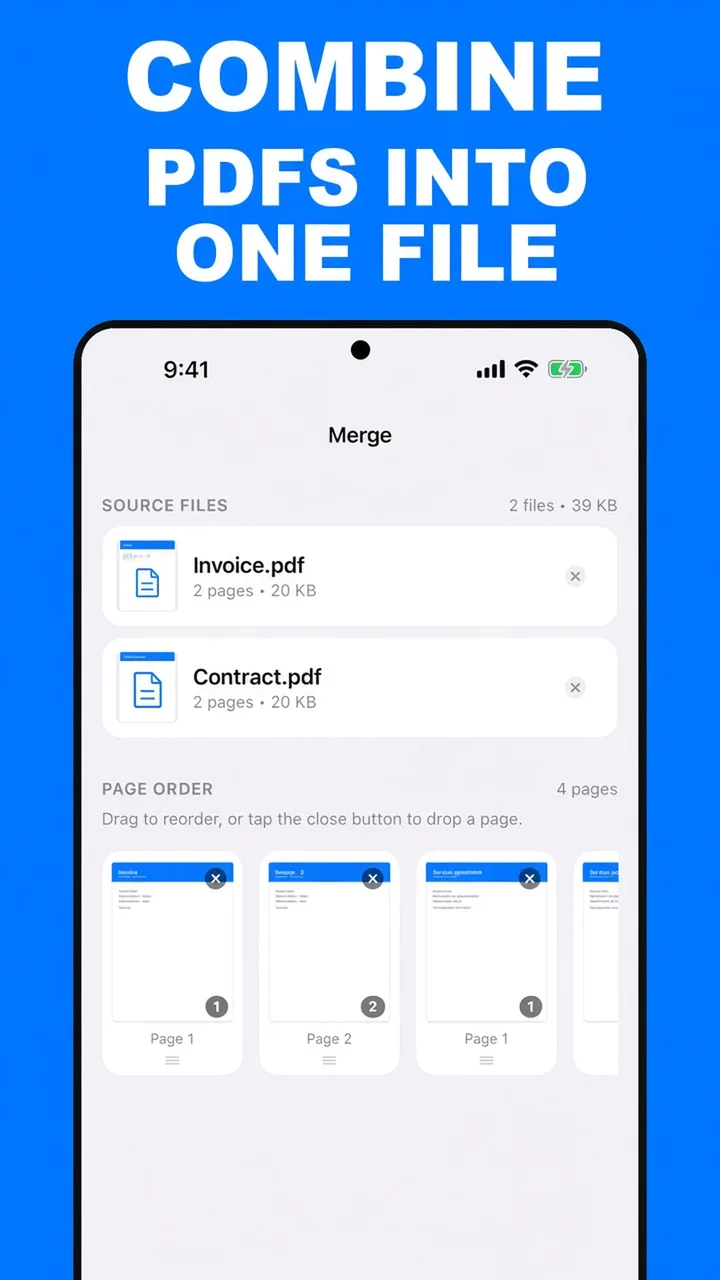
ViaPDF merges on the device you already have. You see every page before the new file is written, you can drop a blank or a duplicate, and you get one PDF you can share from Android.
Before you merge
- Decide the order first. Cover, then terms, then the signature page is easier to fix on the strip than after you have already emailed it.
- Drop pages you do not want. A merge is also a chance to leave out a cover email or a blank scan.
- Watch the size. Combining files adds their pages together. If the result is too heavy to email, compress it afterward. See reduce PDF file size.
One file is enough to reorder. Merge also works with a single PDF when you only need to change the page order or remove a page.
How to merge PDFs in ViaPDF
The whole job stays in the Merge tool. Nothing is posted, and the original files are not overwritten.
- Open MergeOn the Actions screen, tap Merge. ViaPDF runs the merge on your phone. There is no account and no upload.
- Add the PDFsTap Add PDFs and pick the files from Files, or share a PDF into ViaPDF from another app. You can add more than two.
- Set the page orderUse the arrows on the page strip to move pages. Tap × on a thumbnail to drop a page you do not want in the finished file.
- MergeTap Merge. ViaPDF writes one PDF from the order you set.
- Share or SaveYour first Share or Save is free. After that, a one-time unlock covers unlimited exports. The finished file stays on your phone until you send it.
Do this job on your phoneFree to download. The first export is free. Then $14.99 once. The file stays on the device until you share it.
Merge PDF files on Android FAQ
Can I merge more than two PDFs?
Yes. Tap Add PDFs as many times as you need. Every page lands on the page-order strip, and you export one file.
Can I remove a page while merging?
Yes. Tap × on that page in the page-order strip. The source file on disk is left as it is. Only the new merged PDF changes.
Does merging upload my files?
No. Merge runs on your device. A file leaves the phone only when you tap Share or Save.