Android and iPhone
Forgot your vault pattern?
Your 9 recovery words open the vault if you forget the pattern. You type them, then draw a new pattern. If you have neither the pattern nor the words, nobody can open the vault, because there is no account to reset.
Watch it in 25 seconds
The steps in a short video. It loads from YouTube only when you press play.
Open the vault with the 9 words
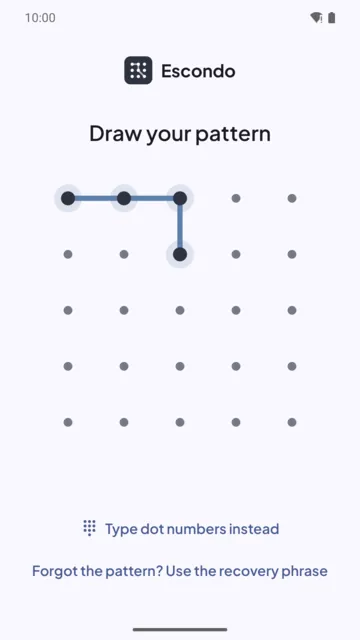
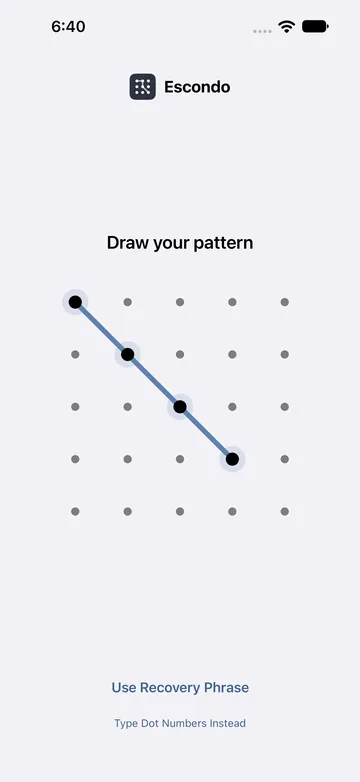
- On the unlock screen, tap the recovery phrase link. On Android it reads "Forgot the pattern? Use the recovery phrase". On iPhone the button is Use Recovery Phrase.
- Type the 9 words for the vault you want to open. Suggestions come from the word list as you type.
- Tap Open vault.
- Draw a new pattern. Use 6 dots or more and change direction at least once. It opens this vault from now on.
Each vault has its own words
Every vault has its own 9 words, and a duress vault has its own too. Type the words for the vault you want to open. If you made more than one vault, try the paper for the one you mean.
If the screen says "Try again in ..."
After 5 wrong patterns, Escondo makes you wait: 30 seconds at first, growing to 5 minutes. The wait only applies when "Every pattern opens a vault" is off.
If you still remember the pattern but want a new one
Open the vault, go to Settings, and tap Change pattern.
If you changed phones
The pattern is tied to the phone where it was made and does not open anything on another device, by design. The 9 words open the vault anywhere. Restore a backup file with the words, and you choose a new pattern on the new phone. See Move hidden photos to a new phone.
If you have lost both
Then the files cannot be recovered. No server knows your pattern, and nobody, including us, can reset it. Escondo tells you this when you create the vault.
Keep the words safe
Write them on paper, in order, and keep the paper somewhere safe. On iPhone, do not take a screenshot of them: it would save them to Photos. Settings has a Recovery phrase row that shows whether you have checked them.
Common questions
Can Deximo reset my pattern?
No. There is no account and no server that knows your pattern. Only your 9 words open the vault if you forget it.
Do I have to be on the same phone?
No. The 9 words open the vault or its backup on any phone or computer. The pattern works only on the phone where it was made.
What if I lost the words but still know the pattern?
Open the vault with the pattern and export what matters while you can. Settings has a Recovery phrase row that shows whether you have checked your words. Without the words, a backup file cannot be opened later.
Will my photos still be there after I set a new pattern?
Yes. The new pattern opens the same vault. Nothing in it changes.
What if both are lost?
The files cannot be recovered.
Related guides
- Move hidden photos to a new phone (Android and iPhone)Android and iPhone
- How to hide photos on AndroidAndroid
- How to hide photos on iPhoneiPhone
- Decoy vault: if someone makes you unlock itAndroid and iPhone
- Escondo app page
- How Escondo protects your files (security page)