Everkeep vs Qeepsake
| Qeepsake | Everkeep | |
|---|---|---|
| How you add memories | Reply to daily text prompts, or in-app | Capture photo, video, voice or note in two taps when it happens |
| Pricing | Free tier, then a subscription (typically $50–$80/year) | Free; Pro $9.99 once |
| Where memories live | Qeepsake servers | On your phone; no account |
| The book | Printed books ordered through Qeepsake | PDF memory book you print anywhere |
| Voice | Text and photo focus | Voice memories with on-device transcription |
| Offline | Needs a connection | Fully offline |
| Multiple children | Paid tiers | Unlimited profiles with Pro (one-time) |
If you love being asked a question every day, Qeepsake’s prompts are its strength. If you would rather record what actually happened, when it happened, and pay once, Everkeep is the better fit. Our baby journal prompts guide gives you the question bank without the texts.
What you keep, and what you give up
You keep: a book at the end, milestone tracking, multiple children, and a place to write. You gain: voice and video memories, full privacy, offline use, and a fixed price. You give up: SMS prompts and Qeepsake’s in-house printing (Everkeep gives you a PDF and lets you choose the printer).
How to move from Qeepsake to Everkeep
Your Qeepsake entries are text and photos; both are easy to bring across.
- Export your Qeepsake contentUse Qeepsake’s export options to download your entries and photos before your plan ends.
- Install Everkeep and set up profilesCreate a profile per child with their birthday. Free includes one active profile; Pro unlocks unlimited.
- Import photos with datesImport from Photos. Everkeep uses the original dates so memories land in the right chapters. Pro adds bulk import.
- Bring over the best written entriesPaste favourite answers into Notes as backdated memories. You do not need every entry; keep the ones you would put in the book.
- Build your own prompt habitUse our prompts guide, or simply capture when something happens. Voice notes make daily entries painless.
- Export your book when readyEverkeep Pro → Export memory book → Create PDF. Print at home or with any service.
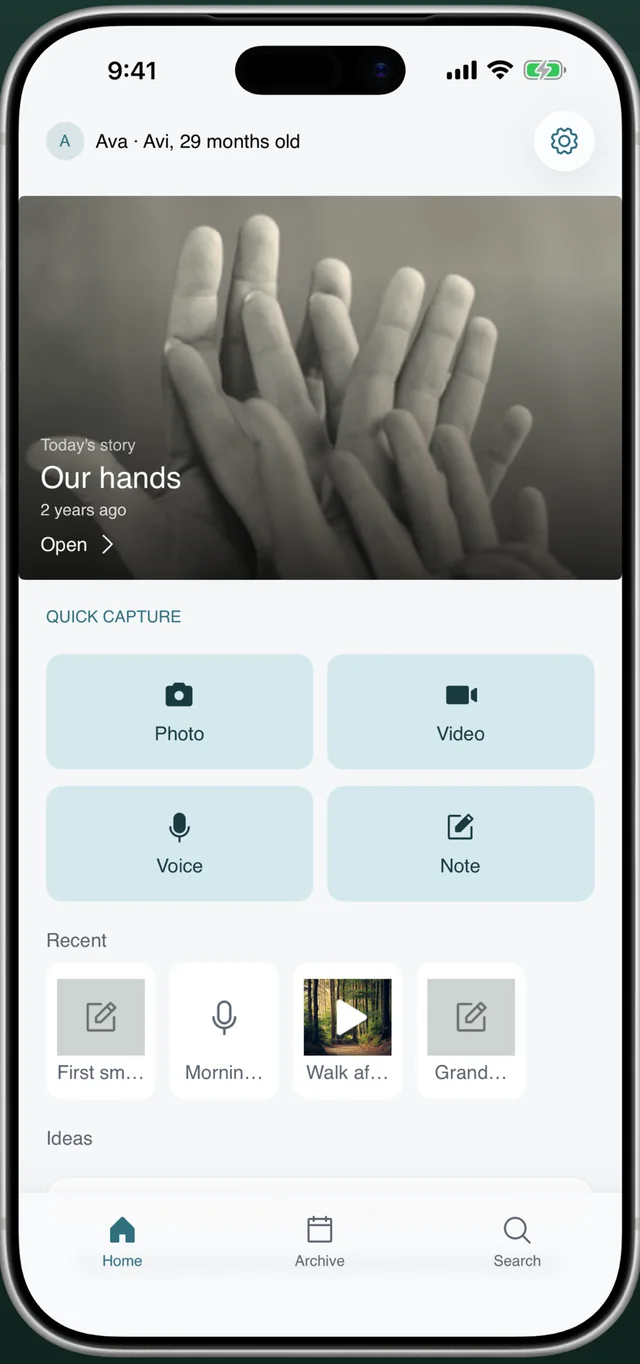
The book, without the billEverkeep is free on iPhone and Android. The PDF memory book is $9.99, once.
Qeepsake alternative FAQ
Does Everkeep send daily prompts by text?
No. Everkeep does not text you or push reminders. Capture happens when the moment happens; Looking Back (Pro) resurfaces past memories as a gentle nudge when you open the app.
Can I print a hardcover book with Everkeep?
Everkeep exports a PDF; you choose where to print it, including services that bind hardcovers. This usually costs less than in-app print products and lets you pick paper and size.
Is Everkeep affiliated with Qeepsake?
No. Qeepsake is a trademark of its owner. Everkeep is an independent app by Deximo Apps, and this comparison is based on publicly available information as of 2026.