Android and iPhone
An offline photo vault: no account, no cloud
Escondo has no account, no server and no internet access. Your photos are encrypted on the phone and stay there, and the only copies are the ones you choose to make.
What "offline" means here
- Android: the app has no INTERNET permission, so it cannot send anything.
- iPhone: the app makes no network requests.
- Both: no analytics, no crash reporter, no ads, no account. Nothing is uploaded.
See it for yourself
- Turn on airplane mode.
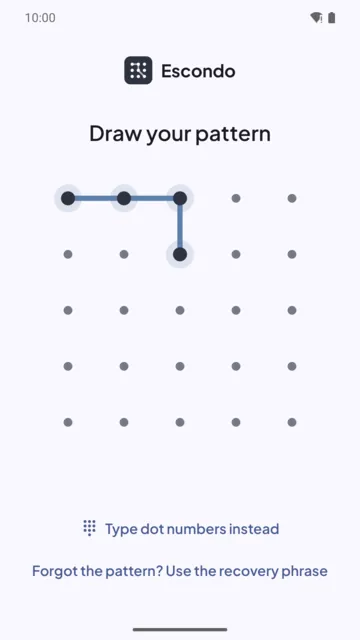
- Open Escondo and draw your pattern.
- Add, view and export a photo. Everything works the same, because nothing depends on a connection.
No account, so no reset
Because there is no server, nobody holds a copy of your pattern or your words. If you lose both, the files are gone, and nobody can reset them, not even us. The 9 recovery words are the portable way in; the pattern works only on the phone where it was made.
Keeping the vault out of cloud backups
The Android app is excluded from Android's cloud backup and from phone-to-phone transfer. On iPhone the vault is excluded from iCloud and Finder backups. A restore onto a new phone therefore shows an empty app. To move your files, create a backup file in Escondo. Android saves it where you choose (Drive, a computer or an SD card); iPhone saves it through Files, for example to iCloud Drive.
A backup you can open without the app
A backup is one file you own. It opens on any computer, in the browser, with your 9 words, even without the app. The page that does it, Escondo Open, works with the network off and cannot send anything anywhere.
What offline does not do
Encrypting a photo in Escondo does not delete copies that already exist elsewhere, such as Google Photos, iCloud Photos or a messaging app. After you move a photo in, check that no cloud copy of the original remains.
Common questions
Does Escondo work without an internet connection?
Yes, fully. Nothing in the app depends on a connection.
Does Escondo upload my photos anywhere?
No. The Android app has no internet permission and the iPhone app makes no network requests.
Do I need an account?
No. There is no account, so there is also no password reset. Keep your 9 recovery words on paper.
How do I move my vault if there is no cloud?
Create a backup file in Escondo, copy it to the new phone, install Escondo and restore with the 9 words. It works between Android and iPhone.
Does Escondo collect any data?
No. There is no analytics and no crash reporter. See the privacy statement.
Related guides
- How to hide photos on AndroidAndroid
- How to hide photos on iPhoneiPhone
- Photo vault app with no subscriptionAndroid and iPhone
- Open a photo vault backup on a computerAndroid and iPhone
- Escondo app page
- How Escondo protects your files (security page)